


Resources
When we created a new Xamarin.Android application project, a folder named Resources was created in Solution Explorer:
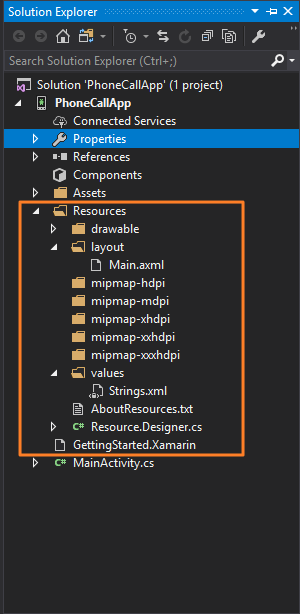
Let's analyze the structure of our Resources folder in detail.
For an Android application structure, almost everything other than the actual code is a resource.
A resource can be any of the following, but are not limited to the following:
- Images
- Any image or icon used in the application
- They go in the
drawablefolder
- Application View
- View files for the application, that is, the
Main.axmlfile that we created - Goes in the
layoutfolder
- View files for the application, that is, the
- Strings
- These are text strings that are used across the application
- For instance, the
CALLtext on the text button - It helps keep consistency throughout the application
- Goes in the
valuesfolder
Resources we used in the application
The main files that we used in our application in the Resources folder are as follows:
Icon.png: The icon for the application we downloaded and added.Main.axml: The default user interface layout file for our application...