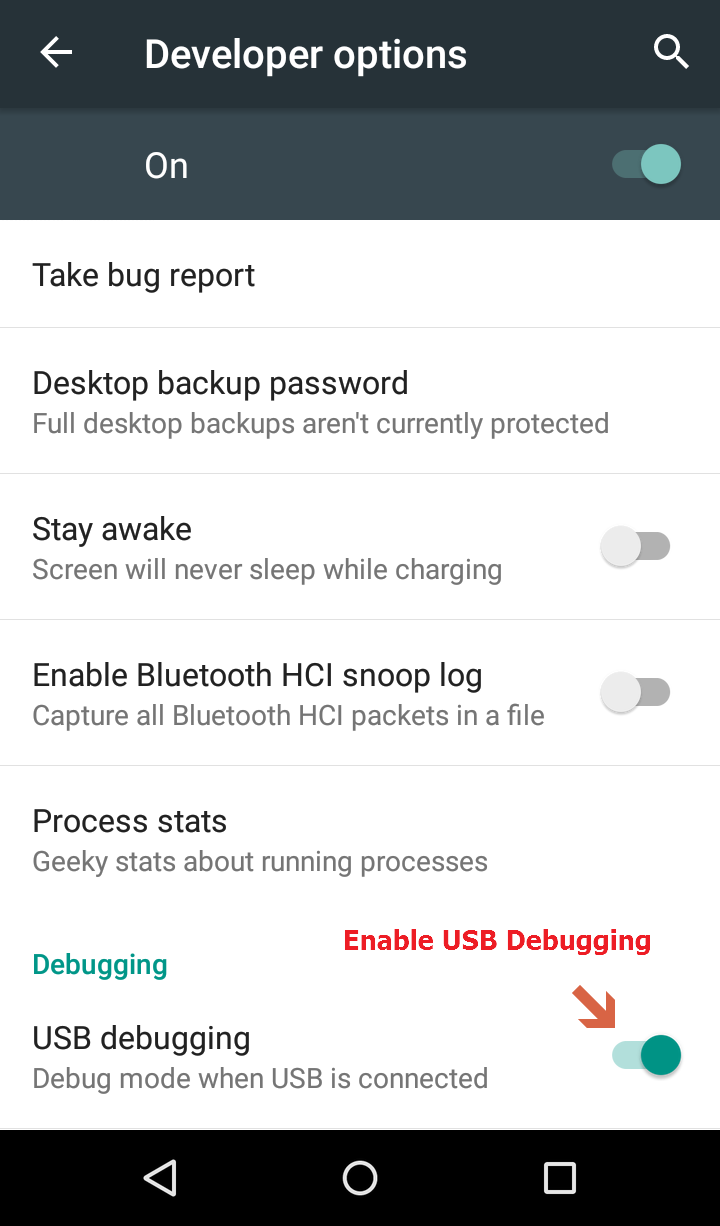


Enable debugging on the device
To enable debugging on the device, we need to perform the following steps:
- Click on the Settings icon from the notification bar:
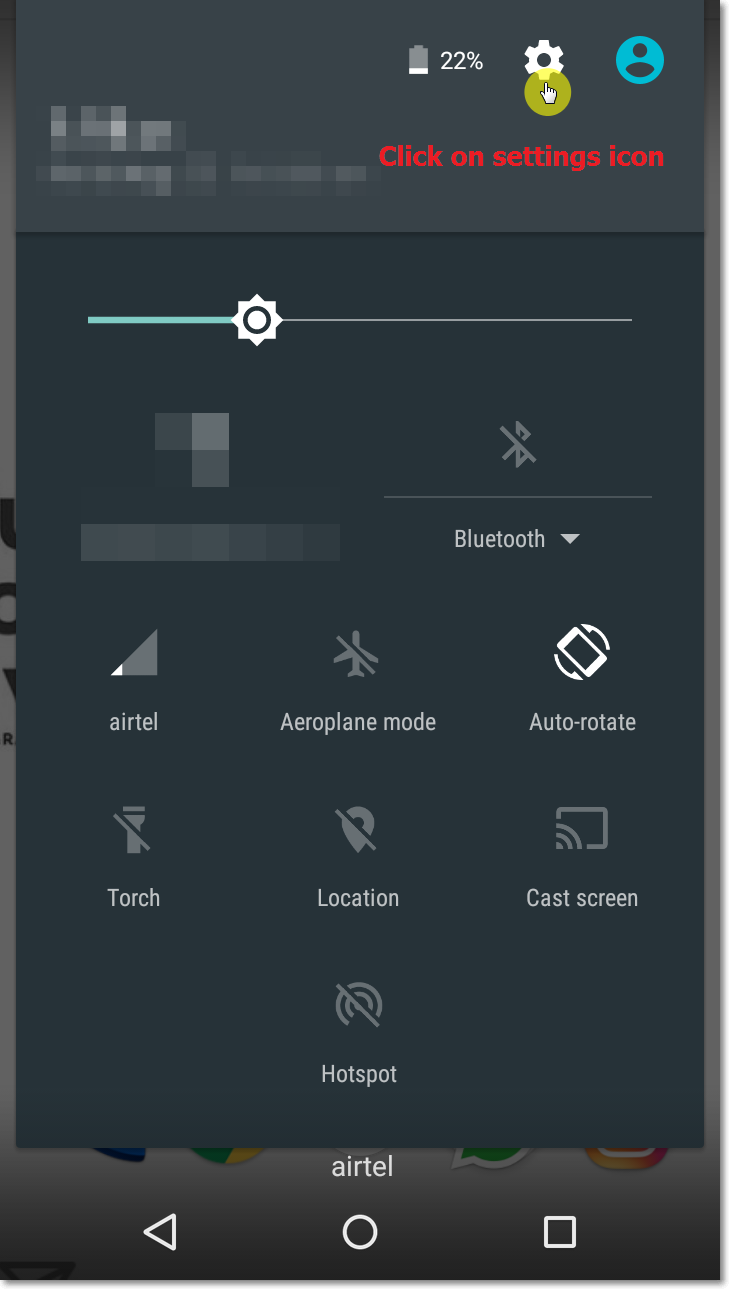
- Open
Settings. - Scroll down to the end and click on
About phone:
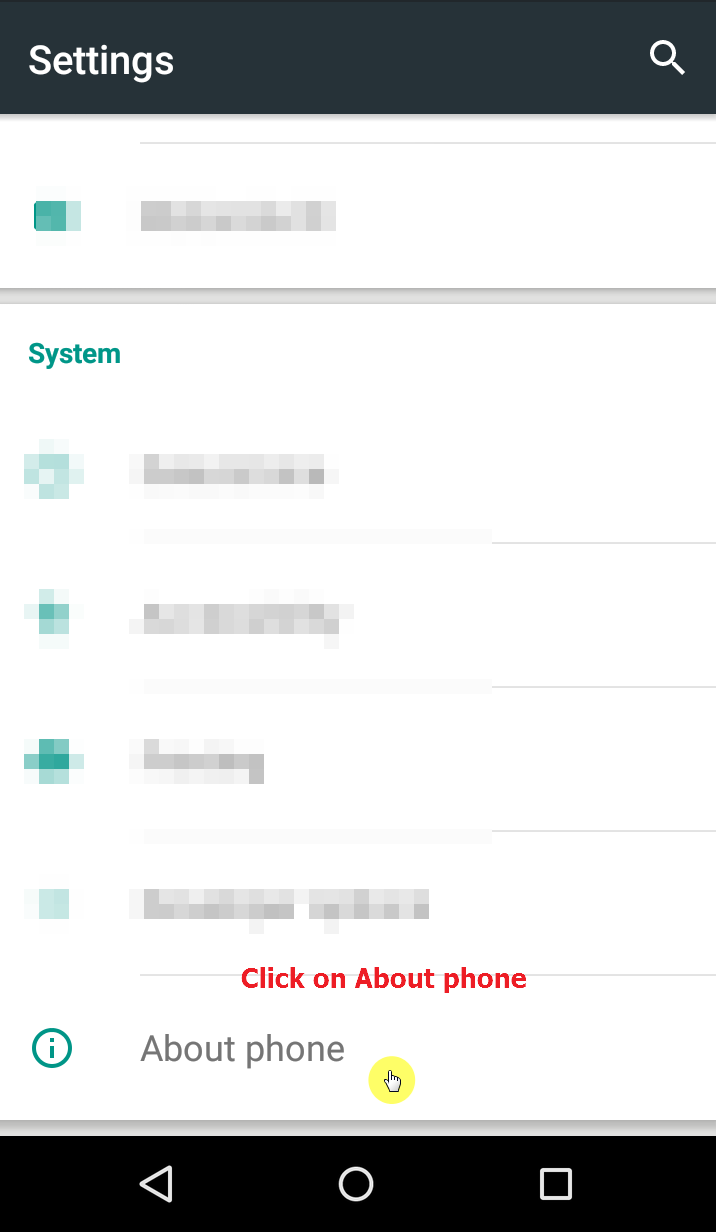
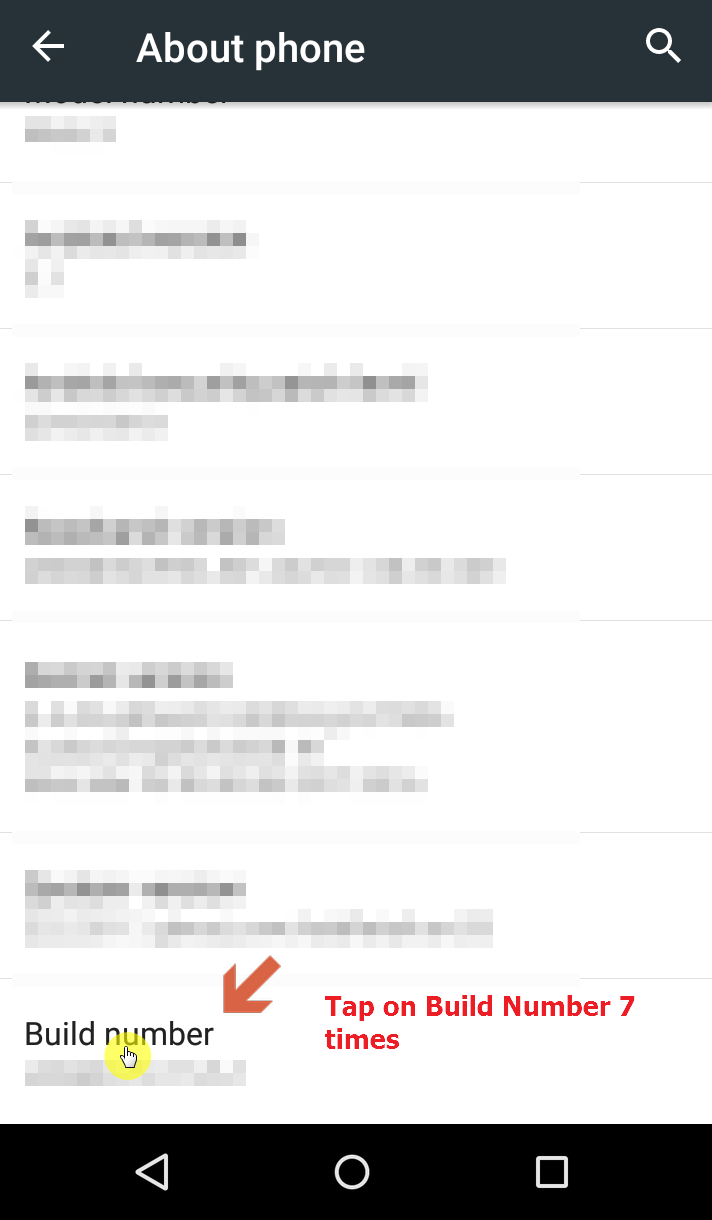
- Scroll down to
Build number. - Tap on
Build numberseven times until it saysYou are now a developer!:
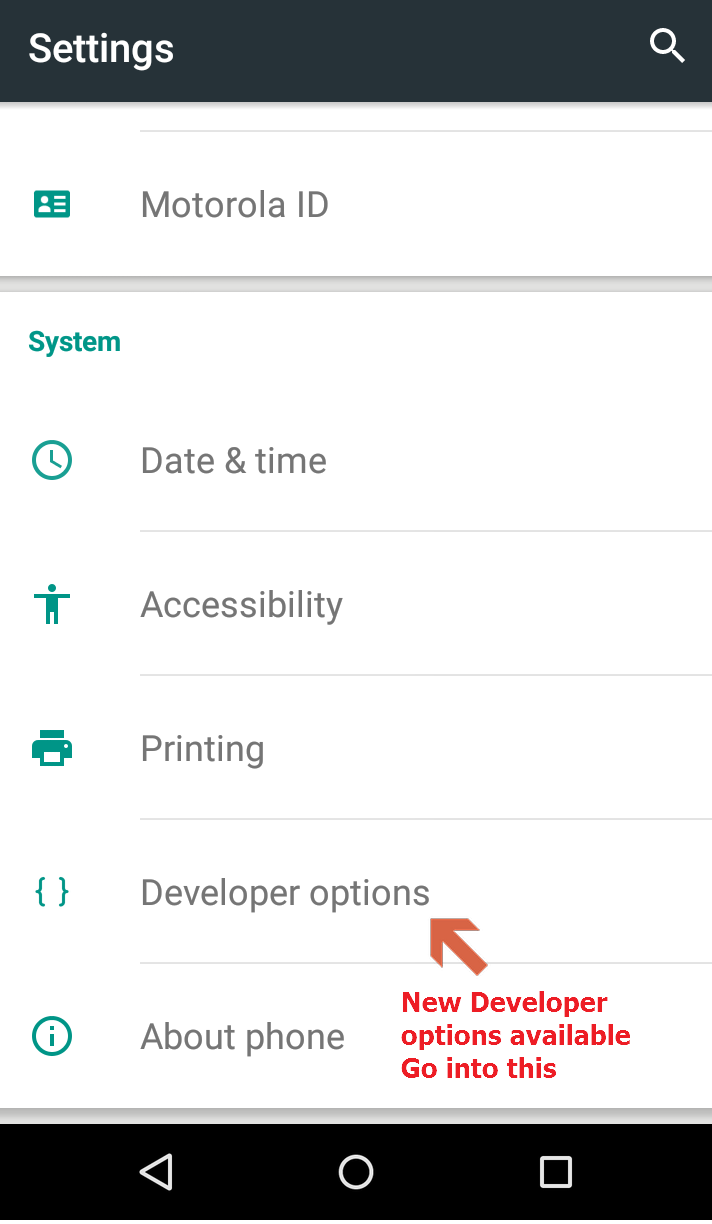
- Go back to the
Settingsmenu and scroll down till the end: - You should be able to see a new menu entry now for
Developer optionsjust beforeAbout phone: - Click on
Developer options:
- Find the option to enable
USB debuggingand enable it: