


Adding an icon for the Android app
App permissions are set and it's ready to run, so let's add an icon for our app:
- Download an icon file that you like and that best suits your phone call app.
- Go to
Solution Explorerand add the downloaded file to thedrawablefolder underResources.
- Right-click on
drawable|Add|Existing Item, as shown in the following screenshot:
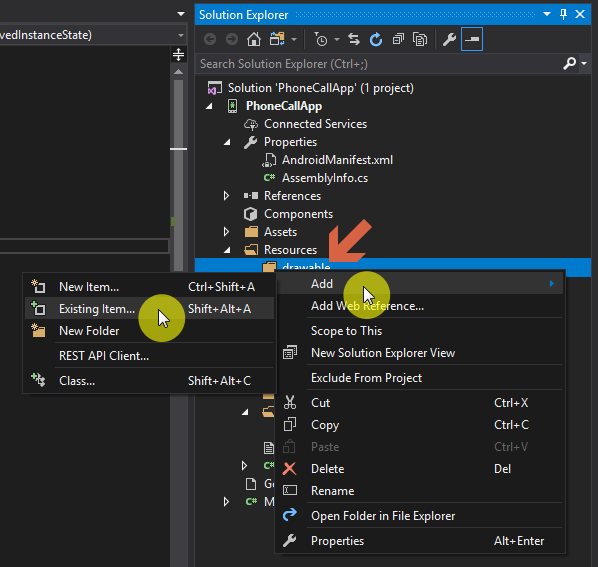
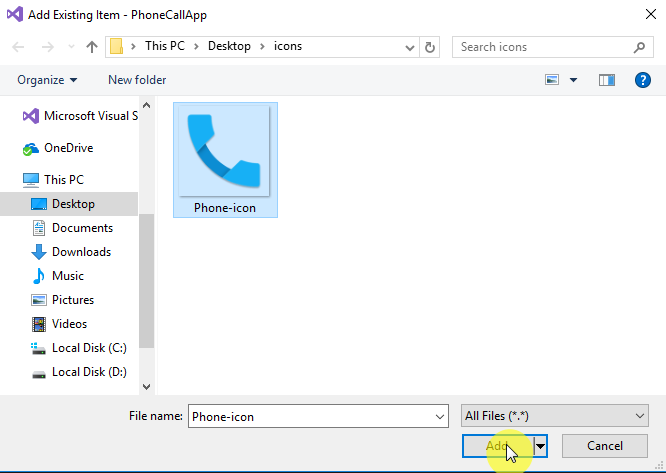
- A File Explorer window will open. Navigate to the icon file location, select the icon file, and click
Add:
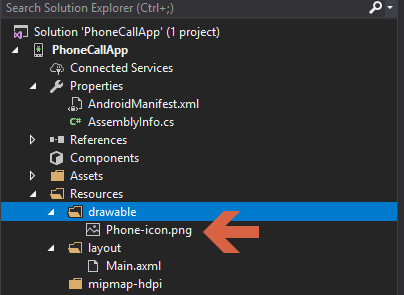
- The icon should now be added to the
drawablefolder of the project:
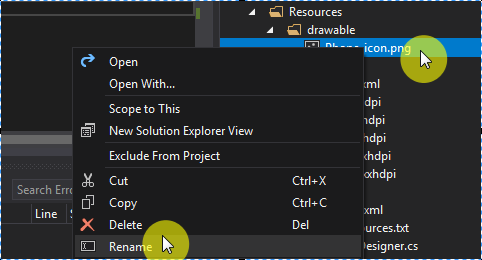
- Rename the icon file to
icon.pngby right-clicking on the file and then clickingRename:
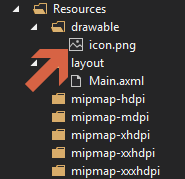
- After renaming the file, rebuild the project like we did in the previous steps.
- Once the rebuild is done successfully, let's add the icon to the application's Manifest file.
- Double-click on
PropertiesfromSolution Explorerand openAndroid Manifest. - Choose
@drawable/iconfrom theApplication Icondrop-down menu:
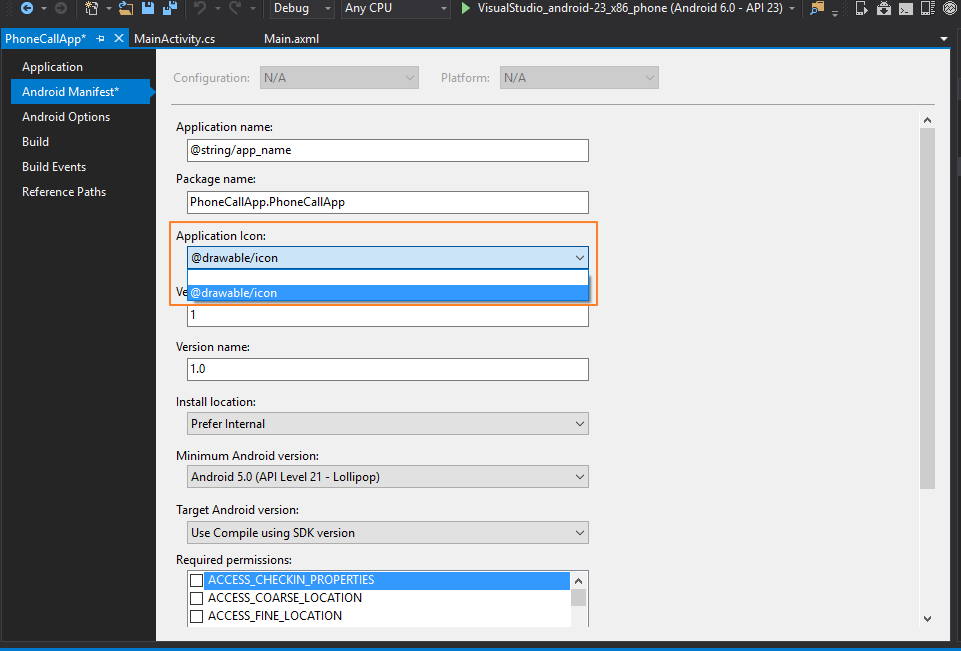
- Do Ctrl + Shift + S to save all and rebuild the solution to make...