

Creating a test run for your application
Now that we have added a team and members to it, it's time to add our application test run to it as well. To create a test run for PhoneCallApp, follow these steps:
- In Xamarin Test Cloud, click on
New Test Run:
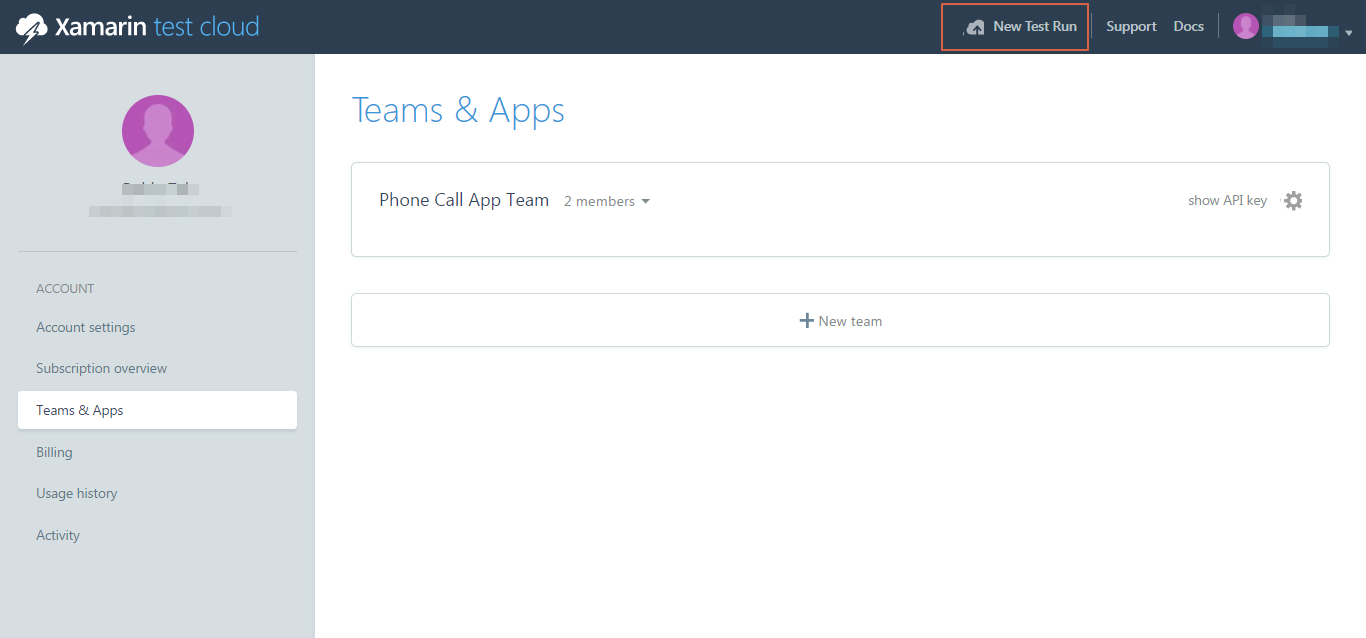
- This will open a self-guiding dialog box, where we can select the platform and choose devices.
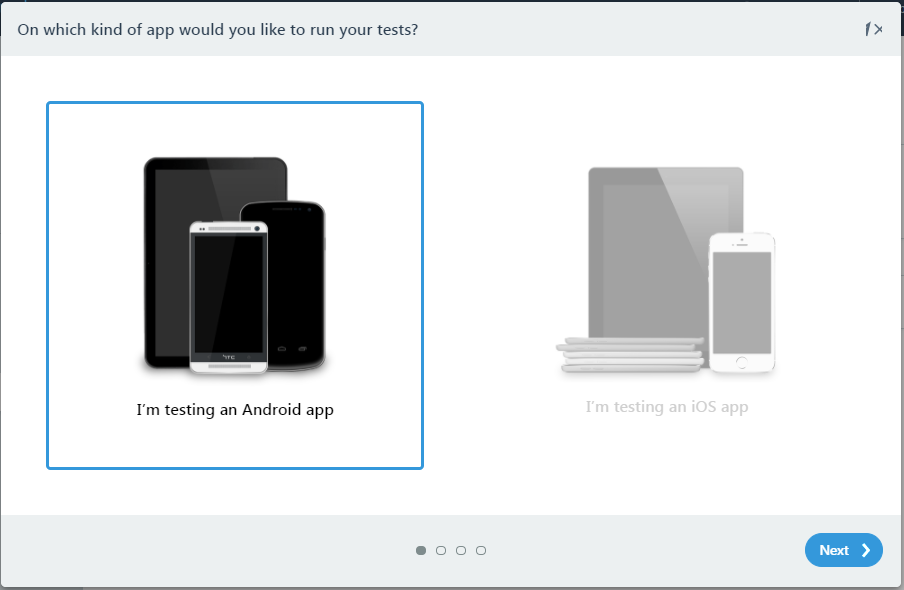
- In the first step in the dialog box, select
I'm testing an Android appand clickNext:
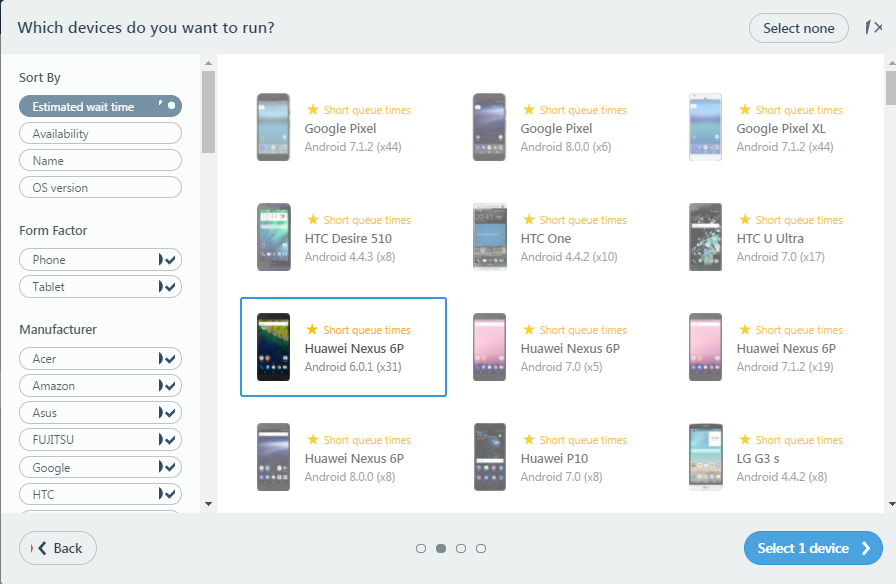
- Select appropriate devices to run your application on and go to the next step:
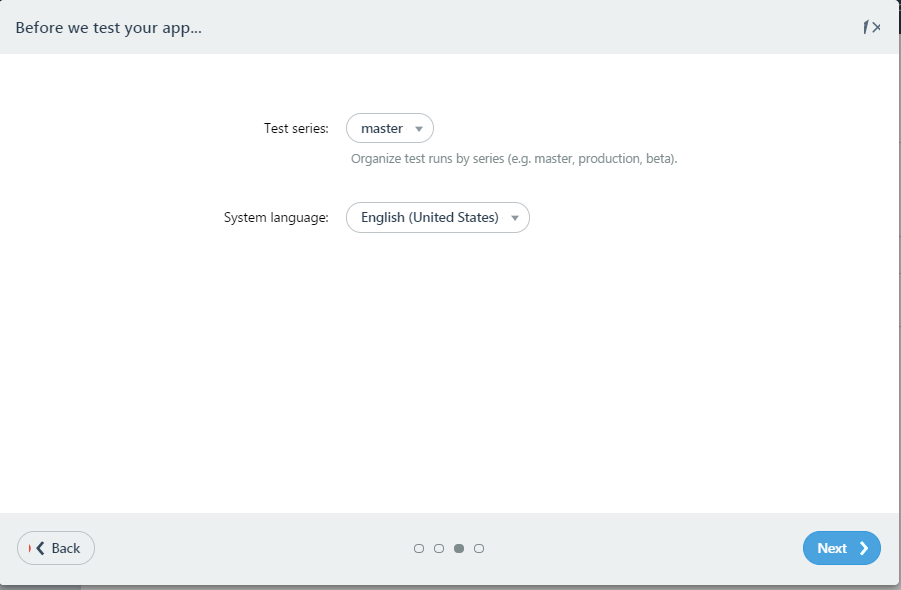
- Select an appropriate
Test series, or you can create a new one, select the language, and clickNext:
- Select
UITeston the next screen and click onRunning on Windows:
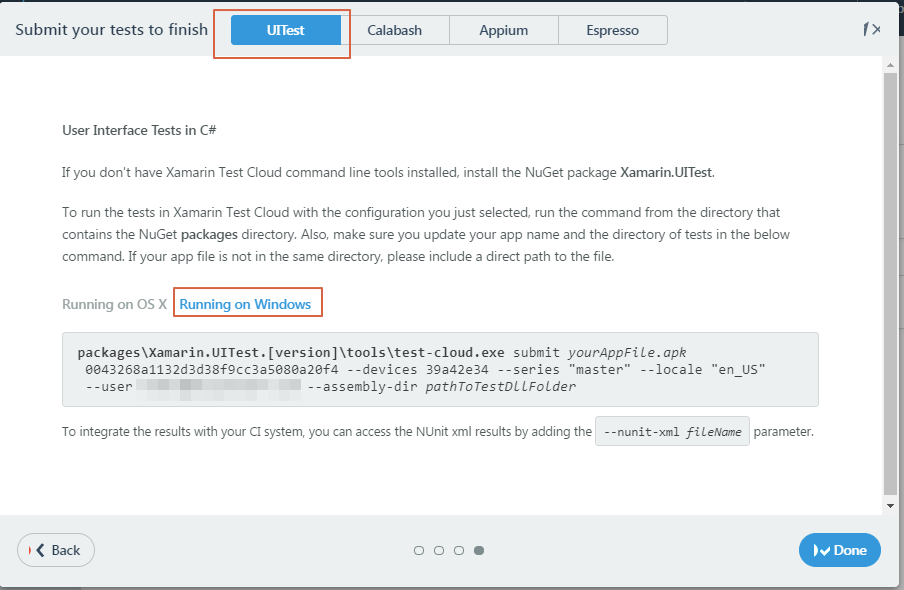
- This page gives us a command with a device ID according the devices we selected in previous steps. As it says, please update the directory path to the
.apktest assemblybinfolder, and then run the command in therootfolder of the application. - Before you upload your application to Xamarin Test Cloud, it is important to build your...