


Adding a .NET Standard 2.0 library to the Xamarin project
In this recipe, we will be looking at creating a .NET Standard 2.0 library and moving the default count code into the library. The counting code was created by Visual Studio for Mac as a default template for the Android app.
Getting ready
Make sure you have completed the previous recipe that creates a default Android Application. If you have already completed it, let's open up that solution and get started.
How to do it...
- Open
Finder. - Click
Applicationsin the left-hand pane. - Now, double-click on the Visual Studio icon.
- Click on
Open, locate theChapter9.Xamarinsolution, and open it. - The
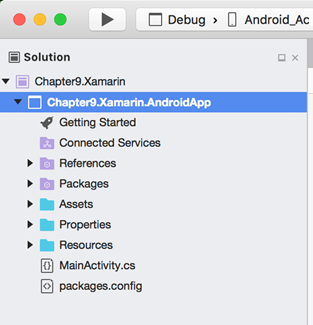
Solution Explorershould look like this:
- Now, control (^) + click on the
Chapter9.Xamarinlabel and selectAdd|New Project. - In the
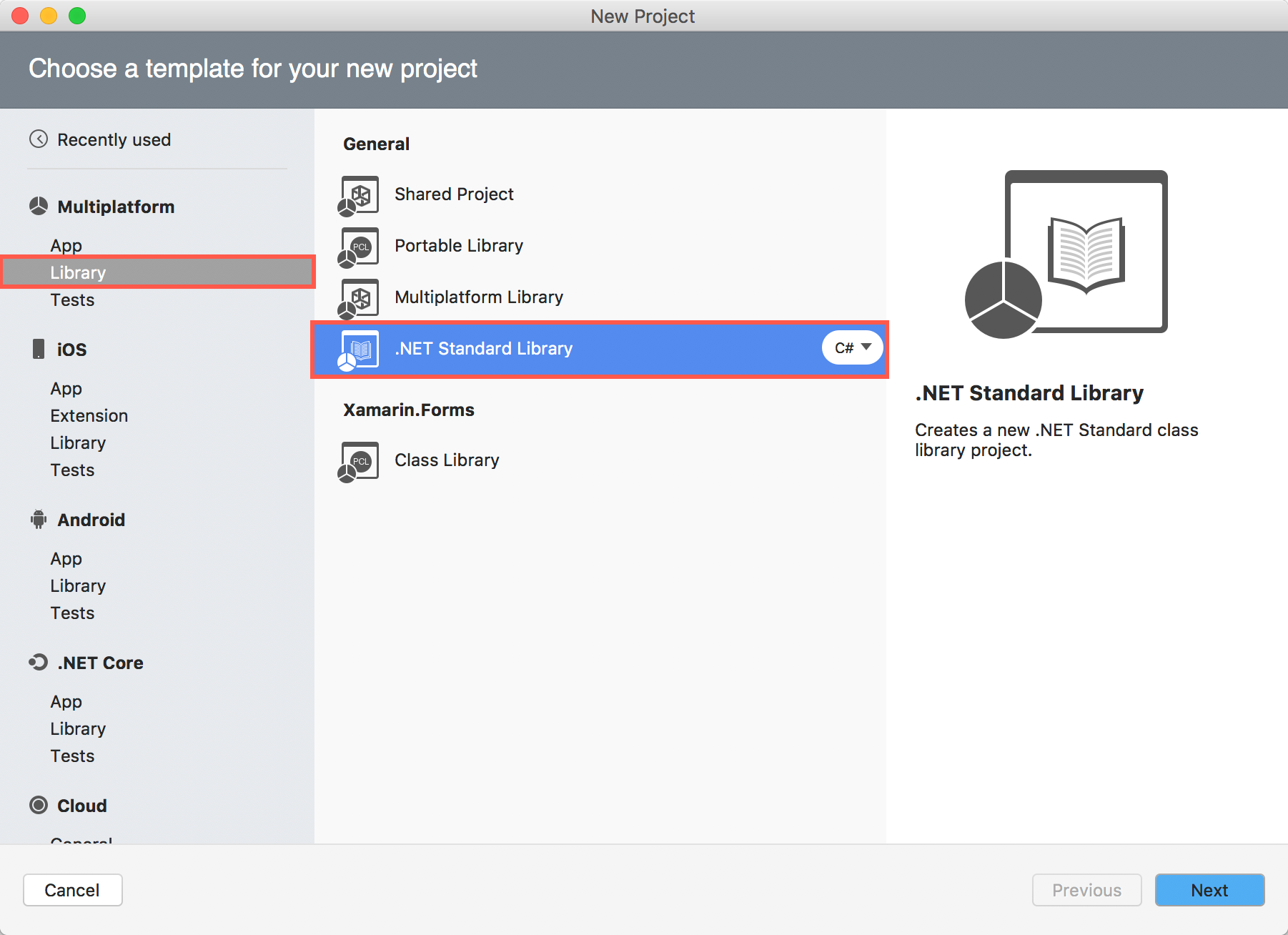
New Projectdialog box, scroll down the left-hand pane until you see theMulti Platformsection.
- Click on
Libraryand select.NET Standard LibraryunderGeneralin the right-hand pane. Also make sureC#is selected:
- Click
Next...