

Creating an ASP.NET core web application to use the library from NuGet
In this recipe, we will create an ASP.NET core web application, and then we will install the .NET Standard 2.0 library we uploaded at NuGet in the previous chapter.
Getting ready
Make sure you have the latest version of Visual Studio 2017 installed and updated, and also make sure you have completed the previous chapter.
How to do it...
- Open Visual Studio 2017.
- Click
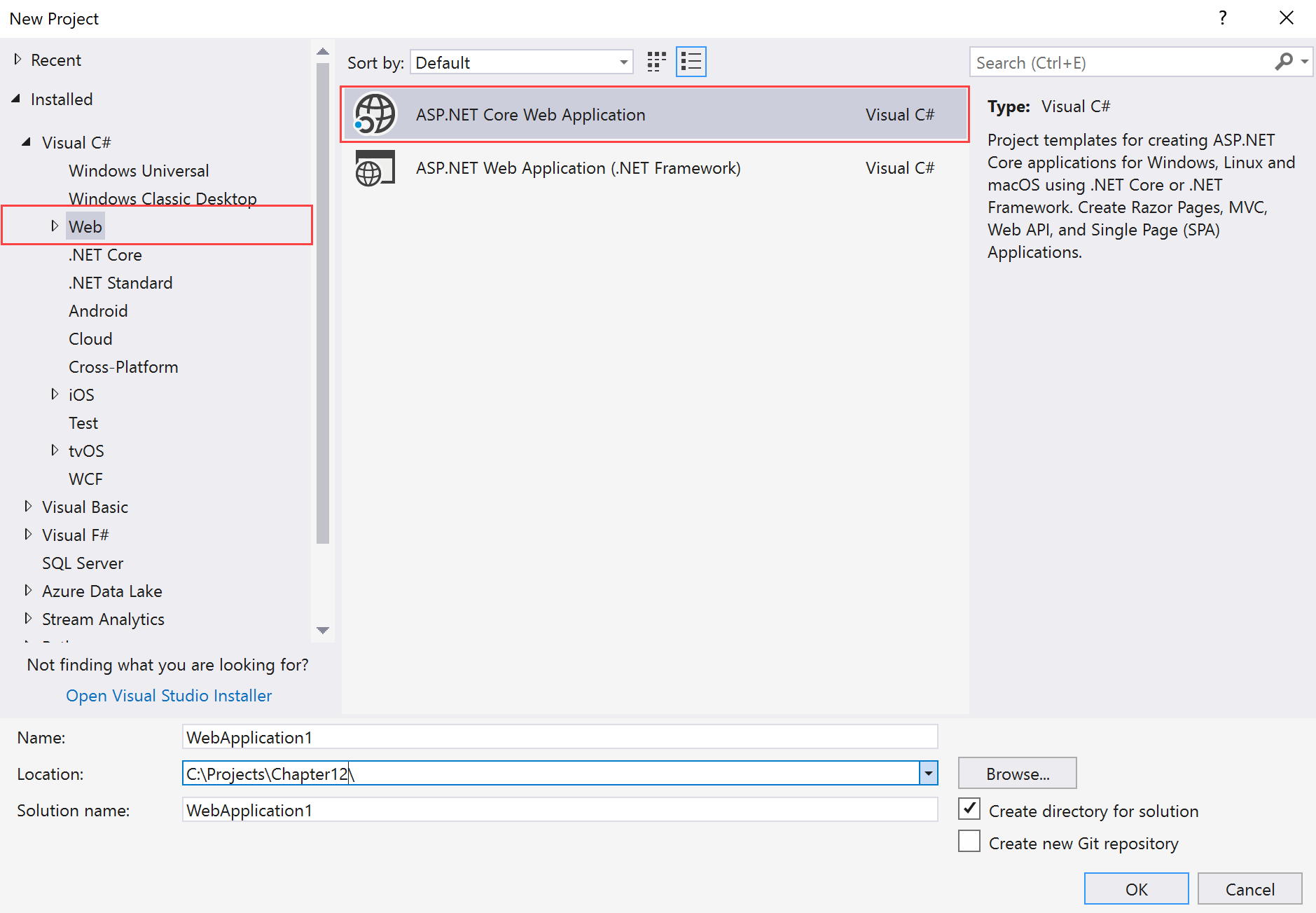
File|New|Projectand selectWebin the right-hand pane underVisual C#. - Select
ASP.NET Core Web Applicationin the right-hand pane:
- Now, in the
Name:textbox, typeChapter12.Azure.WebAppCore, and, under theLocation:textbox, select a proper location and leave the other fields as they are:
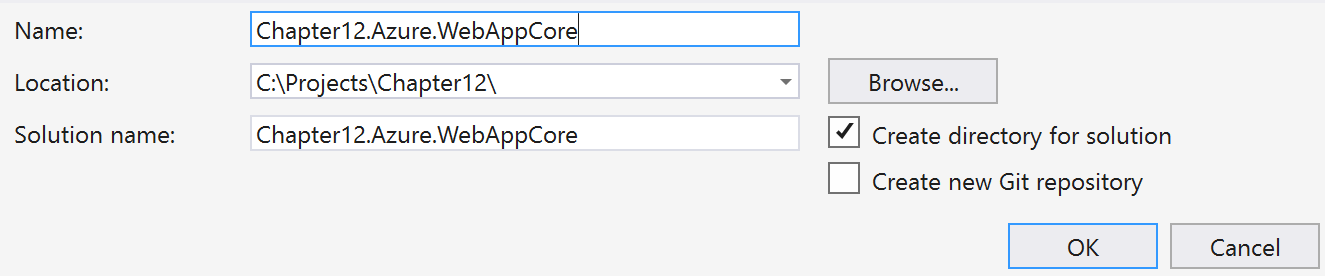
- Click
OK.
- In the
New ASP.NET Core Web Applicationdialog box, selectEmptyand leave the other fields as they are:
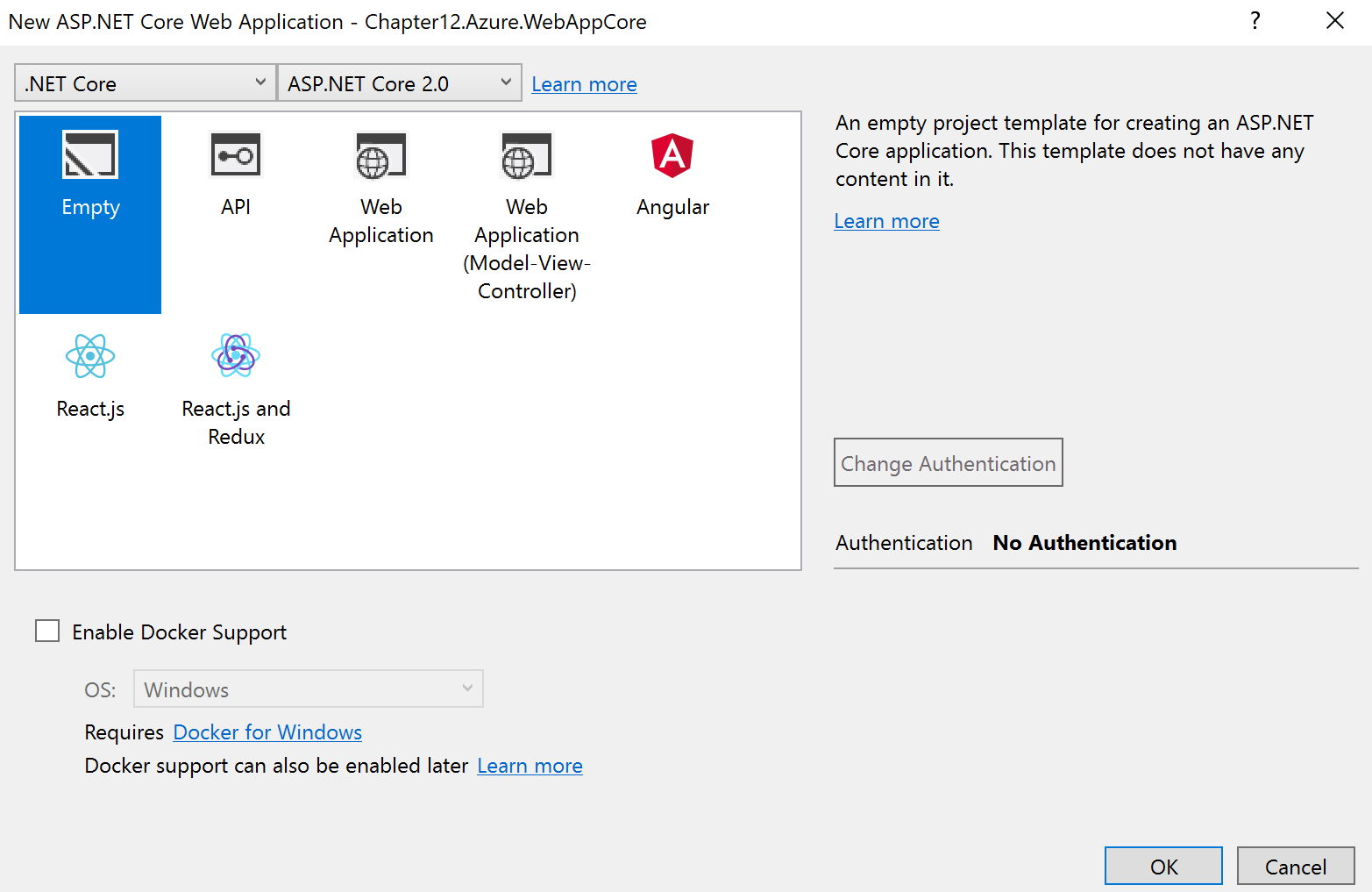
- Click
OK. - The
Solution Explorer(Ctrl + Alt + L) should look like this:
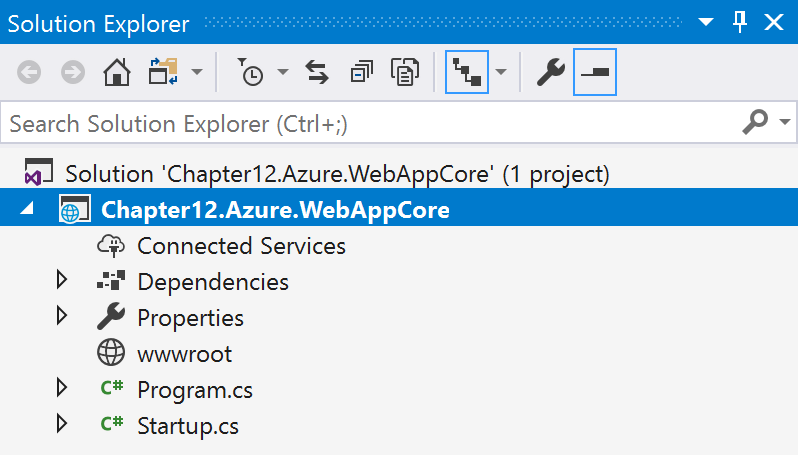
- Now, right-click on the
Dependencieslabel. - Select
Manage NuGet Packages. - Click
Browseand, in...