

Creating a .NET Core console application to use the library
In this recipe, we will be building a .NET Core console application. This application will use the library we built in the previous recipe.
Getting ready
Make sure you have completed the previous recipe and it builds correctly. Let's get started on the application to use the library.
How to do it...
- Open Visual Studio 2017.
- Now, open the solution from the previous recipe. Click
File|Open|Open Project/Solution, or press Ctrl + Shift + O, and select theChapter6.Threadssolution. - Press Ctrl + Shift + B for a quick build to check that everything is fine.
- Click on the
Chapter6.Threadssolution label. ClickFile|Add|New Project. - In the
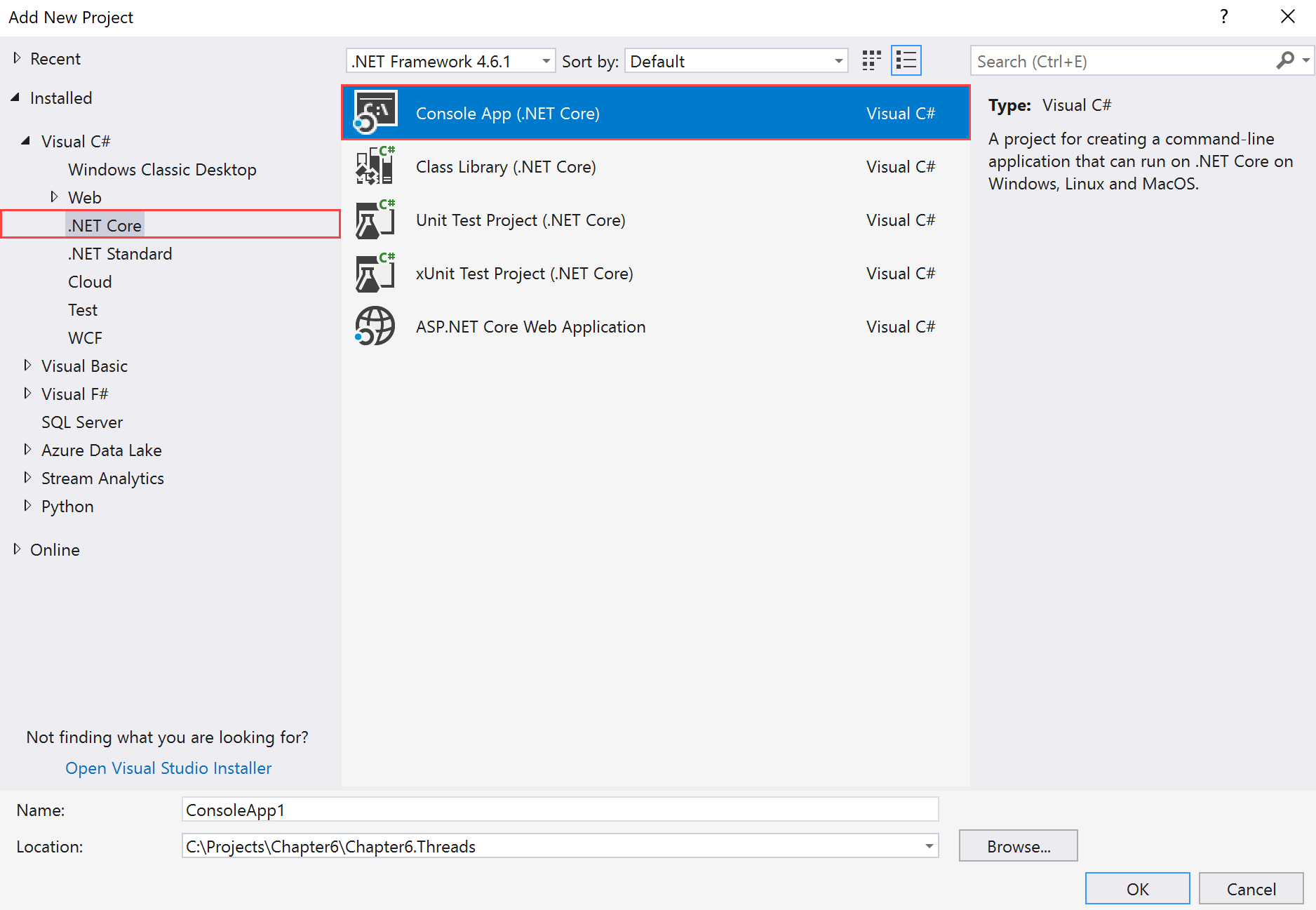
Add New Projecttemplate dialog box, expand theVisual C#node in the left-hand pane. - Select
.NET Coreand selectConsole App (.NET Core)in the right-hand pane:
- Now, in the
Name:textbox, typeChapter6.Threads.ThreadsCoreas the name of the project. The rest of the fields should be left as they are:...