

REST calls using a workflow
Now that we have learned the basics of workflows, let us now create a workflow that will use the REST Message activity to make a call to a remote REST endpoint to get the weather conditions at the From and Destination locations. However, before we create the workflow, we must define the REST endpoint in the REST Message module.
Defining a REST endpoint
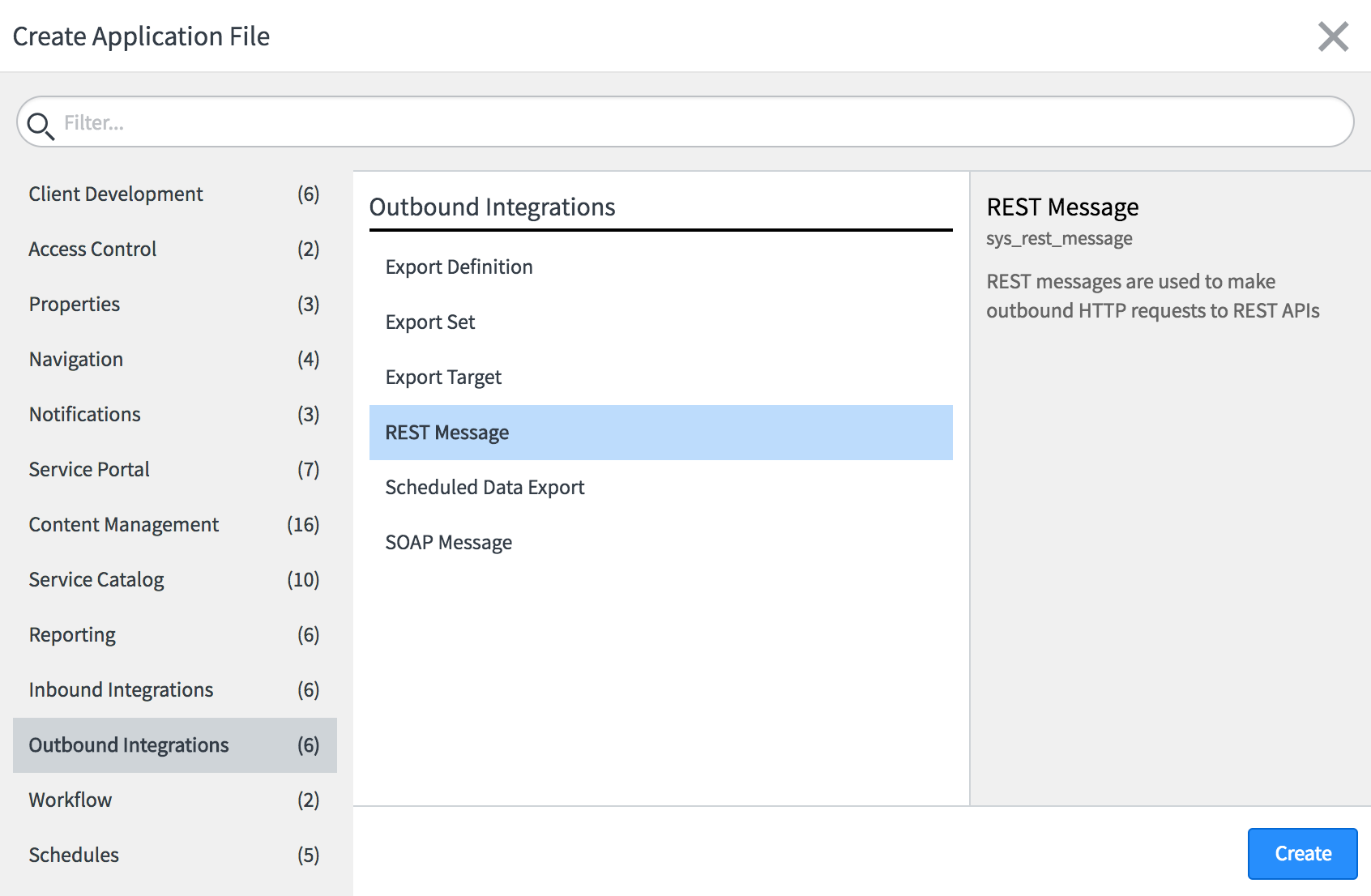
We must define every REST endpoint using the REST Message module. To define the REST endpoint, open Studio and in the Create Application File wizard, select Outbound Integrations | REST Message, as shown in the following screenshot, and click Create:
The REST Message new record form, as shown in the following screenshot, will open in Studio:
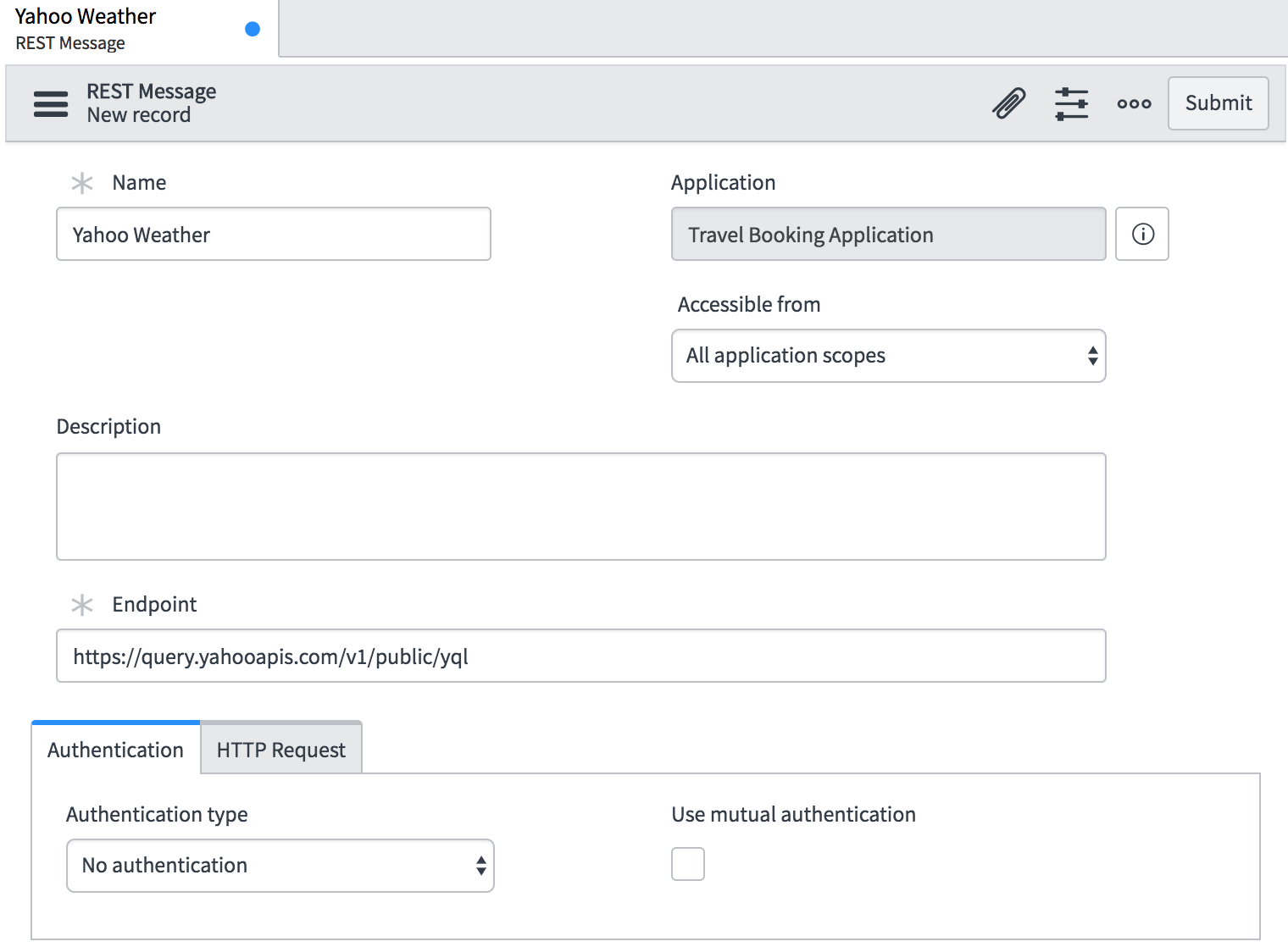
Fill in the form with the following values:
Name:Yahoo WeatherAccessiblefrom:All application scopesEndpoint:https://query.yahooapis.com/v1/public/yql
Click on the Submit button to create the endpoint definition. Now scroll down to the HTTP Methods related list, as shown in the...