

Restoring deleted records
We can restore a deleted record by navigating the following steps:
- Use the
System Definition|Deleted recordsmodule:

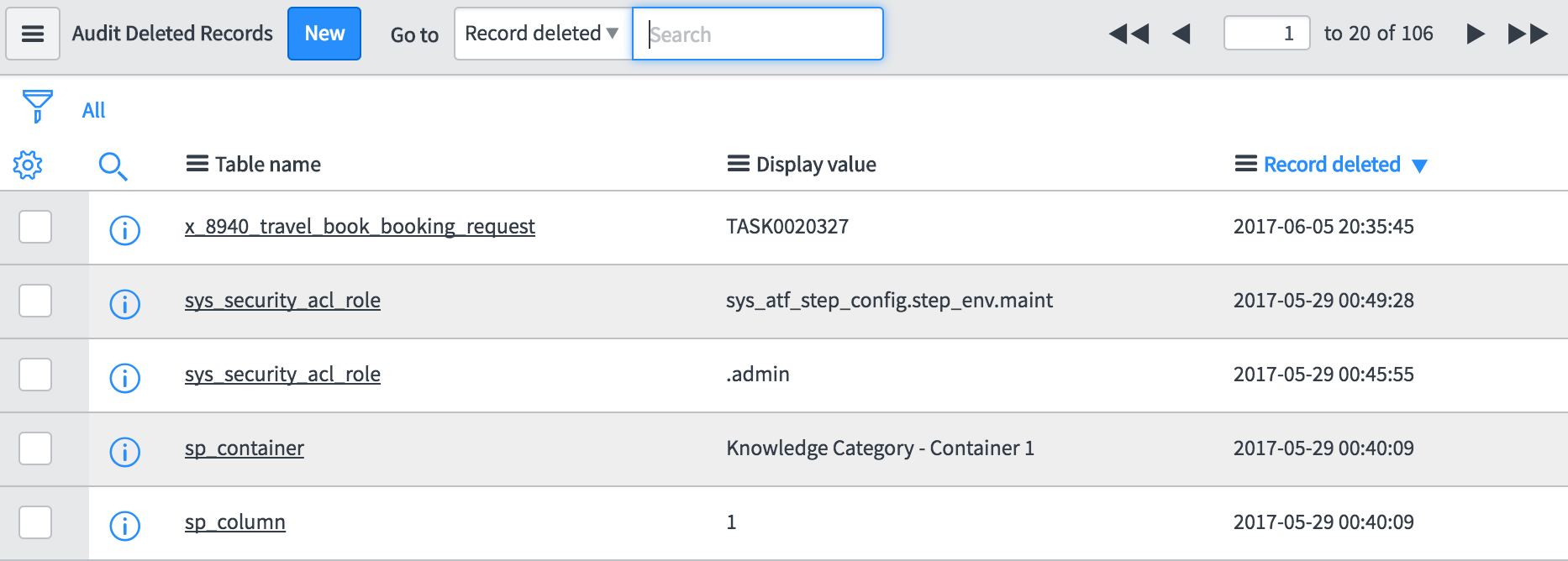
- As shown next, in the list of records page, sort the table by the
Record deletedfield to see the recently deleted records on the top. Then, click on the info icon next to the record you want to restore:
- In the form, as shown in the following screenshot, confirm if this is the record you want to undelete, and then click on the
Undelete Recordbutton on the form header:
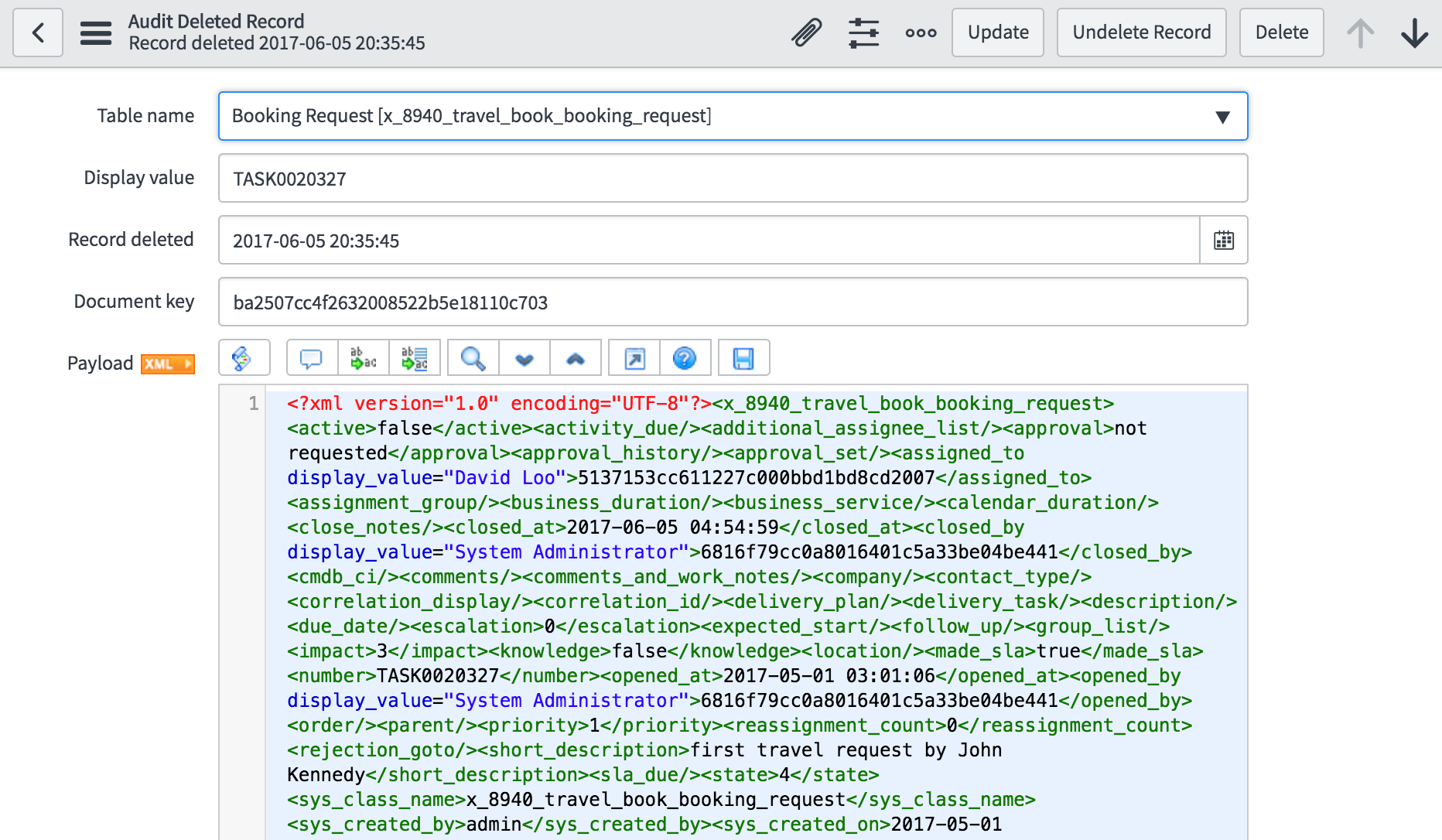
- The record will be restored and be available in the original table as if it was never deleted. If you want to restore the record along with deleted reference records, use the
Restore RecordandReferencesrelated links instead of theUndelete Recordbutton.
Note
The insert business rules, if any, will still execute on the record being moved from the Audit Delete table to the original table.
Limitations of the undelete feature
There are some limitations of the undelete feature. It only works...