

Managing module order
Let us arrange the order of the modules available under the Travel Booking Application menu:
- In
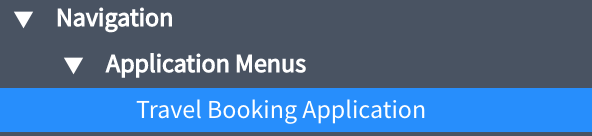
Studio, open theTravel Booking Applicationmenu using the left file selector, as shown in the following screenshot:
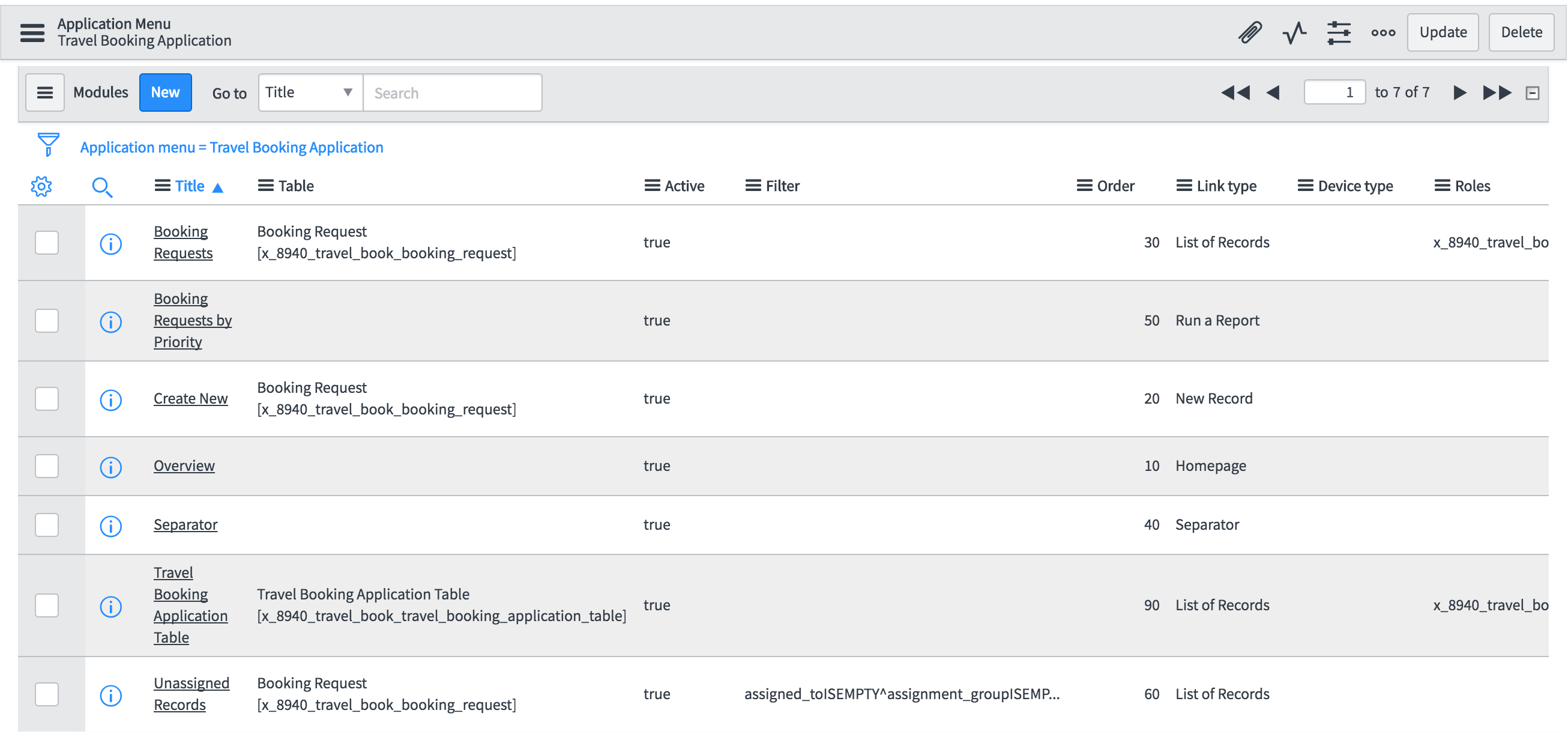
This will open the record in the detail edit mode. Scroll to the modules related list, shown in the following screenshot to see all the modules available under the menu.
The cells of list are editable in ServiceNow by default. Clicking on cell highlights it and double-clicking will allow you to edit the cell's value without opening the row.
- As we are interested in changing the order of the modules, let us double-click on the
Ordercells for each row and set the proper order as listed here:
Module name Order
Booking Requests:30Booking Requests by Priority:50Create New:20Overview:10Separator:40Travel Booking Application Table:90Unassigned Records:60
- Once we have modified the order of the modules, we can confirm the changes by checking the navigator pane. If required...