

Activities
In UiPath Studio, an activity represents the unit of an action. Each activity performs some action. When these activities combine together, it becomes a process.
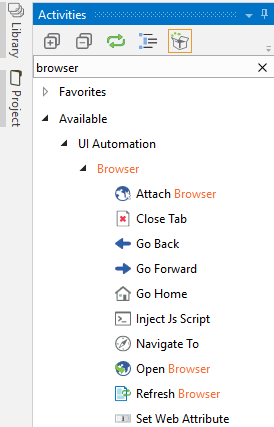
Every activity resides on the Activities panel of the main Designer panel. You can search for a particular activity and use it in your project. For example, when we search for browser, all the browser activities will appear in the Activities panel, as shown in the following screenshot:
Using activities with workflows
We have seen how we can easily search for a particular activity. Now, let us see how to use them in a workflow:
Search for
Flowchartin the same way that we have searched for the browser activities in theActivitiespanel search bar. Drag and drop theFlowchartactivity inside the Designer panel.The
Flowchartappears in the Designer panel and we have a givenStartnode. TheStartnode specifies where the execution begins.We are ready to use different activities in our
Flowchart. You can use any activity/activities...