


Monitoring image and element triggers
With an image trigger, the events will occur once the user has clicked on a certain image that is indicated in the Click Image Trigger activity.
By clicking on Indicate element on screen, we have to select an image that will trigger the event when clicked.
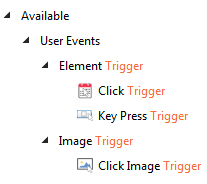
In the Element Trigger, there are two activities that come into play. These are Click Trigger and Key PressTrigger as shown in the following screenshot:
- The
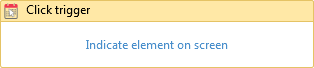
Click triggeractivity is used to trigger events when a user simply clicks on a UI element:
- The
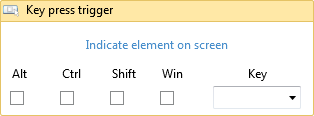
Key press triggeractivity is used when we need to trigger events by pressing a certain key or by selecting the image on the screen to trigger events:
An example of monitoring email
To make things clearer, we will monitor a send email event through Gmail. The steps are listed as follows:
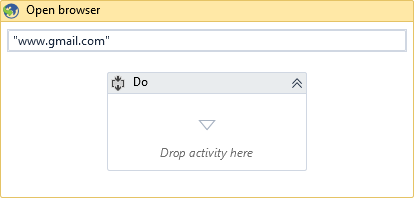
- Open the browser and browse to www.gmail.com: To do this, drag and drop the
Open browseractivity. In the required field for the address, enterwww.gmail.com:
- Getting username...