

Adding a pause menu
Now that we have the main menu, we will move on next to building something else that most games will need, a pause menu. In PC games, this will likely be triggered by the Esc key, whereas in a mobile game, it typically needs its very own button. We will make it so that this project supports both.
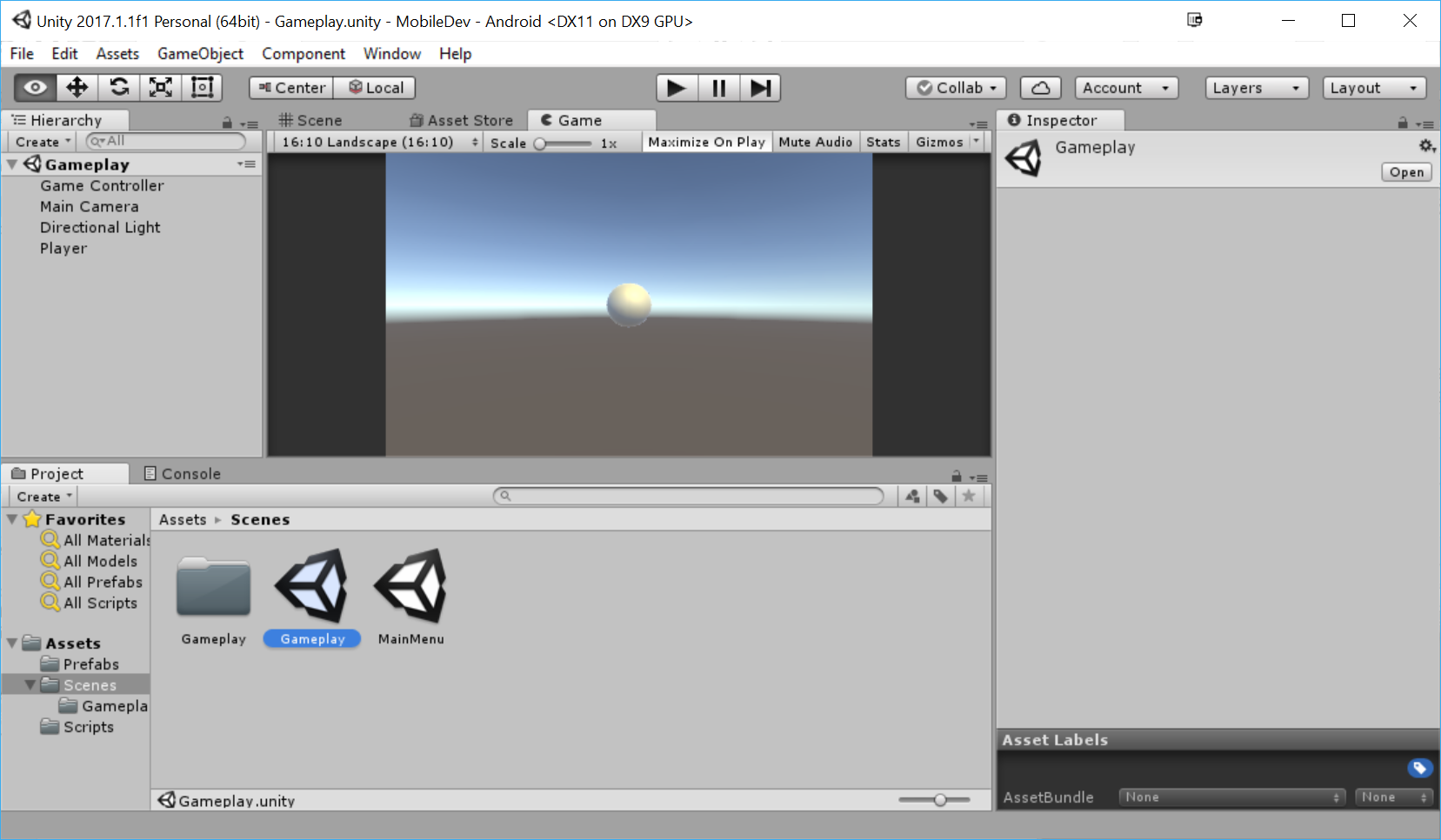
- To start off, let's open up the
Gameplayscene by going to the Project window and then opening theAssets/Scenesfolder and double-clicking onGameplay, thus saving theMainMenulevel if you didn't do so already:
Before we create a button to open our pause menu, let's go ahead and create the pause menu first that we'll be opening.
- The first thing we'll do is dim our screen when we enter the pause menu. An easy way to do that is having an image scale to cover our entire screen, which is what the
Panelobject does by default. We can create it by selectingGame Object|UI|Panel. Note that this creates a Canvas and anEventSystemobject in addition to thePanelbecause one doesn...