


Deleting items from a canvas
Besides adding and modifying items on a canvas, it is also possible to delete them via the delete() method of the Canvas class. Although the usage of this method is very straightforward, there are a couple of useful patterns that we will see in the next example.
Keep in mind that the more items displayed on a canvas, the longer it will take to Tkinter to redraw the widget. Therefore, it is convenient to remove unnecessary items if this could cause a performance issue.
Getting ready
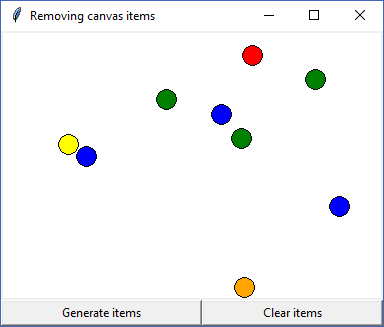
For this recipe, we will build an application that randomly displays several circles on a canvas. Each circle removes itself once you click on it, and the window contains one button to clear all the items and another button to start over again:
How to do it...
To irregularly place the items on the canvas, we will generate the coordinates using the randint function from the random module. The item color will be randomly chosen as well by calling choice with a predefined list of colors.
Once...