

Using Views to provide custom data sources
The RESTful Web Services module provides Views plugins that allow you to expose data over Views for your RESTful API. This allows you to create a view that has a path and outputs data using a serializer plugin. You can use this to output entities, such as JSON, HAL JSON, or XML, and it can be sent with appropriate headers.
In this recipe, we will create a view that outputs the users of the Drupal site, providing their username, email, and picture if provided.
How to do it…
- Got o
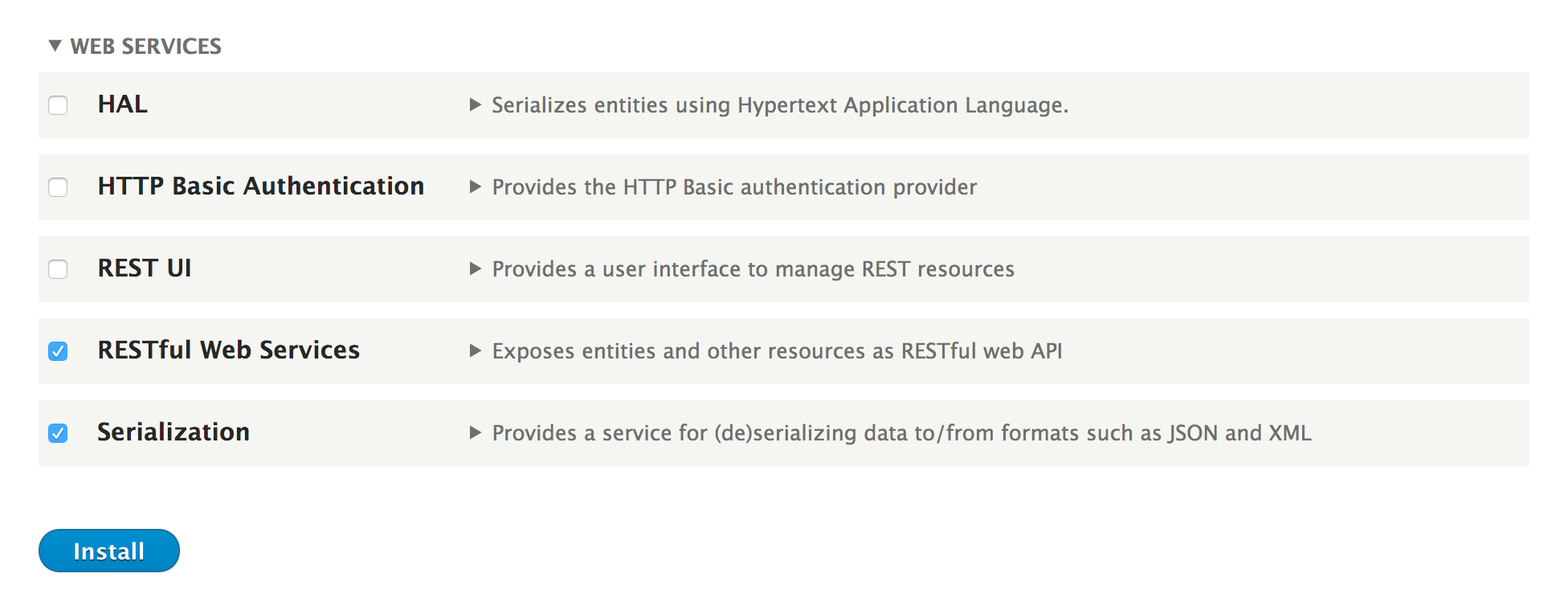
Extendfrom the administrative toolbar and install the following Web Services modules:SerializationandRESTful Web Services:
- Go to
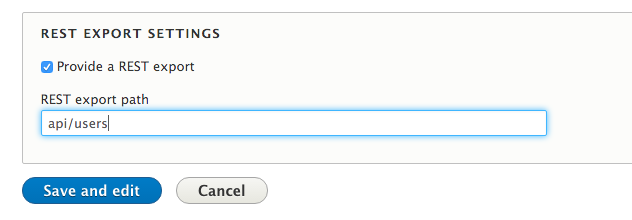
Structureand then toViews. Click onAdd view. Name the view API Users and make it showUsers. - Check the
Provide a REST exportcheckbox, and type in theapi/userspath. This is where requests will be made:
- Click on
Save and edit. - Change the format of the row plugin from
EntitytoFieldsinstead so that we can control the specific output. - Ensure that...