

Using chown to change ownership of files and directories
File ownership is fundamental in Linux. As every file is associated with an owner and a group, we can change the owner of a file or directory using the chown command.
How to do it...
To understand the use of chown, let's follow these steps:
- To understand the use of the
chowncommand, let's create a file namedfile1.txtand a user nameduser1:
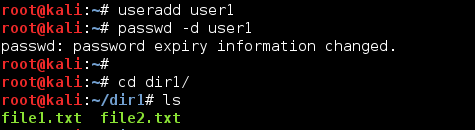
The previous command for changing password information is optional. You can ignore it if you want to.
- Now, let's check the current owner of
file1.txt.
We can see that the current owner for both the files is root and it belongs to the root group.
- Let's change the ownership of
file1.txttouser1:

As seen here, the owner of file1.txt has now changed to user1.
- If we want to change the group of a file, we can do that also using
chown:
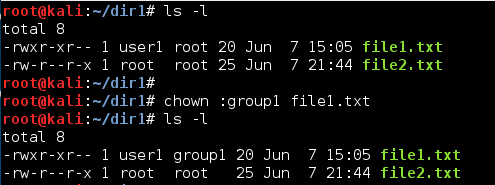
- We can change both the owner and group of a file in single command as shown here:
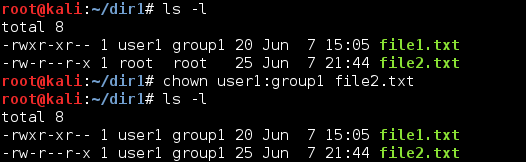
We can see that the owner and group of file2.txt have changed.
- If we wish to recursively change...