

Defining user authorization controls
Defining user authorization on a computer mainly deals with deciding the activities that a user may or may not be allowed to do. This could include activities such as executing a program or reading a file.
Since the root account has all privileges, authorization controls mainly deal with allowing or disallowing root access to user accounts.
Getting ready
To see how user authorization works, we need a user account to try the commands on. So, we create few user accounts, user1 and user2, to try the commands.
How to do it...
In this section, we will go through various controls that can be applied on user accounts:
- Suppose we have two user accounts,
user1anduser2. We log in fromuser2and then try to run a command,ps, asuser1. In a normal scenario, we get this result:
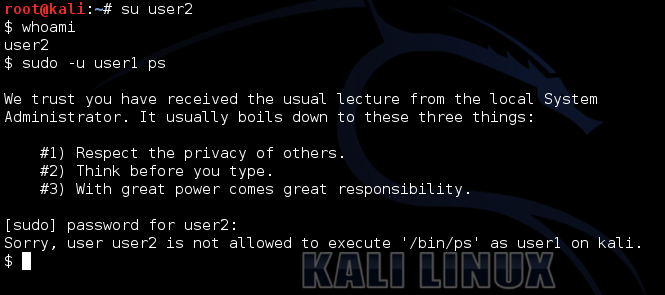
- Now, edit the
/etc/sudoersfile and add this line:
User2 ALL = (user1) /bin/ps- After saving the changes in
/etc/sudoers, again try to run thepscommand fromuser2asuser1:
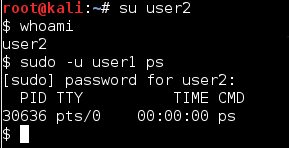
- Now, if we want to run...