

Hiding and showing the Canvas
We have decided that the UI in our game will be made up of three simple views:
- MenuView
- InGameView
- GameOverView
We have created most of the MenuView. I am using two terms here, View and Canvas. In our simple game, both of them will mean the same thing. MenuCanvas is just the visible part of MenuView. Keep that in mind.
The simplest way to toggle the view's visibility is by enabling and disabling the Canvas component. Let's test how it works without the code for now:
- Press
Playin Unity. - Select the
MenuCanvasgame object in theHierarchywindow. - Disable the
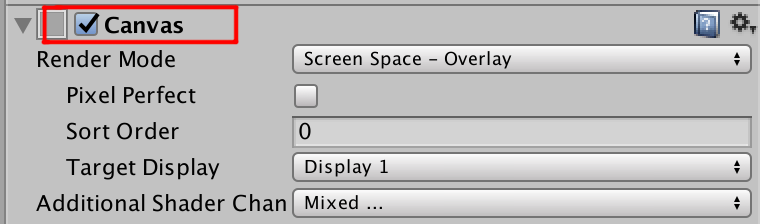
Canvaselement, marked here:
- As the
Canvascomponent is responsible for rendering the UI in the scene, disabling it will hide the content of all UI elements within the canvas.
Note
Note once again that disabling the Canvas component will hide all UI elements within the canvas. It will also disable all events handled by the Event System.
It's been a while since we wrote some code. Let's implement the same behavior in the...