

Creating workflow actions
Workflow actions allow us to create custom actions based on the values in search results. The two supported actions either run a search or link to a URL.
Running a new search using values from an event
To build a workflow action, navigate to Settings | Fields | Workflow actionsand click on New. You are presented with a form as seen in the following screenshot:
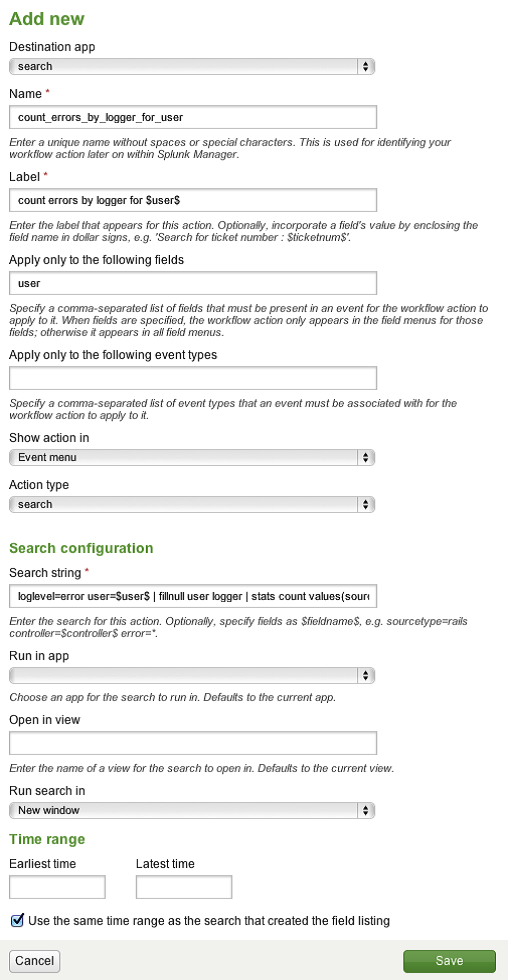
Let's walk through the following fields:
Destination app: This is the app where the workflow action definition will live.Name: This is the name used in configuration files. This name cannot contain spaces, but underscores are fine.Label: This is what will appear in the menu. It can contain variables. In this case, we have included$user$, which will be populated with the value of the user field from the event.Apply only to the following fields: This workflow action will only appear on an event if all the fields specified in this list have a value.Show action inwill determine which menus can contain the workflow...