Search icon CANCEL
Subscription
0
Cart icon
Your Cart (0 item)
Close icon
You have no products in your basket yet
Save more on your purchases! discount-offer-chevron-icon
Savings automatically calculated. No voucher code required.
Arrow left icon
Explore Products
Best Sellers
New Releases
Books
Videos
Audiobooks
Learning Hub
Newsletter Hub
Free Learning
Arrow right icon
timer SALE ENDS IN
0 Days
:
00 Hours
:
00 Minutes
:
00 Seconds
$9.99 | ALL EBOOKS & VIDEOS
Save more on purchases! Buy 2 and save 10%, Buy 3 and save 15%, Buy 5 and save 20%
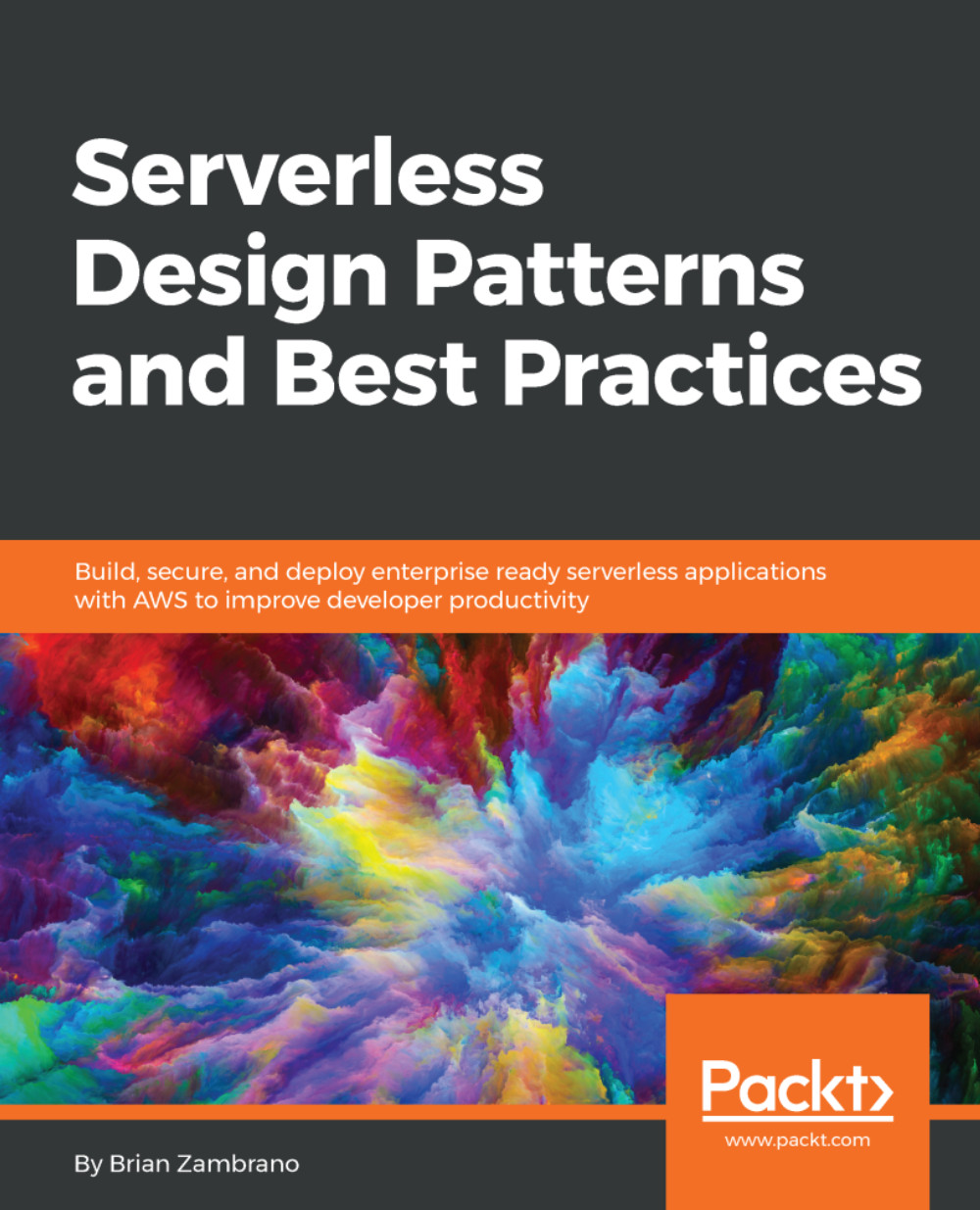
Serverless Design Patterns and Best Practices

Serverless Design Patterns and Best Practices: Build, secure, and deploy enterprise ready serverless applications with AWS to improve developer productivity

eBook
$9.99 $39.99
Paperback
$48.99
Subscription
Free Trial
Renews at $12.99p/m

What do you get with eBook?

Product feature icon Instant access to your Digital eBook purchase
Product feature icon Download this book in EPUB and PDF formats
Product feature icon Access this title in our online reader with advanced features
Product feature icon DRM FREE - Read whenever, wherever and however you want
OR
Modal Close icon
Payment Processing...
tick Completed

Billing Address

Table of content icon View table of contents Preview book icon Preview Book

Serverless Design Patterns and Best Practices

Chapter 2. A Three-Tier Web Application Using REST

It should be safe to say that the vast majority of developers know what REST is. A three-tier web application consists of the following:

  • Presentation layer (HTML and CSS)
  • Business logic layer (application code)
  • Data layer (Relational Database Management System or another type of data store)

The three-tier web application is extremely well known and one of the most common designs on the web today. Readers are likely familiar with this design when thinking about a web application's static content (that is, HTML, JavaScript, and CSS) which are served from a content delivery network (CDN), which talks to a RESTful API hosted on a web server, which, in turn, talks to a database.

In this chapter, we will go through the process of building a three-tier web application using HTML, JavaScript, and CSS for our presentation layer, a REST API for our business logic, and a Postgres database for our data tier. Most importantly, and keeping in line with this...

Serverless tooling


Since this is the very first chapter that has application code and working examples, it's important to talk through some of the tooling and systems to set the stage for this and subsequent chapters. In this and the following chapters on web applications, our toolchain will consist of services from AWS:

  • AWS API Gateway as the HTTP proxy
  • AWS Lambda for computing
  • AWS S3 for static file serving
  • AWS CloudFront for the CDN
  • AWS RDS for RDBMS management
  • AWS Certificate Manager (ACM) for free certificate management

While AWS is the dominant player in the Platform as a service (PaaS) ecosystem, it is by no means the only choice. While reading this chapter and others in this book, remember that the patterns presented should apply to any cloud provider, albeit sometimes with a certain degree of adaptation.

You may be questioning the reasoning behind discussing other services such as S3 and RDS. Very often, perhaps usually, when people say serverless they are talking about functions as a service...

System architecture


At first glance, a three-tier web application using a REST API can be an easy topic and pattern. After all, there are only three layers, which are responsible for very discrete tasks, and the final result is just a web application after all. However, there are many nuances and areas for tweaking with any web application. Serverless web applications are no different. This chapter will attempt to cover as many areas as possible, but it's impossible to include every possible configuration or design option.

Seeing as we are responsible software designers, let's sketch out our architecture at a high level and drill down into more detail as we work through the different layers:

This diagram should look familiar as it's the backbone of many client-server web applications out there today. Let's walk through the different layers, going from the top down. After discussing these layers at a high level, we'll get into the implementation details with a real-world example.

You can find...

Logic layer


Application code is likely the area of most interest and the layer that has the most changes from a traditional web application hosted on a managed server, so let's start with that.

Application code and function layout

Let's differentiate two classifications of our organization for the logical layer:

  • Organization of the Lambda functions themselves, within AWS
  • Organization of the application code

Lambda functions are the unit of work in Lambda and other FaaS providers (for simplicity and clarity, I will refer to these as Lambda functions from here on out). A single Lambda function may be updated or deployed in isolation without affecting other Lambda functions.

Organization of the Lambda functions

With a REST API, there are a few options you have as to how each API endpoint maps to a function. The primary options in this design are whether to have a single Lambda function handle a single HTTP verb/resource combination, or whether to have a single lambda function handle all HTTP verbs...

Presentation layer


Presentation layers are not necessarily the most exciting area but, in reality, they are the entry point for your entire web application, and you should think through the details carefully. Naive deployments of HTML, CSS, and JavaScript files may result in slow load times, which has a noticeable impact on user experience.

When building serverless systems on top of AWS, there are a few different services that enable us to host static assets quite easily. Other PaaS systems have similar offerings, although there may not be a one-to-one comparison with all of the AWS services.

File storage with S3

Any frontend assets need a filesystem as a home. In this case, the natural choice is AWS Simple Storage Service (S3), which is Amazon's high durability object storage service. S3 advertises 99.999999999% durability, so it's safe to say our files will be available when we need them. While it's possible to serve content from S3 as a website on a custom domain, it's not the best choice...

Data layer


It's safe to say that most web applications today have some data store, whether it's a relational database (PostgreSQL, MySQL, SQLServer, and so on), a non-relational database (MongoDB, Redis, Cassandra, and so on), or even static file storage (S3, OS filesystem, and so on).

AWS RDS service will manage aPostgreSQL database for our coffee cupping application. RDS offers different RDBMS choices, most notably PostgreSQL, MySQL, Oracle, and SQLServer. There are other choices, and I encourage you to take a look at the various offerings. For this exercise, we'll be using a standard PostgreSQL database hosted on RDS. Many configuration options come with RDS, which we won't cover. Just know that it's possible and quite simple to run, configure, and manage a high-availability RDBMS instance using RDS. Other PaaS providers offer similar services for relational databases.

Writing our logic layer


Since we've covered the overall design and different layers, let's get down to the implementation of our application code.

Application entrypoint

Every application, web or otherwise, needs a primary entry point. In our case, we'll use handler.py to begin application execution when a Lambda function is invoked. Serverless Framework applications will generate a handler.py file when you bootstrap a new project, so this pattern should be familiar to anyone who has used Serverless before. If you've never worked with the Serverless Framework, what follows will be a thorough introduction:

import sys

from pathlib import Path

# Munge our sys path so libs can be found
CWD = Path(__file__).resolve().cwd() / 'lib'
sys.path.insert(0, str(CWD))

import simplejson as json

from cupping.handlers.session import (
        handle_session,
        handle_session_detail,
)

from cupping.exceptions import Http404

CORS_HEADERS = {
        'Access-Control-Allow-Origin': '*',
        'Access...

Deploying the REST API


Now the fun part, we'll deploy our REST API using the Serverless Framework. At this point, we have not discussed the various configuration options when implementing serverless architectures on AWS. I'll cover different possibilities, and our particular configuration, later on in this chapter.

My pattern of using Docker as a build and deployment tool makes this process a bit easier. You are not required to do this, and there are likely other ways to make the process even simpler.

We will do all package building and deployment from inside a running Docker container, which I start and enter with the following Makefile target:

brianz@gold(master=)$ ENV=dev make shell

This equates to the following Docker command:

docker run --rm -it \
        -v `pwd`:/code \
        --env ENV=$(ENV) \
        --env-file envs/$2 \
        --name=coffee-cupping-$(ENV) \
        verypossible/serverless:1.20.0-python3 bash

There is nothing magical here. We're starting up a Docker container from...

Deploying the Postgres database


Many frameworks for working with AWS serverless architectures expose access to CloudFormation, AWS's tool for managing multiple related resources as a single entity. The Serverless Framework is no different and, in fact, the CloudFormation interface is verbatim CloudFormation templating with a few nice add-ons specifically for variables, environment variables included. A common theme here is that this is a huge topic and the details are out of the scope of this book.

CloudFormation creates the RDS instance on our behalf with several lines of setup in serverless.yml. Details aside, note how there are multiple references to ${env:VPC_ID} and other calls to ${env:}. The ${env} syntax is a method for pulling variables from the environment that exists in the Docker container from our process of starting up the container. You may accomplish the same thing on your host system provided you have a way of managing environment variables.

Much of the complexity of this...

Setting up static assets


Setting up an S3 bucket and CloudFront distribution to host static media isn't complicated and, in theory, we could add this to the Resources section of our serverless.yml file. The ability of Serverless to manage so many resources via CloudFormation is a slippery slope, since setting up systems can quickly become an exercise in learning and debugging CloudFormation. Another downside of a growing Resources section in the serverless.yml file is that deployments will take longer and longer. It's possible to only deploy application code during development, which results in single-digit second deployments; but when some system resource is updated, including environment variables, the entire CloudFormation stack needs to updated.
Rather than creating the S3 bucket and CloudFront distribution via serverless.yml, we can use a separate CloudFormation template designed just for this purpose. Another reason for splitting this out into a separate step is that this layer rarely...

Viewing the deployed web application


With everything in place, we can now upload our frontend assets to S3. We won't review the actual frontend React code, but if you're curious, you can take a look at that UI code in the GitHub repository at https://github.com/brianz/serverless-design-patterns/tree/master/ch2/ui.

Using the preceding aws s3 cp command, a final production build of the frontend code is uploaded to S3 and ultimately serves the content as requested by the CloudFront CDN. When the first page is rendered, a request is made to our serverless backend to get a listing of all coffee cupping sessions:

Note

A very common issue, and one that people often forget about, is cross-origin resource sharing, which is a security measure put in place by browsers. Our serverless backend was set up to sidestep this issue, making development much quicker. For a real production system, it's best to only allow CORS for your own domain or, better yet, run the serverless backend on your own domain rather...

Running tests


Since we're responsible developers, we have written a full suite of unit tests for our application. For now, tests are run manually inside our Docker container. The Docker image used has py.test installed, as well as some coverage tools.

The only dependency to running tests is PostgreSQL. Docker again makes it very simple to run a PostgreSQL container and hook it up to our application container. Multiple strategies exist for this, from running Docker Compose to merely starting up a container with docker run and linking the containers manually. For simplicity, I use the latter option. See the targets in the repository Makefile for details.

To run tests, inside the container, we execute make tests. I have trimmed much of the output for brevity and clarity:

root@d8dd5cc4bb86:/code# make tests
py.test --cov=serverless/ --cov-report=html tests/
Connected to: postgresql://postgres:@cupping-rltest-postgres:5432/test_cupping_log
........
==== test session starts ====
platform linux -...

Iteration and deployment


Inevitably, there will be multiple deployments when developing an application such as this, and even once the first production version has shipped. Serverless speeds up this process dramatically, and once you experience the increased velocity, you may have a hard time going back to your old ways.

A deployment with the Serverless Framework consists of one command with a couple of variations.

Deploying the entire stack

To deploy everything in the serverless.yml file, the deploy command is used, specifying the stage (-s) variable (which defaults to dev):

# serverless deploy -s $ENV

Note

The make deploy target in use for this chapter's example executes this exact command.

When doing a full deployment like this, Serverless will upload your Lambda resources and execute the entire CloudFormation template. Even with a simple CloudFormation template, this can take several seconds. With bigger stacks, it can be even longer. It's unfortunate that some people believe this is the only...

Summary


In this chapter, we walked through the entire process of creating a three-tier web application with a serverless architecture consisting of a view layer, data layer, and application layer and which is powered by AWS Lambda. All services employed in the example web application are from AWS, and none require managing a virtual machine or operating system directly.

Readers should have a good understanding of the advantages of such a system and how to start the process of structuring their application using this pattern. I presented several helpers and shortcuts that should aid readers in speeding up their development.

In Chapter 3, A Three-Tier Web Application Pattern with GraphQL, we will work through a similar pattern by porting the example application from a RESTful interface to a GraphQL interface.

Left arrow icon Right arrow icon
Download code icon Download Code

Key benefits

  • Learn the details of popular software patterns and how they are applied to serverless applications
  • Understand key concepts and components in serverless designs
  • Walk away with a thorough understanding of architecting serverless applications

Description

Serverless applications handle many problems that developers face when running systems and servers. The serverless pay-per-invocation model can also result in drastic cost savings, contributing to its popularity. While it's simple to create a basic serverless application, it's critical to structure your software correctly to ensure it continues to succeed as it grows. Serverless Design Patterns and Best Practices presents patterns that can be adapted to run in a serverless environment. You will learn how to develop applications that are scalable, fault tolerant, and well-tested. The book begins with an introduction to the different design pattern categories available for serverless applications. You will learn thetrade-offs between GraphQL and REST and how they fare regarding overall application design in a serverless ecosystem. The book will also show you how to migrate an existing API to a serverless backend using AWS API Gateway. You will learn how to build event-driven applications using queuing and streaming systems, such as AWS Simple Queuing Service (SQS) and AWS Kinesis. Patterns for data-intensive serverless application are also explained, including the lambda architecture and MapReduce. This book will equip you with the knowledge and skills you need to develop scalable and resilient serverless applications confidently.

Who is this book for?

If you're a software architect, engineer, or someone who wants to build serverless applications, which are non-trivial in complexity and scope, then this book is for you. Basic knowledge of programming and serverless computing concepts are assumed.

What you will learn

  • • Comprehend the popular design patterns currently being used with serverless architectures
  • • Understand the various design options and corresponding implementations for serverless web application APIs
  • • Learn multiple patterns for data-intensive serverless systems and pipelines, including MapReduce and Lambda Architecture
  • • Learn how to leverage hosted databases, queues, streams, storage services, and notification services
  • • Understand error handling and system monitoring in a serverless architecture a serverless architecture
  • • Learn how to set up a serverless application for continuous integration, continuous
  • delivery, and continuous deployment

Product Details

Country selected
Publication date, Length, Edition, Language, ISBN-13
Publication date : Apr 12, 2018
Length: 260 pages
Edition : 1st
Language : English
ISBN-13 : 9781788624381
Languages :
Concepts :
Tools :

What do you get with eBook?

Product feature icon Instant access to your Digital eBook purchase
Product feature icon Download this book in EPUB and PDF formats
Product feature icon Access this title in our online reader with advanced features
Product feature icon DRM FREE - Read whenever, wherever and however you want
OR
Modal Close icon
Payment Processing...
tick Completed

Billing Address

Product Details

Publication date : Apr 12, 2018
Length: 260 pages
Edition : 1st
Language : English
ISBN-13 : 9781788624381
Languages :
Concepts :
Tools :

Packt Subscriptions

See our plans and pricing
Modal Close icon
$12.99 billed monthly
Feature tick icon Unlimited access to Packt's library of 6,500+ practical books and videos
Feature tick icon Constantly refreshed with 50+ new titles a month
Feature tick icon Exclusive Early access to books as they're written
Feature tick icon Solve problems while you work with advanced search and reference features
Feature tick icon Offline reading on the mobile app
Feature tick icon Simple pricing, no contract
$129.99 billed annually
Feature tick icon Unlimited access to Packt's library of 6,500+ practical books and videos
Feature tick icon Constantly refreshed with 50+ new titles a month
Feature tick icon Exclusive Early access to books as they're written
Feature tick icon Solve problems while you work with advanced search and reference features
Feature tick icon Offline reading on the mobile app
Feature tick icon Choose a DRM-free eBook or Video every month to keep
Feature tick icon PLUS own as many other DRM-free eBooks or Videos as you like for just $5 each
Feature tick icon Exclusive print discounts
$179.99 billed in 18 months
Feature tick icon Unlimited access to Packt's library of 6,500+ practical books and videos
Feature tick icon Constantly refreshed with 50+ new titles a month
Feature tick icon Exclusive Early access to books as they're written
Feature tick icon Solve problems while you work with advanced search and reference features
Feature tick icon Offline reading on the mobile app
Feature tick icon Choose a DRM-free eBook or Video every month to keep
Feature tick icon PLUS own as many other DRM-free eBooks or Videos as you like for just $5 each
Feature tick icon Exclusive print discounts

Frequently bought together


Stars icon
Total $ 147.97
Serverless Design Patterns and Best Practices
$48.99
Serverless Web Applications with React and Firebase
$43.99
Building Serverless Applications with Python
$54.99
Total $ 147.97 Stars icon

Table of Contents

10 Chapters
Introduction Chevron down icon Chevron up icon
A Three-Tier Web Application Using REST Chevron down icon Chevron up icon
A Three-Tier Web Application Pattern with GraphQL Chevron down icon Chevron up icon
Integrating Legacy APIs with the Proxy Pattern Chevron down icon Chevron up icon
Scaling Out with the Fan-Out Pattern Chevron down icon Chevron up icon
Asynchronous Processing with the Messaging Pattern Chevron down icon Chevron up icon
Data Processing Using the Lambda Pattern Chevron down icon Chevron up icon
The MapReduce Pattern Chevron down icon Chevron up icon
Deployment and CI/CD Patterns Chevron down icon Chevron up icon
Error Handling and Best Practices Chevron down icon Chevron up icon

Customer reviews

Rating distribution
Full star icon Full star icon Full star icon Full star icon Full star icon 5
(1 Ratings)
5 star 100%
4 star 0%
3 star 0%
2 star 0%
1 star 0%
Just Some Guy Jun 02, 2018
Full star icon Full star icon Full star icon Full star icon Full star icon 5
This is a great book filled with solid info, clearly explained with detailed examples. My only complaint is that I expected it to be Node-centric but almost all of the code samples are in Python. There's only 1 Node chapter. The patterns still apply if you know both and can mentally map how you'd do it in Node, but I wish the summary made that clear going in.
Amazon Verified review Amazon
Get free access to Packt library with over 7500+ books and video courses for 7 days!
Start Free Trial

FAQs

How do I buy and download an eBook? Chevron down icon Chevron up icon

Where there is an eBook version of a title available, you can buy it from the book details for that title. Add either the standalone eBook or the eBook and print book bundle to your shopping cart. Your eBook will show in your cart as a product on its own. After completing checkout and payment in the normal way, you will receive your receipt on the screen containing a link to a personalised PDF download file. This link will remain active for 30 days. You can download backup copies of the file by logging in to your account at any time.

If you already have Adobe reader installed, then clicking on the link will download and open the PDF file directly. If you don't, then save the PDF file on your machine and download the Reader to view it.

Please Note: Packt eBooks are non-returnable and non-refundable.

Packt eBook and Licensing When you buy an eBook from Packt Publishing, completing your purchase means you accept the terms of our licence agreement. Please read the full text of the agreement. In it we have tried to balance the need for the ebook to be usable for you the reader with our needs to protect the rights of us as Publishers and of our authors. In summary, the agreement says:

  • You may make copies of your eBook for your own use onto any machine
  • You may not pass copies of the eBook on to anyone else
How can I make a purchase on your website? Chevron down icon Chevron up icon

If you want to purchase a video course, eBook or Bundle (Print+eBook) please follow below steps:

  1. Register on our website using your email address and the password.
  2. Search for the title by name or ISBN using the search option.
  3. Select the title you want to purchase.
  4. Choose the format you wish to purchase the title in; if you order the Print Book, you get a free eBook copy of the same title. 
  5. Proceed with the checkout process (payment to be made using Credit Card, Debit Cart, or PayPal)
Where can I access support around an eBook? Chevron down icon Chevron up icon
  • If you experience a problem with using or installing Adobe Reader, the contact Adobe directly.
  • To view the errata for the book, see www.packtpub.com/support and view the pages for the title you have.
  • To view your account details or to download a new copy of the book go to www.packtpub.com/account
  • To contact us directly if a problem is not resolved, use www.packtpub.com/contact-us
What eBook formats do Packt support? Chevron down icon Chevron up icon

Our eBooks are currently available in a variety of formats such as PDF and ePubs. In the future, this may well change with trends and development in technology, but please note that our PDFs are not Adobe eBook Reader format, which has greater restrictions on security.

You will need to use Adobe Reader v9 or later in order to read Packt's PDF eBooks.

What are the benefits of eBooks? Chevron down icon Chevron up icon
  • You can get the information you need immediately
  • You can easily take them with you on a laptop
  • You can download them an unlimited number of times
  • You can print them out
  • They are copy-paste enabled
  • They are searchable
  • There is no password protection
  • They are lower price than print
  • They save resources and space
What is an eBook? Chevron down icon Chevron up icon

Packt eBooks are a complete electronic version of the print edition, available in PDF and ePub formats. Every piece of content down to the page numbering is the same. Because we save the costs of printing and shipping the book to you, we are able to offer eBooks at a lower cost than print editions.

When you have purchased an eBook, simply login to your account and click on the link in Your Download Area. We recommend you saving the file to your hard drive before opening it.

For optimal viewing of our eBooks, we recommend you download and install the free Adobe Reader version 9.

Modal Close icon
Modal Close icon