

Creating the MoveIt! configuration for an industrial robot
The procedure for creating the MoveIt! interface for industrial robots is the same as the other ordinary robot manipulators, except in some standard conventions. The following procedure gives a clear idea about these standard conventions:
- Launch the MoveIt! setup assistant by using the following command:
$ roslaunch moveit_setup_assistant setup_assistant.launch- Load the URDF from the robot description folder or convert xacro to the URDF and load to the setup assistant.
- Create a
Self-Collisionamatrix with aSampling Densityof about ~ 80,000. This value can increase the collision checking in the arm. - Add a
Virtual Jointsmatrix, as shown in the following screenshot. Here the virtual and parent frame names are arbitrary:
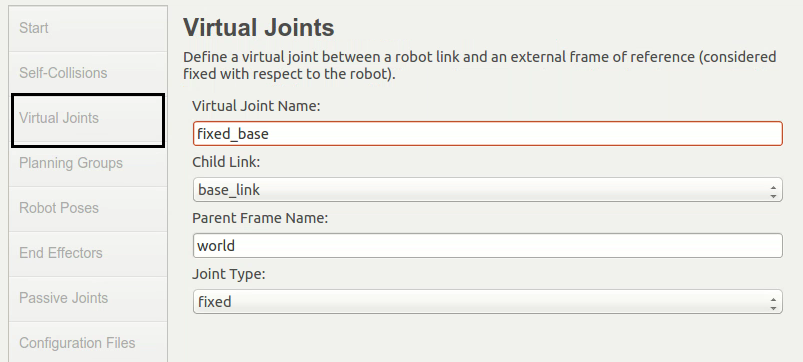
Figure 3: Adding MoveIt! - virtual joints
- In the next step, we are adding
Planning Groups for manipulator and End Effector.Here, also, the group names are arbitrary. The default plugin is KDL; we can change it even after...