

Creating the Android project
We are going to use Android Studio for the examples in this chapter, with Android 5.1 Lollipop as our platform target. Launch Android Studio and create a new project, as shown in the following figure:
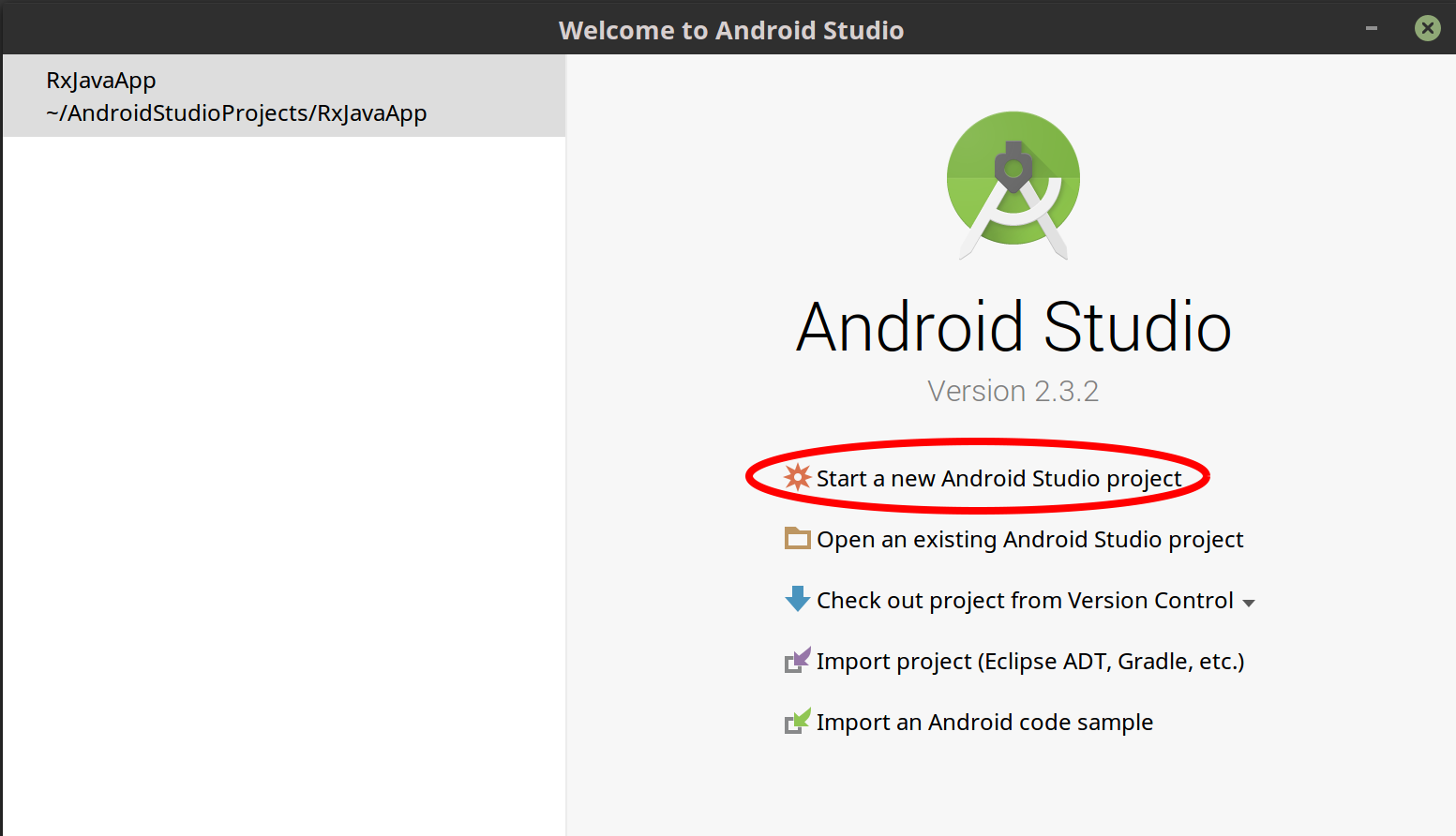
Figure 11.1: Creating a new Android project
In the next screen (shown in the following figure), name your project RxJavaApp with a Company domain of packtpub.com or whatever you prefer. Then, click on Next:
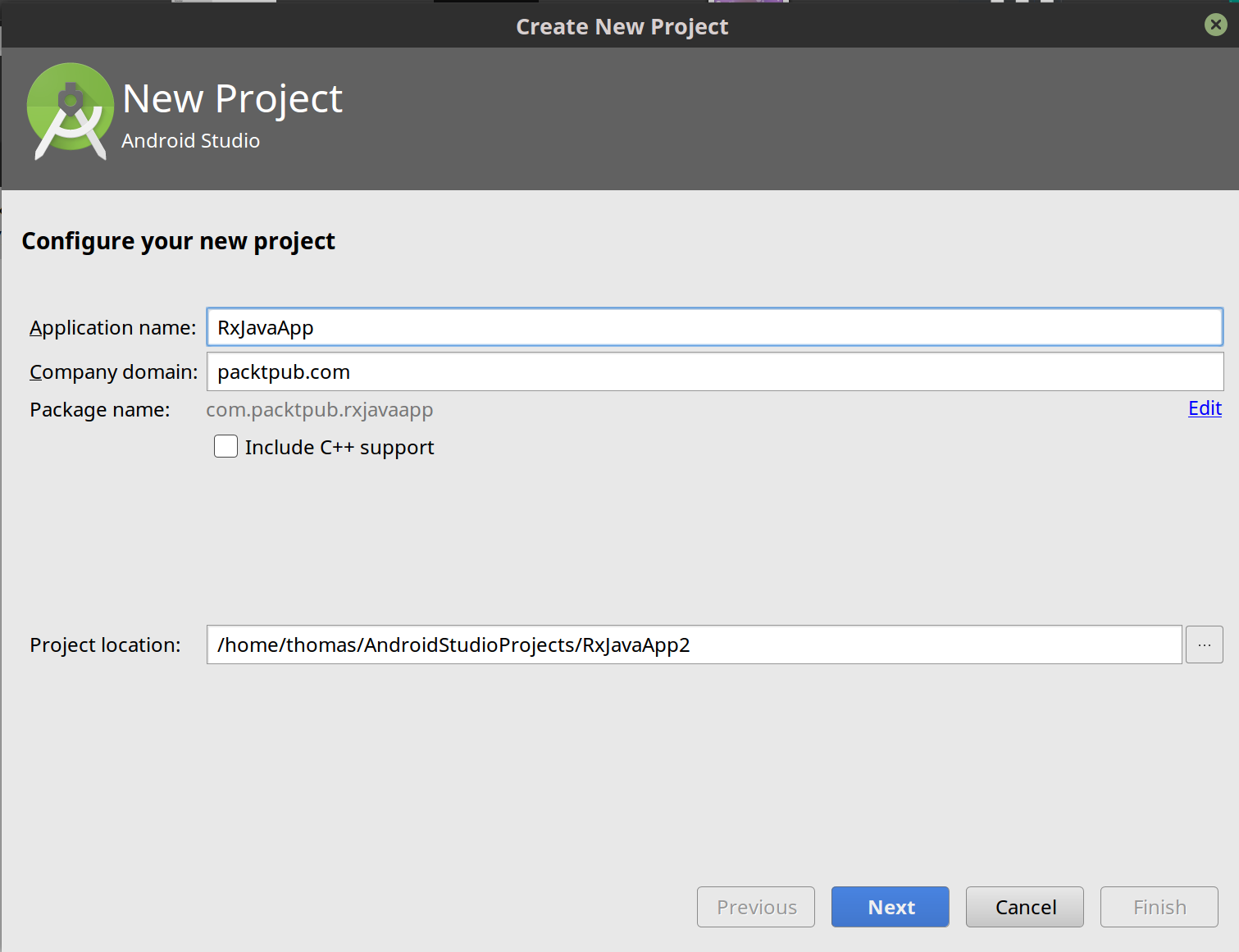
Figure 11.2
We are going to target Phone and Tablet. Since we may want our app to be compatible with devices running earlier versions of Android, let's select Android 5.1 (Lollipop) as our Minimum SDK. This will also give us an opportunity to practice using Retrolambda. After this, click on Next:
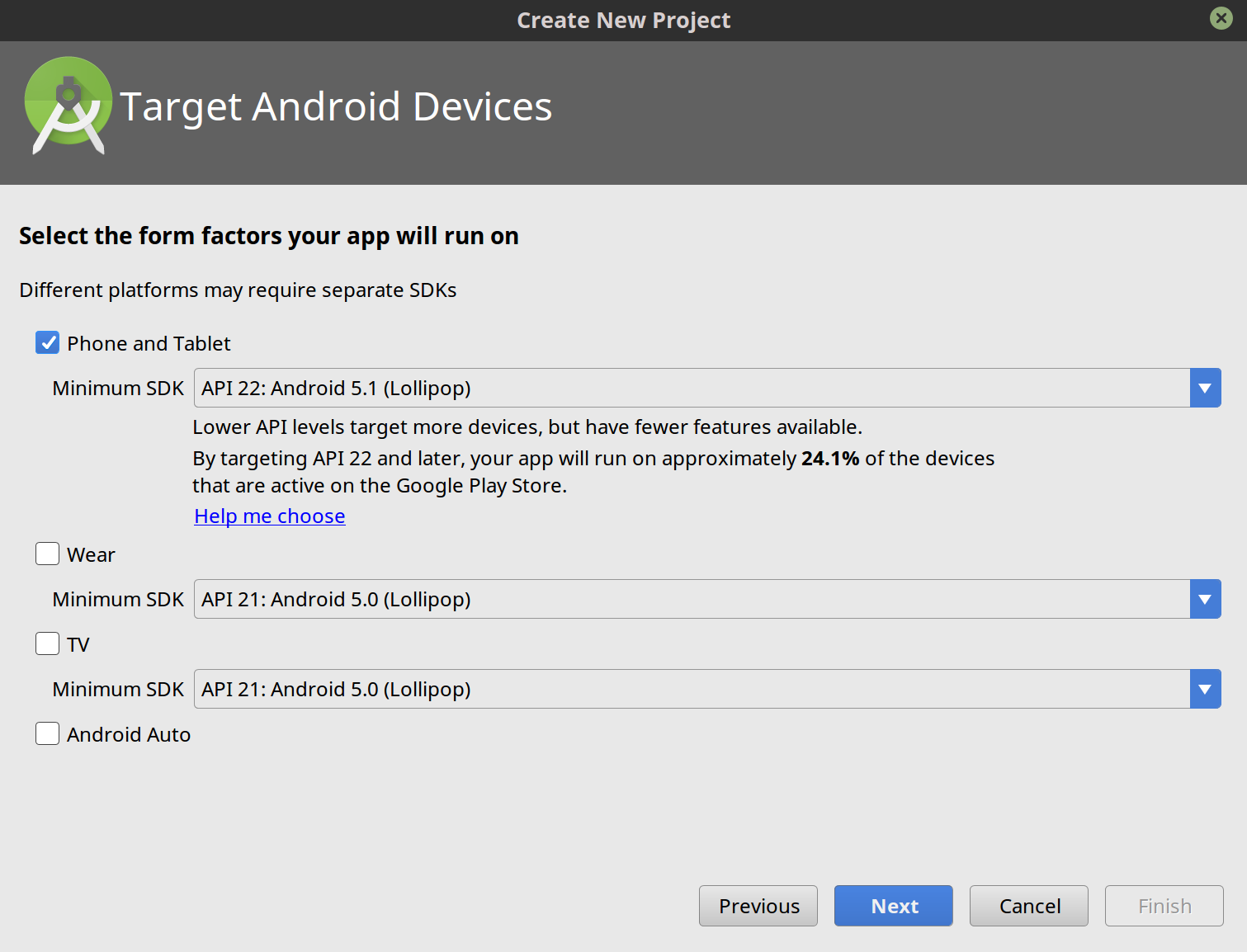
Figure 11.3
On the next screen, choose Empty Activity as our your template, as shown in the following figure. Then, click on Next. As you probably know, an activity is one interactive screen containing controls. For the examples in this chapter, we will use one activity...