Search icon CANCEL
Subscription
0
Cart icon
Your Cart (0 item)
Close icon
You have no products in your basket yet
Save more on your purchases! discount-offer-chevron-icon
Savings automatically calculated. No voucher code required.
Arrow left icon
Explore Products
Best Sellers
New Releases
Books
Videos
Audiobooks
Learning Hub
Newsletter Hub
Free Learning
Arrow right icon
timer SALE ENDS IN
0 Days
:
00 Hours
:
00 Minutes
:
00 Seconds
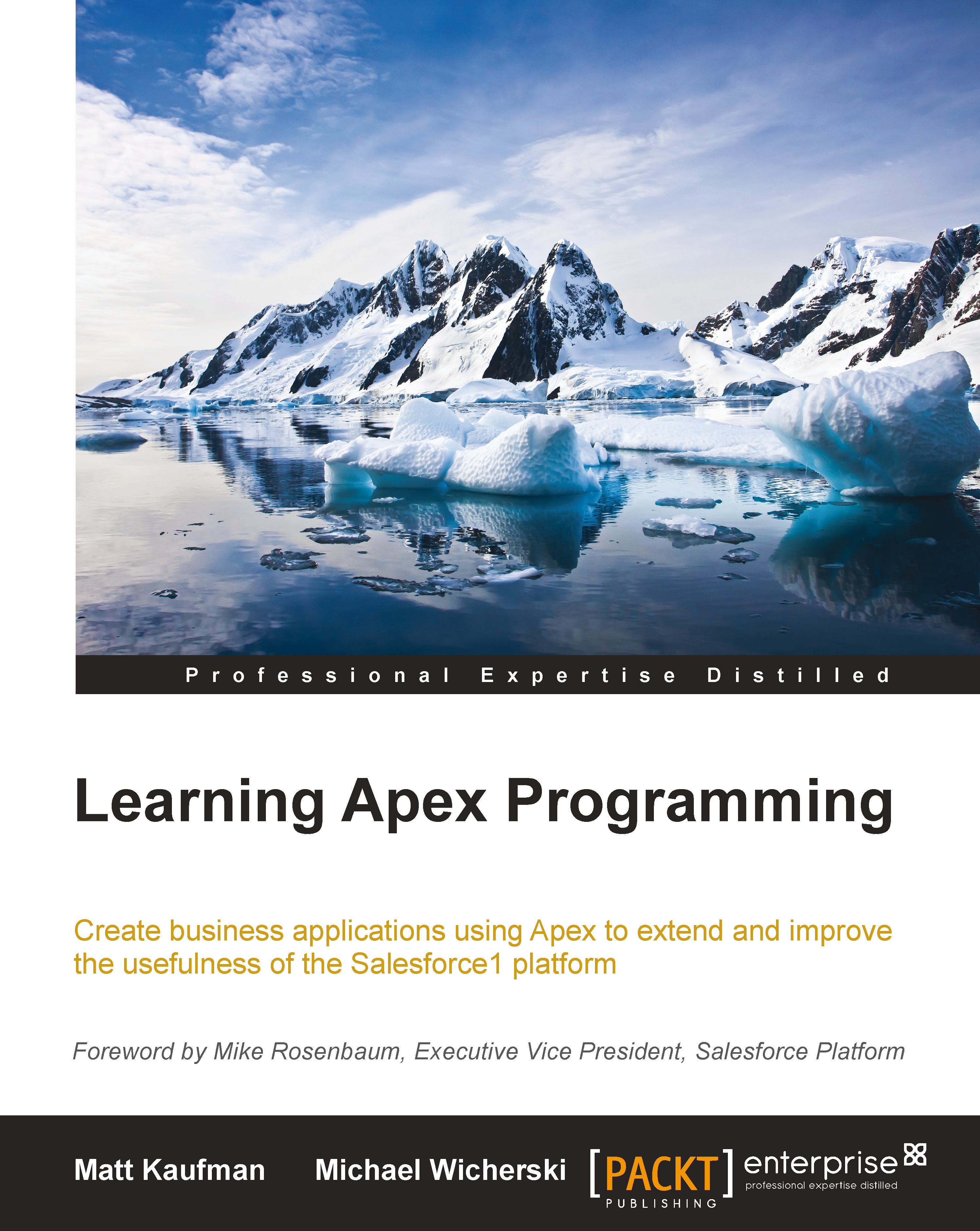
Learning Apex Programming

Learning Apex Programming

Create business applications using Apex to extend and improve the usefulness of the Salesforce1 Platform

$9.99 $28.99
By Matthew Kaufman & Wicherski
Full star icon Full star icon Half star icon Empty star icon Empty star icon 2.8 (6 Ratings)
Pages 302 pages
Published in Jan 2015
Product Type eBook
Edition 1st Edition
Learning Apex Programming

Packt Subscriptions

See our plans and pricing
Modal Close icon
$12.99 billed monthly
Feature tick icon Unlimited access to Packt's library of 6,500+ practical books and videos
Feature tick icon Constantly refreshed with 50+ new titles a month
Feature tick icon Exclusive Early access to books as they're written
Feature tick icon Solve problems while you work with advanced search and reference features
Feature tick icon Offline reading on the mobile app
Feature tick icon Simple pricing, no contract
$129.99 billed annually
Feature tick icon Unlimited access to Packt's library of 6,500+ practical books and videos
Feature tick icon Constantly refreshed with 50+ new titles a month
Feature tick icon Exclusive Early access to books as they're written
Feature tick icon Solve problems while you work with advanced search and reference features
Feature tick icon Offline reading on the mobile app
Feature tick icon Choose a DRM-free eBook or Video every month to keep
Feature tick icon PLUS own as many other DRM-free eBooks or Videos as you like for just $5 each
Feature tick icon Exclusive print discounts
$179.99 billed in 18 months
Feature tick icon Unlimited access to Packt's library of 6,500+ practical books and videos
Feature tick icon Constantly refreshed with 50+ new titles a month
Feature tick icon Exclusive Early access to books as they're written
Feature tick icon Solve problems while you work with advanced search and reference features
Feature tick icon Offline reading on the mobile app
Feature tick icon Choose a DRM-free eBook or Video every month to keep
Feature tick icon PLUS own as many other DRM-free eBooks or Videos as you like for just $5 each
Feature tick icon Exclusive print discounts

What do you get with eBook?

Product feature icon Instant access to your Digital eBook purchase
Product feature icon Download this book in EPUB and PDF formats
Product feature icon Access this title in our online reader with advanced features
Product feature icon DRM FREE - Read whenever, wherever and however you want
Modal Close icon
Payment Processing...
tick Completed

Billing Address

Table of content icon View table of contents Preview book icon Preview Book

Learning Apex Programming

Chapter 2. Apex Limits

When you stay at a friend's house, you behave a little differently than when you're at home. You wipe your shoes before you enter, you don't put your feet on the coffee table, and you even use a coaster for your drink. The same holds true for the Salesforce1 Platform. While you might be paying rent, your code isn't running on your own server, so you have to follow the house rules. In Apex, these rules are referred to as the governor limits and they dictate what your code can and can't do when executed.

It doesn't make sense to write a whole chapter on Apex governor limits. Salesforce releases three major upgrades a year. These upgrades typically include classes and methods that correspond to the various new features available in the Salesforce GUI. Sometimes though, they also include a reduction in the Apex governor limits. In fact, this happens often enough that documenting the limits today would most likely render this chapter obsolete within a year from when we wrote...

Exceptions prove the rule


Like other programming languages, Apex includes a built-in class for exceptions. When your code exceeds a limit, an exception is thrown. For this reason, you really need to understand how exceptions work in Apex before we can go any further on limits. When the Salesforce1 Platform throws an exception, all statements that have been executed within that transaction are rolled back causing your entire attempt to execute code to fail. It's not fun to get an exception; it means that an end user is upset and you have more work to do.

Apex includes a generic exception class as well as over 20 types of specific exceptions for when various rules are broken. A lot of these specific exception types are easy to avoid such as don't divide by 0 when doing math, don't refer an index of a list that is out of bounds, and don't construct an account and then add it to a list of contacts. You get the picture. When your code does cause one of these exceptions, you can usually avoid it...

Embracing an exception


The Exception class includes various methods that help you better understand why an exception was thrown. You can even find out the type of exception, what line of Apex code caused the exception, and even get the entire stack trace. In addition to the built-in exception types, Apex includes the ability to create your own exception types. This allows you to catch a system exception, evaluate it, and throw your own custom exception. Although it involves slightly more work, a custom exception type can be the difference between frantically debugging code in the middle of the night and sleeping like a baby. Imagine writing code to integrate with an outside system. There are times where that process will fail (like when the other system is under maintenance). If you proactively throw your own exception, you'll immediately know why it failed. The following code will show you how to define a custom exception type:

//Define our custom Exception type
Public class myCustomException...

An exception to end all exceptions


As we mentioned earlier, when you break an Apex limit, the Salesforce1 Platform throws an exception. It's actually a special type of exception called LimitException. A LimitException is a fatal one that you cannot handle gracefully with a try-catch block. When LimitException is thrown, all processing immediately ceases. The exception is appended to the debug log and an e-mail is sent out to the developer of that Apex class. Have faith though, it might not be possible to catch LimitException, but it is very possible to avoid it.

Apex includes an entire class dedicated to listing and measuring limits. It's no coincidence that the name of this class is Limits. It includes two methods for every limit in Apex. One method is to get the maximum number allowed for a limit, and the other method is to get the number that has already occurred. You can use the combination of both of these types of methods to ensure you never exceed the actual limit. The best part is...

Obeying the speed limit


Everyday Salesforce.com publishes the number of transactions that take place on their servers, and the average speed in which all those transactions take place at http://trust.salesforce.com. For years, the average speed has consistently been well under 300 milliseconds. This extremely fast speed has remained the same despite the number of transactions growing to nearly 2 billion (with a B) per day! In general, the page load time for web pages is usually calculated in seconds and not in milliseconds, and the same is true for pages on the Salesforce1 Platform. It doesn't take a rocket scientist to figure out then that for every page that loads in, say 3 seconds (a published best practice), there's got to be a very large number of transactions that are occurring in well under 300 milliseconds to balance it out. It's these extremely fast transactions that we care about because they are happening via Apex not through web page loads. It doesn't really matter how fast they...

More limits


Before we get too far into the Apex execution limits, we do need to bring up some other limits that you need to keep in mind. As we mentioned in the previous chapter, Apex is not a general programming language. It is specifically designed for use with the Salesforce1 Platform. While it might be technically possible to write code and build an application that behaves like the latest social networking website, a group coupon website, or even search engine, you shouldn't.

We're often approached by companies who want to copy an existing website or application. They select the Salesforce1 Platform for the backend because they know applications can be built on it very rapidly. What they don't know is that Salesforce and the Salesforce1 Platform are purchased on a per user subscription basis. It is much too cost prohibitive to purchase a license for every person in the world to access your service. We always try to break the bad news gently rather than take on the project. While we...

Edition limits


Customers of salesforce.com subscribe to a specific edition of the service. These editions exist across the various core applications (marketed as clouds) as well as the Salesforce1 Platform offering. The lowest priced edition always has the most restrictions. As you move up in price, these restrictions are reduced, but still exist. As a result of these restrictions, when you build an application on the Salesforce1 Platform, it's always a best practice to have as small of a footprint as possible so that any customer, regardless of the edition, can install your app.

Subscribers of the Salesforce core applications can install and execute code that references any of the objects included in those applications, such as opportunities, assets, or cases. Subscribers to just the Salesforce1 Platform don't have access to those objects and therefore can't install or execute code that references them. If you are building an application for the AppExchange app store, it's critical to determine...

API limits


The Salesforce1 Platform includes multiple robust APIs which can be utilized by external systems to integrate with Salesforce. These APIs include all the operations available in Apex such as querying record, inserting records, updating records, and so on. When developers new to Apex struggle with the limits, they often revert back to coding in other systems and calling one of the APIs. While this approach can certainly get the job done, it's typically not our preference and often results in future problems.

There is a limit on the number of inbound API calls that can be made to your Force.com org. This limit is partially based on the edition you are subscribed to and partially based on the number of licenses in your subscription. The minimum per 24-hour period is currently 5,000. There are 1,440 minutes in the day, so at first glance, it looks like you can synchronize with the Salesforce1 Platform every minute and still have plenty to spare. In reality though, it's much more complex...

E-mail limits


From the beginning, salesforce.com has made it clear that they do not want their name associated with spam in any way. For this reason, there have always been limits on the number of mass e-mails you can send from the Salesforce1 Platform. However, a user can always send as many single e-mail messages (which can have multiple To, CC, and BCC recipients) as they can via the standard e-mail interface in the Salesforce GUI.

The mass e-mail limits vary based on the edition of your subscription. They are calculated in a rolling 24-hour period. This means that once you have sent the maximum number of mass e-mails allowed, you will have to wait a maximum of 24 hours before you can send more mass e-mails.

Apex includes the ability to send both single or mass e-mail messages. But since Apex can be used to programmatically send multiple single e-mail messages, the Salesforce1 Platform counts e-mail messages sent via Apex in your daily limit. Remember, the people behind Apex are very innovative...

Time and relative limits in space


We readily admit that this section header is a stretch (if you're not familiar with it, try searching for TARDIS on the Web), but there are only so many phrases related to time travel that can be replaced with the word limit. One of the amazing features of Apex is that it allows you to program back in time. Despite the fact that Apex and the Salesforce1 Platform are updated three times a year, Apex is fully backward compatible. In fact, you can write your code today under the current Apex limits, and then with a few keystrokes magically send your code back in time to a previous API version with historical limits.

Part of every Apex class is a bit of metadata that defines under which API version the code should run. This value stays set unless you modify it. That means that if your code behaves correctly today, it should continue to behave the exact same, even as the Salesforce1 Platform continues to be updated over time. This metadata is accessible in both...

You want me to process how many records?


We'll talk about triggers more in a later chapter, but for now you just need to know that a trigger is code that is automatically executed whenever a record is operated upon (meaning inserted, updated, deleted, or undeleted). When you first start programming in Apex, it tends to be trigger-related. These are usually simple scenarios such as when an account phone is modified, update the phone for all of the contacts on that account. This is shown in the following code:

//This code has a potentially fatal flaw in it
public static void updateContactAddresses(){
List<Contact> contactList = [
Select Id, Phone, AccountId, Account.Phone 
from Contact 
];
for ( Contact c : contactQuery ){
  c.Phone = c.Account.Phone;
}
update contactQuery;
}

Did you spot the flaw in the previous code block? If you tried it out in your Developer Edition org, it probably worked exactly as described. The problem doesn't lie in the syntax or logic.

A common mistake of new...

How many times and how many things


While we cannot stress enough that the limits we are discussing will change in the future, we still want to discuss the types of limits we tend to see in Apex. Since the reason behind the limits is to ensure equal performance for all customers on the server, there tends to be limits on how many times you can perform some operations and how many records you can perform on.

To date, there has always been a limit on the number of records that can be returned by queries, the number of records that can returned by searches, and the number of records you can save in any Apex transaction. Limiting the number of records you can operate on ensures that you write your code to only operate on the records that need to be operated on. This greatly improves the overall performance because you can't write inefficient code that operates on all records every time it is executed. The following code block further elaborates on the previous example to ensure that we only operate...

Techniques to avoid query limits


If you have ever been responsible for code to meet business requirements, then you probably know that decision-makers change their minds and requirements change over time. For this reason, it is a best practice to store your constant variables (or should we call them not so constant) as data rather than hardcoding them in your Apex classes. In order for your code to access those constants, you would have to query them. Let's suppose that our code needs to know the phone number for the company we work for, as well as our company's parent company. We could write code to query the Account records as shown in the following code block:

Account ourCompany = [
Select Id, Phone 
from Account 
where Name = 'Acme National' 
limit 1
];
Account ourParentCompany = [
Select Id, Phone 
from Account 
where Name = 'Acme International' 
limit 1
];

While the previous code is simple enough to write, it uses two of our allowed queries and doesn't follow our best practice of being...

These aren't the queries you're looking for


There are times when you need to store a lot of constants in the database and they aren't related to each other or maybe have nothing to do with accounts, contacts, or any other sObject. Again, we don't want to perform multiple queries and we definitely don't want to hardcode these variables into our Apex classes. Instead, we can leverage an Apex trick called custom settings to get data out of the database without performing a query that counts against our execution governor limits.

Custom settings are similar to other sObjects, but are cached for faster access. You can create custom fields on them, but only on certain field types. The more complex field types such as picklists, long text area fields, formula fields, and so on are not allowed. You can create multiple custom setting sObjects and records, but are limited to a small amount of data compared with your overall data storage limits. Custom setting records are only accessible via the Force...

Visualforce limits


Visualforce is the markup language of the Salesforce1 Platform. The logic and data for the custom pages you create using Visualforce are controlled by Apex classes. Salesforce.com includes page load times of your custom pages in their overall performance metrics. So, as you might have guessed, the Apex code used by your custom pages must adhere to the same governor limits as all other Apex code.

In addition to the Apex limits, Visualforce has a few other limits too. When you interact with a Visualforce page, the Salesforce1 Platform keeps track of the state of everything on the page. When you fill in the FirstName field, it keeps track of that value. If the page displays a list of data, it keeps track of that list.

All little things that are being tracked are part of what is called the page's view state. In order to ensure that the page can load quickly, there is a limit on how much information can be stored in a page's view state. That limit has been 135 KB for quite some...

Summary


My goodness, what have you gotten yourself into? You thought this book would teach you how to program in Apex, and we just spent a whole chapter telling you what not to do! Worry not dear reader, for knowing what not to do will make you a better Apex coder and help you avoid embarrassment. We can't tell you how many times we've looked at someone else's code and cringed from all the mistakes they made. Besides, this was only the second chapter, stick in there, we're about to get to the good stuff!

Left arrow icon Right arrow icon

Description

If you are a developer who has some object-oriented programming experience, Learning Apex Programming is the perfect book for you. This book is most appropriate for developers who wish to gain an understanding of the Force.com platform and how to use Apex to create business applications.

Who is this book for?

If you are a developer who has some object-oriented programming experience, Learning Apex Programming is the perfect book for you. This book is most appropriate for developers who wish to gain an understanding of the Force.com platform and how to use Apex to create business applications.

What you will learn

Category:
Languages:
Concepts:
Tools:

Frequently bought together


Stars icon
Total $ 163.97
Apex Design Patterns
$48.99
Force.com Enterprise Architecture
$65.99
Learning Apex Programming
$48.99
Total $ 163.97 Stars icon

Table of Contents

(9 Chapters)
Apex Assumptions and Comparisons Chevron down icon Chevron up icon
Apex Limits Chevron down icon Chevron up icon
More and Later Chevron down icon Chevron up icon
Triggers and Classes Chevron down icon Chevron up icon
Visualforce Development with Apex Chevron down icon Chevron up icon
Exposing Force.com to the World Chevron down icon Chevron up icon
Use Case – Integration with Google Calendar Chevron down icon Chevron up icon
Creating a Property Management Application Chevron down icon Chevron up icon
Test Coverage Chevron down icon Chevron up icon

Customer reviews

Top Reviews
Rating distribution
Full star icon Full star icon Half star icon Empty star icon Empty star icon 2.8
(6 Ratings)
5 star 16.7%
4 star 33.3%
3 star 0%
2 star 16.7%
1 star 33.3%
Filter icon Filter
Top Reviews

Filter reviews by


raghava narayana Sep 29, 2017
Full star icon Full star icon Full star icon Full star icon Full star icon 5
good information
Amazon Verified review Amazon
Sreenivasa Venkateshmurthy Jul 06, 2018
Full star icon Full star icon Full star icon Full star icon Empty star icon 4
Very good book for programming background people with clear explanations of the examples.
Amazon Verified review Amazon
pgonzaleznetwork May 18, 2015
Full star icon Full star icon Full star icon Full star icon Empty star icon 4
I haven't read the whole book yet, in fact I'm only on chapter 3. The book has some good recommendations on how to avoid hitting governor limits and pretty much everything up to this point (chapter 3) is about how to code within the apex governor limits, which is good!The downsides is some of the code in chapter 2 and 3 has some typos and in some occasions it is not explained how to run said code. For example, in chapter 2 there's a common trigger pattern but there's no explanation on how to pass the trigger.newMap/oldMap maps to the class in question. Someone completely new to apex would probably be confused by this.For that reason, I wouldn't recommend this book to someone completely new to apex, but instead to someone like me, who's familiar with apex but at a beginner level (I'm familiar with DML, SOQL, SOSL, classes, triggers, etc) and who's not yet confident in writing production code.
Amazon Verified review Amazon
Reji Oct 17, 2018
Full star icon Full star icon Empty star icon Empty star icon Empty star icon 2
Even though the preface page confirms that "you need not be an expert to read through the content in the book",the reality is opposite. The content looks like a strip down version of a even bigger book and covers concepts in code tuning. All concepts are taken in the lines of performance and Governor limits. So if you think you just need tuning skills and tips for better design principles, this book is for you. Beginner... You may not need this book as of now.
Amazon Verified review Amazon
SuperDad Jan 08, 2019
Full star icon Empty star icon Empty star icon Empty star icon Empty star icon 1
It fails to explain the basic constructs. It doesn't touch at all on how classes, components and pages work together. I've literally found one useful sentence. Do not recommend
Amazon Verified review Amazon
Get free access to Packt library with over 7500+ books and video courses for 7 days!
Start Free Trial

FAQs

How do I buy and download an eBook? Chevron down icon Chevron up icon

Where there is an eBook version of a title available, you can buy it from the book details for that title. Add either the standalone eBook or the eBook and print book bundle to your shopping cart. Your eBook will show in your cart as a product on its own. After completing checkout and payment in the normal way, you will receive your receipt on the screen containing a link to a personalised PDF download file. This link will remain active for 30 days. You can download backup copies of the file by logging in to your account at any time.

If you already have Adobe reader installed, then clicking on the link will download and open the PDF file directly. If you don't, then save the PDF file on your machine and download the Reader to view it.

Please Note: Packt eBooks are non-returnable and non-refundable.

Packt eBook and Licensing When you buy an eBook from Packt Publishing, completing your purchase means you accept the terms of our licence agreement. Please read the full text of the agreement. In it we have tried to balance the need for the ebook to be usable for you the reader with our needs to protect the rights of us as Publishers and of our authors. In summary, the agreement says:

  • You may make copies of your eBook for your own use onto any machine
  • You may not pass copies of the eBook on to anyone else
How can I make a purchase on your website? Chevron down icon Chevron up icon

If you want to purchase a video course, eBook or Bundle (Print+eBook) please follow below steps:

  1. Register on our website using your email address and the password.
  2. Search for the title by name or ISBN using the search option.
  3. Select the title you want to purchase.
  4. Choose the format you wish to purchase the title in; if you order the Print Book, you get a free eBook copy of the same title. 
  5. Proceed with the checkout process (payment to be made using Credit Card, Debit Cart, or PayPal)
Where can I access support around an eBook? Chevron down icon Chevron up icon
  • If you experience a problem with using or installing Adobe Reader, the contact Adobe directly.
  • To view the errata for the book, see www.packtpub.com/support and view the pages for the title you have.
  • To view your account details or to download a new copy of the book go to www.packtpub.com/account
  • To contact us directly if a problem is not resolved, use www.packtpub.com/contact-us
What eBook formats do Packt support? Chevron down icon Chevron up icon

Our eBooks are currently available in a variety of formats such as PDF and ePubs. In the future, this may well change with trends and development in technology, but please note that our PDFs are not Adobe eBook Reader format, which has greater restrictions on security.

You will need to use Adobe Reader v9 or later in order to read Packt's PDF eBooks.

What are the benefits of eBooks? Chevron down icon Chevron up icon
  • You can get the information you need immediately
  • You can easily take them with you on a laptop
  • You can download them an unlimited number of times
  • You can print them out
  • They are copy-paste enabled
  • They are searchable
  • There is no password protection
  • They are lower price than print
  • They save resources and space
What is an eBook? Chevron down icon Chevron up icon

Packt eBooks are a complete electronic version of the print edition, available in PDF and ePub formats. Every piece of content down to the page numbering is the same. Because we save the costs of printing and shipping the book to you, we are able to offer eBooks at a lower cost than print editions.

When you have purchased an eBook, simply login to your account and click on the link in Your Download Area. We recommend you saving the file to your hard drive before opening it.

For optimal viewing of our eBooks, we recommend you download and install the free Adobe Reader version 9.

Modal Close icon
Modal Close icon