


Publishing messages with a GUI tool
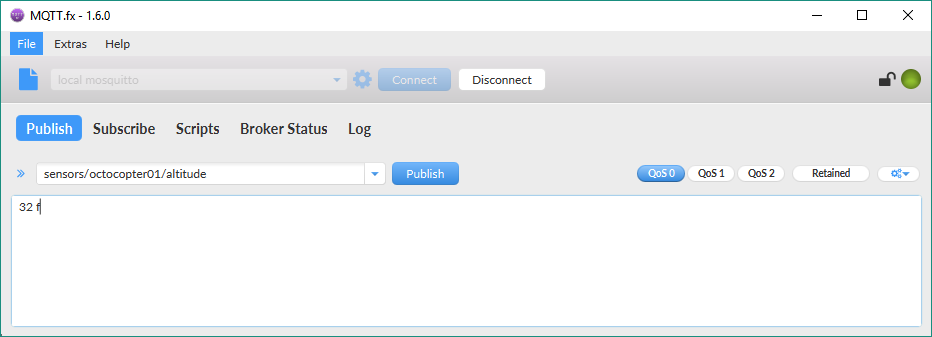
Now, we will use the MQTT.fx GUI utility to generate another MQTT client that publishes another message to the same topic, sensors/octocopter01/altitude. Follow these steps:
- Go to the MQTT.fx window in which you established a connection and subscribed to a topic.
- Click
Publishand entersensors/octocopter01/altitudein the dropdown at the left-hand side of thePublishbutton. - Enter the following text in the textbox below the
Publishbutton:32 f, as shown in the following screenshot:
- Then, click the
Publishbutton. MQTT.fx will publish the entered text to the specified topic.
If you don't want to work with the MQTT.fx utility, you can run another mosquitto_pub command to generate another MQTT client that publishes a message to the topic. You just need to open another Terminal in macOS or Linux, or another Command Prompt in Windows, go to the directory in which Mosquitto is installed, and run the following command:
mosquitto_pub -V mqttv311 -t sensors/octocopter01...