


Working with forms and dialogs
The goal for this iteration is to implement the functionality of the Filemenu options: Open, Save, and Save As.
We can implement these dialogs by using the standard Tkinter widgets. However, since these are so commonly used, a specific Tkinter module called filedialog has been included in the standard Tkinter distribution.
Here's an example of a typical filedialog:
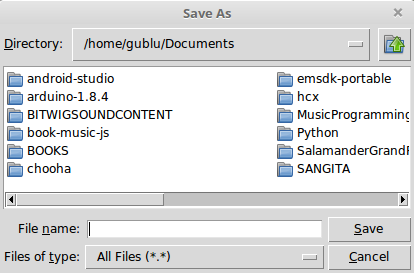
Tkinter defines the following common use cases for filedialogs:
Functions | Description |
| This returns the opened file object |
| This returns the filename string, not the opened file object |
| This returns a list of filenames |
| This returns a list of open file objects or an empty list if Cancel is selected |
| This asks for a filename to save as and returns the opened file object |
| This asks for a filename to save as and returns the filename |
| This asks for a directory and returns the directory name |
The usage is simple. Import the filedialog...