

Adding the restart game menu
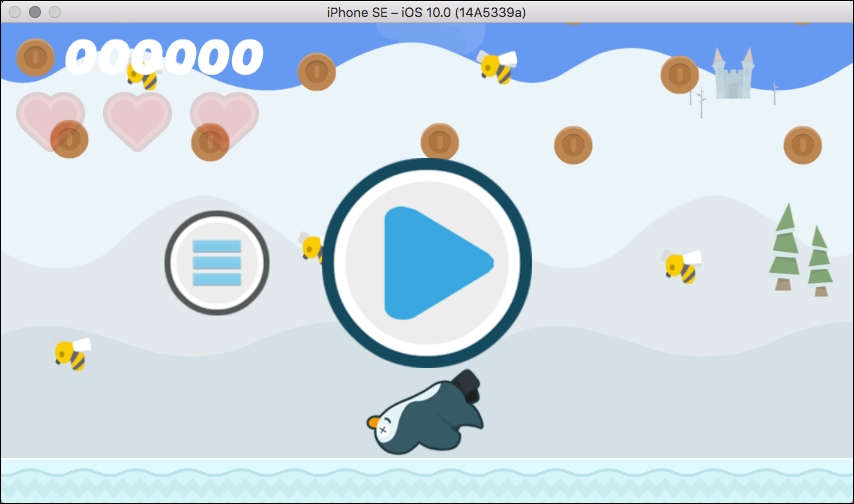
The restart menu is even simpler to implement. Rather than creating a new scene, we can extend our existing HUD class to display a restart button when the game ends. We will also include a smaller button to return the player to the main menu. This menu will appear on top of the action, as seen in this screenshot:
Extending the HUD
First, we need to create and draw our new button nodes in the HUD class. Follow these steps to add the nodes:
Open the
HUD.swiftfile and add two new properties to theHUDclass, as follows:let restartButton = SKSpriteNode() let menuButton = SKSpriteNode()
Add the following code at the bottom of the
createHudNodesfunction:// Add the restart and menu button textures to the nodes: restartButton.texture = textureAtlas.textureNamed("button-restart") menuButton.texture = textureAtlas.textureNamed("button-menu") // Assign node...