

Using a float field with configurable precision
When using float fields, we may want to let the end user configure the precision that is to be used. The Decimal Precision Configuration module addon provides this ability.
We will add a Cost Price field to the Library Book model, with a user-configurable number of digits.
Getting ready
We will reuse the my_module addon module from Chapter 4,Creating Odoo Addon Modules.
How to do it...
We need to install the decimal_precision module, add a "Usage" entry for our configuration, and then use it in the model field:
- Ensure that the Decimal Accuracy module is installed; select
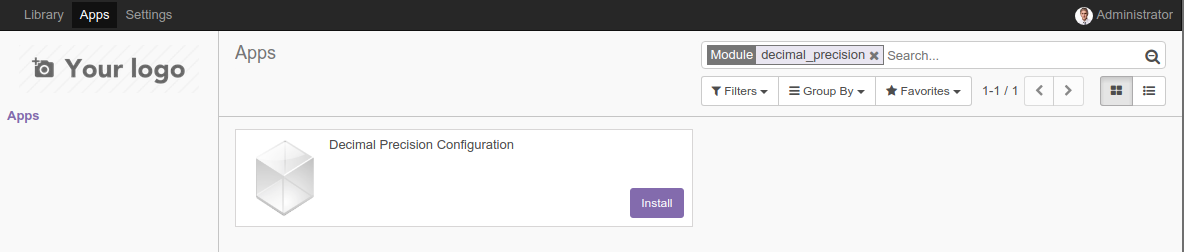
Appsfrom the top menu, remove the default filter, search for theDecimal Precision Configurationapp, and install it if it's not already installed:
- Activate
Developer Modefrom the link in theSettingsmenu (refer to the Activating the Odoo developer tools recipe in Chapter 1, Installing the Odoo Development Environment). This will enable theSettings|Technicalmenu. - Access the...