

iOS backup parsing with iPhone Backup Extractor
iPhone Backup Extractor is a shareware tool. You can extract data from iTunes backups, including encrypted ones, via this tool.
Getting ready
Download the tool from the developer's website. Double-click on the icon of the downloaded file. Follow the instructions to install the program:
- Double-click on the icon of installed iPhone Backup Extractor program. When the program has started, you need to create your account. Click
ACTIVATE; the button is located in the right upper corner of the program's window:
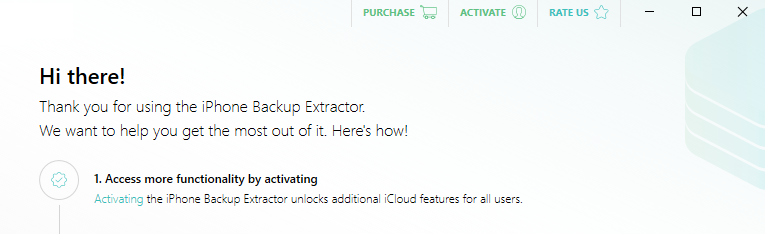
The appearance of a fragment of the iPhone Backup Extractor window
- In the opened additional window, click
Create a free account. In the next window, fill in these fields:Your email address,Password, andRepeat password. Click theCREATE ACCOUNTbutton:
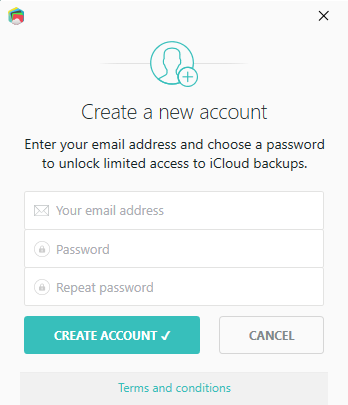
Appearance of the new account creation window
- You will receive an email to the email address specified during registration, in order to confirm the email address. Click the
Verify addressbutton to...