

CKEditor and text formats
The moment we begin to work with content types, specifically adding content, we notice that CKEditor is now available.
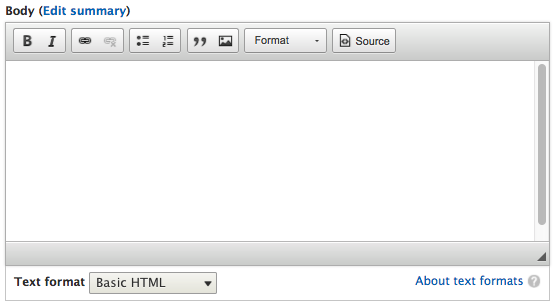
CKEditor comes configured by default with the Standard profile installation, including a few text formats for us to use.
If we navigate to /admin/config/content/formats or use the Admin toolbar and click on Manage - Configuration and then select Text formats and editors, we will be taken to the Text formats and editors admin screen:
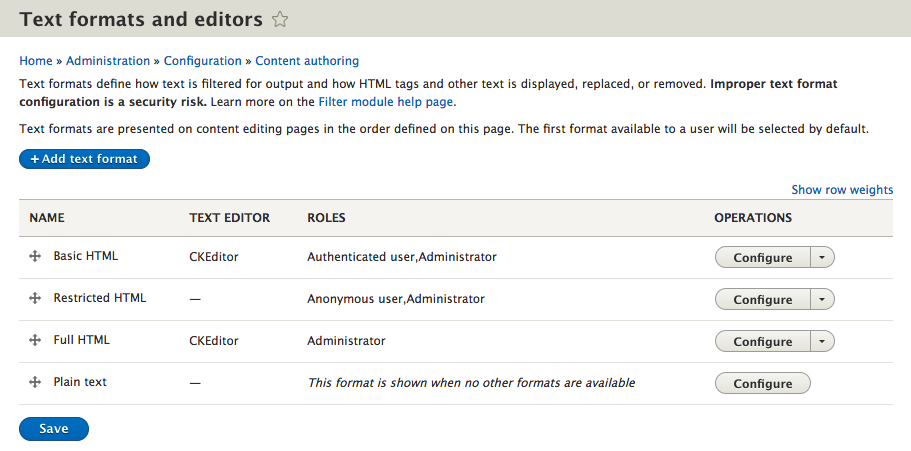
By default, Drupal has created and configured four different text formats for us to use:
Basic HTMLRestricted HTMLFull HTMLPlain text
Each format is configured differently, based on how we expect content to be managed. Based on the configuration, a content editor, site administrator, or authenticated user can perform various actions when adding content.
Based on the needs of our website, we can add additional text formats and configure them accordingly. However, to get a better understanding of how text formats work, let's...