

Working in the Map View
Map View allows us to compose maps individually. As we have just seen, the information viewable in the map view is controlled by the Contents pane. We can set visibility and stack layers, as well as update layer names to legend-friendly labels.
Symbolizing layers
For this map, we want the state boundaries to serve as outlines for the counties, so if it's not already on top, bring the State Outline layer to the top of the Drawing Order.
Beneath each of the map layers in the Contents pane is the legend for that layer. At this point, each layer has only a single symbol:
- Click once on the colored box for
State Outlinein theContentspane to reveal theSymbologypane. TheSymbologypane is where you set the display characteristics of map features:
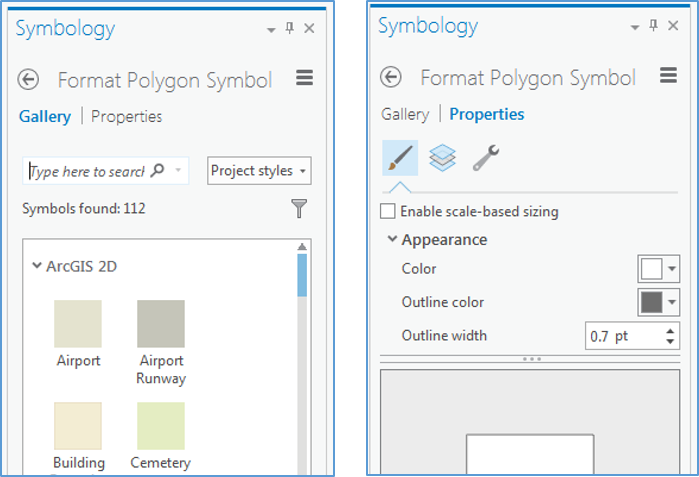
Figure 2.10: The Symbology pane, and Gallery and Properties tabs
We want to see both the state boundaries and the counties, so let's change the properties of the States symbol to display just the outline. Switch to Properties on this...