

Designing the Flow
Now, we will discuss how to use these building blocks to design the Flow using a few recipes. It is recommended that you have access to a Salesforce Developer account. Using the Salesforce production instance is not essential for practicing. You can use the Salesforce Sandbox or Developer account to practice the examples covered in this book.
Hands on 1 - displaying a logged-in user ID
Let's start with an example: Sara Bareilles is working as a system administrator in Universal Containers. She wants to develop a Flow to display logged-in user IDs on a Screen element. To develop the Flow, follow these instructions:
- Navigate to
Setup|Build|Create|Workflow & Approvals|Flows. - Click on the
New Flowbutton; it will open the Flow canvas for you. - Navigate to the
Resourcestab, double-click onFormulaavailable under theCREATE NEWsection, and create a formula as shown in the following screenshot: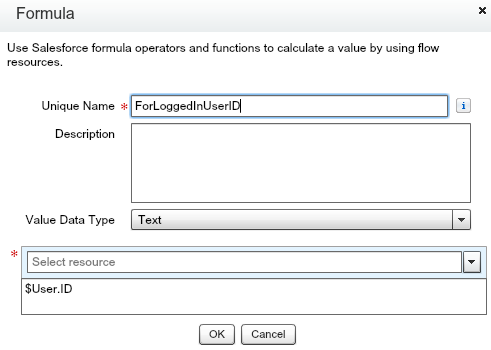
Note
For best practice, in this book we will use For as the prefix for Formula...