

Router management in the dashboard
From the Horizon dashboard, routers can be created and managed within the Project | Network | Routers pane:
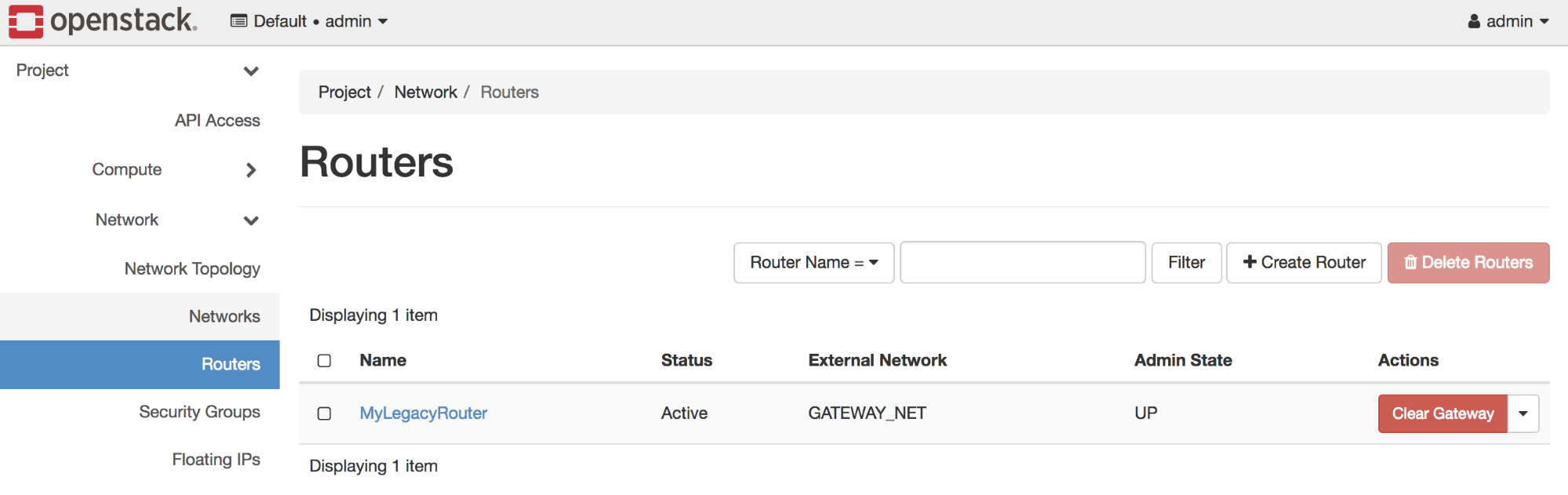
Routers available to the logged-in user can be seen on this page.
Creating a router in the dashboard
From the Routers page, click Create Router in the upper right-hand corner to create a router. A wizard will open that resembles the following:
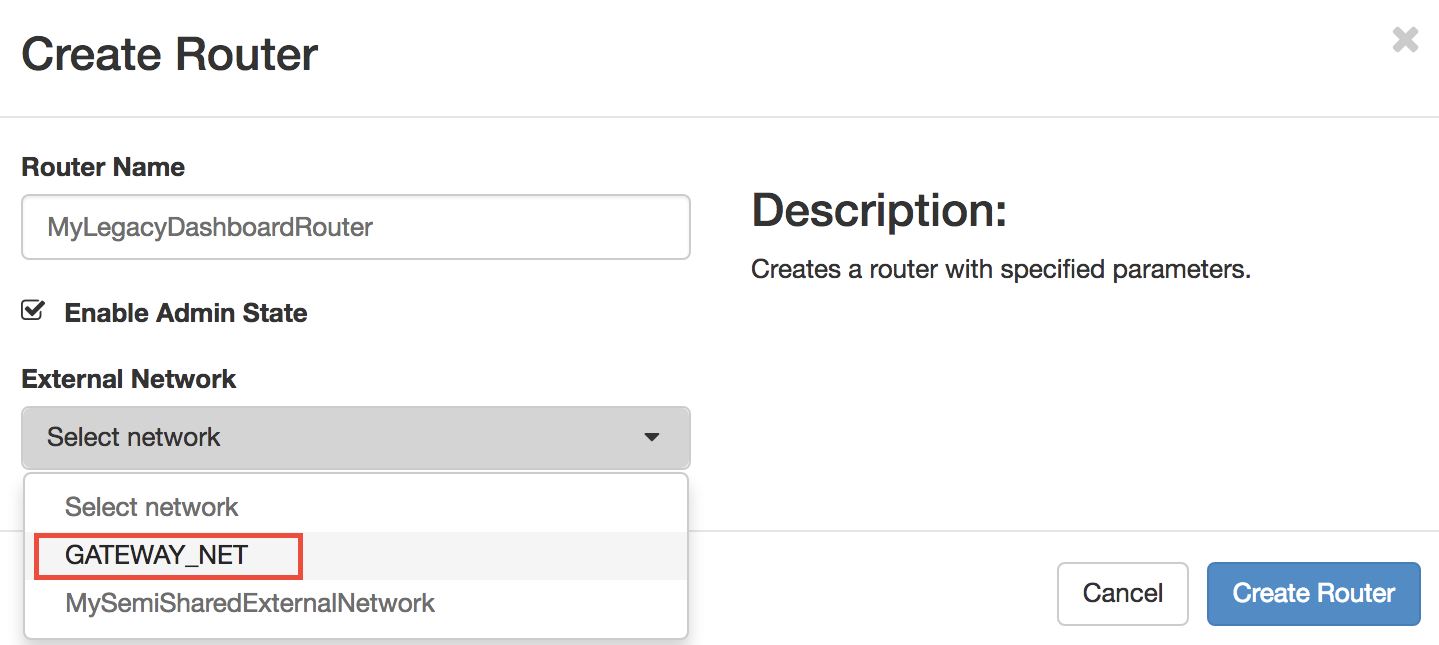
Enter the name of the router, select its admin state, and choose the appropriate external network. Click the blue Create Router button to complete the operation.
Attaching internal interfaces in the dashboard
To attach internal interfaces to routers in the dashboard, click the router to reveal the Router Details page shown here:

Click the Interfaces tab to reveal details of the router's interfaces:
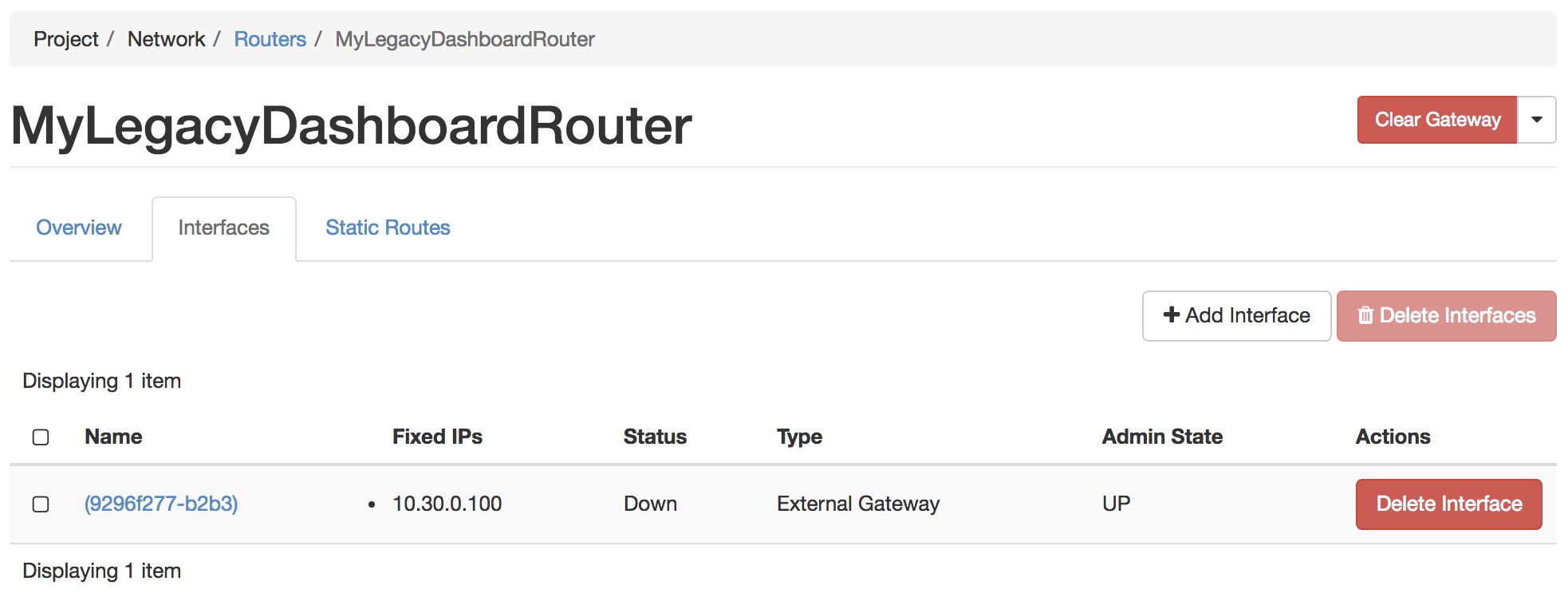
Clicking the Add Interface button reveals a wizard that allows you to select details of the interface to be added:
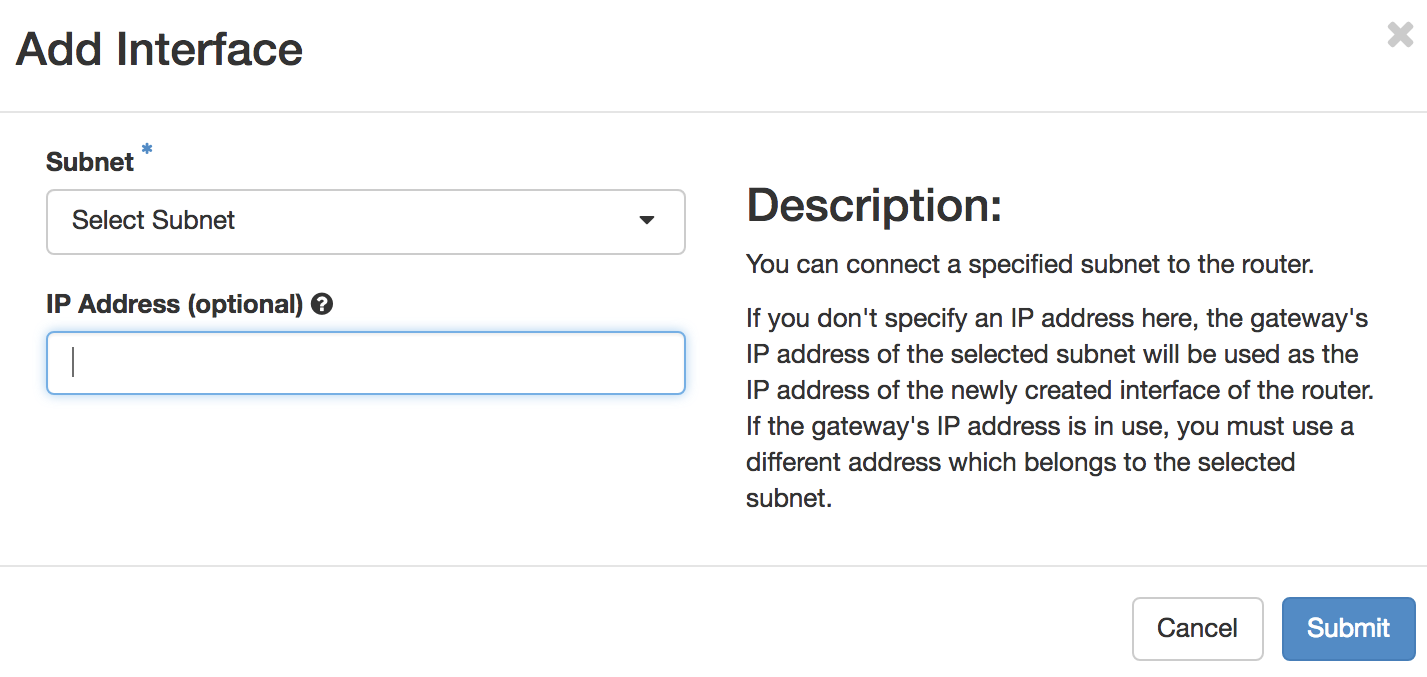
Select a subnet you wish to attach to the router from the Subnet menu and click the blue Submit...