


Working with security groups in the dashboard
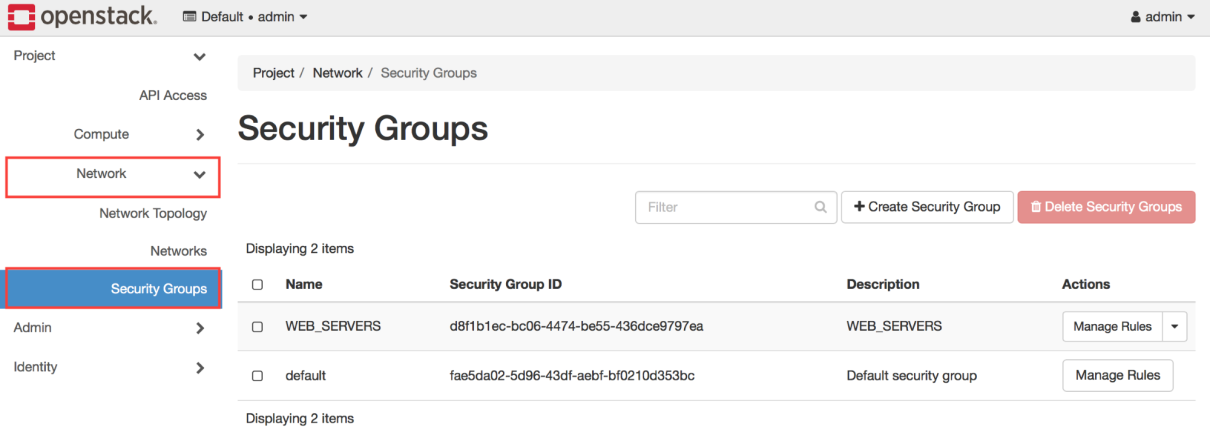
Within the Horizon dashboard, security groups are managed within the Security Groups section under the Network tab:
Creating a security group
To create a security group, perform the following steps.
Click on the Create Security Group button in the upper right-hand corner of the screen. A window will appear that will allow you to create a security group:
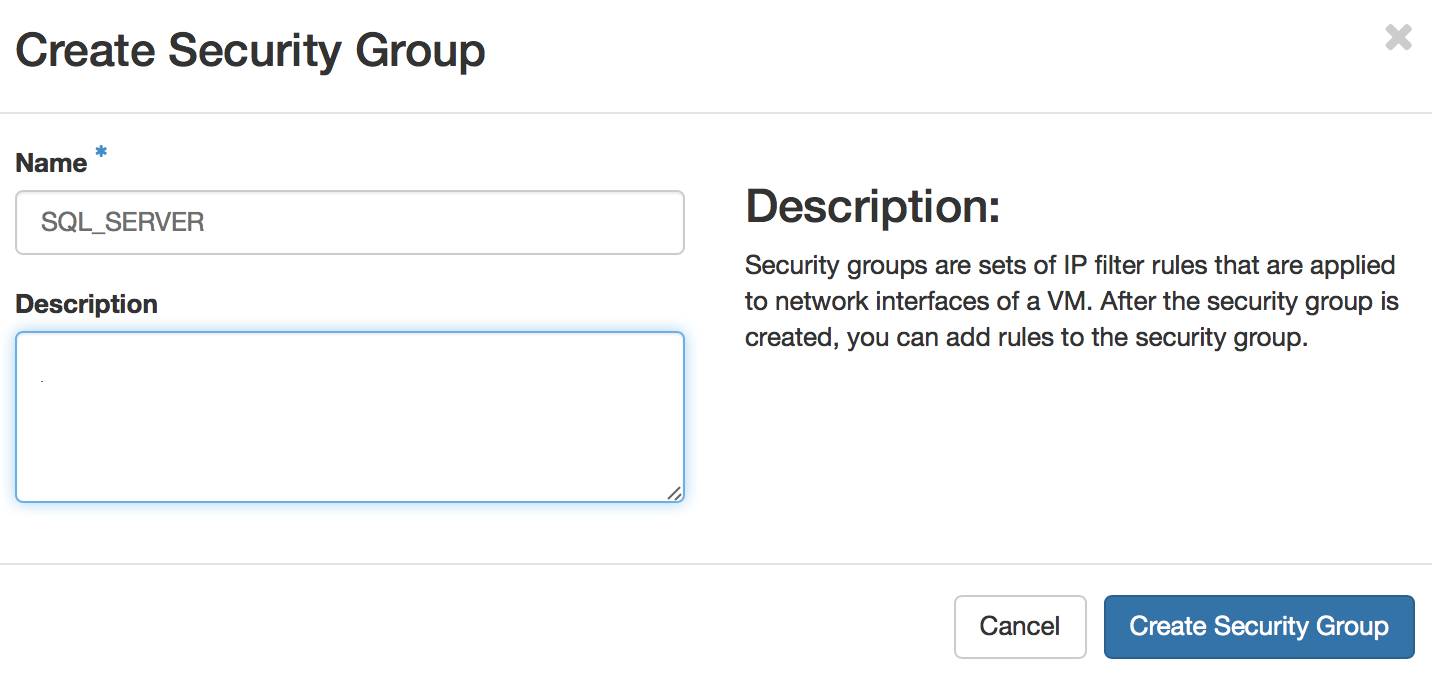
The Name field is required. When you are ready to proceed, click on the blue Create Security Group button to create the security group.
Managing security group rules
Once created, you will be returned to the Security Groups section where you can add rules to the security group by clicking the Manage Rules button of the corresponding group:

To delete a rule, click the red Delete Rule button next to the corresponding security group rule. To add a rule, click on the Add Rule button in the upper right-hand corner:
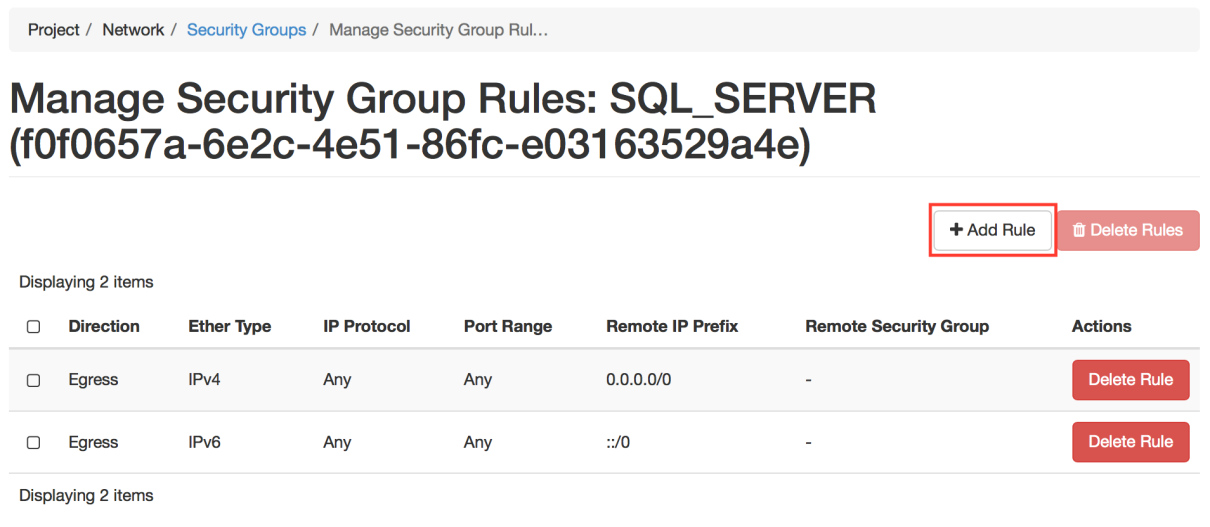
A window will appear that will allow you to create rules. Within the rule list, you can choose...