

Creating views
In cm-ui, right-click onviews.qrcand select Add New…. SelectQt > QML Fileand click on Choose...:
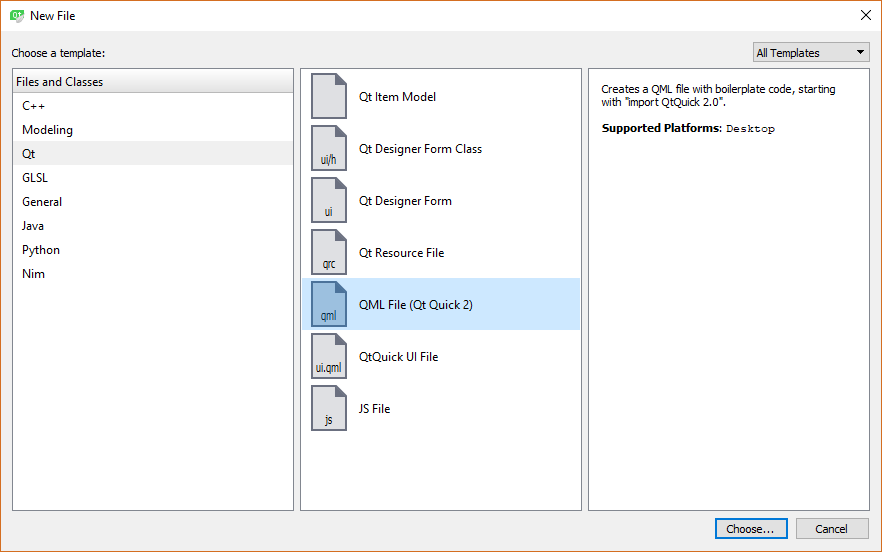
Create theSplashView.qmlfile incm-ui/ui/views. Repeat this process until you’ve created all the following views:
File | Purpose |
| Placeholder view displayed while the UI is loading. |
| The central “home” view. |
| View for entering details of a new client. |
| View for reading/updating the existing client details. |
| View for searching for the existing clients. |
Edit views.qrc in the Plain Text Editor as we have done previously. You will see that our new views have been added to a new qresource block with the default prefix of the following:
<RCC> <qresource prefix="/views"> <file alias="MasterView">views/MasterView.qml</file> </qresource> <qresource prefix="/"> <file>views/SplashView.qml</file> <file>views/DashboardView.qml</file>...