

Deploying application consumer perspective
As a Cloud Application Publisher, we have successfully imported a custom web server that will be used by developers to develop and run tests for the packtpub website. Let's check how our developed application will be deployed from the consumer's perspective:
- Log in to the OpenStack dashboard and navigate to
App Catalog|Browse|Browse Local; we can see that the new package has been added to theApp Catalog:
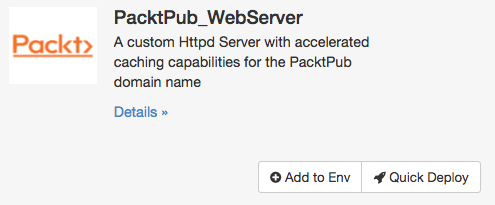
- By clicking on the
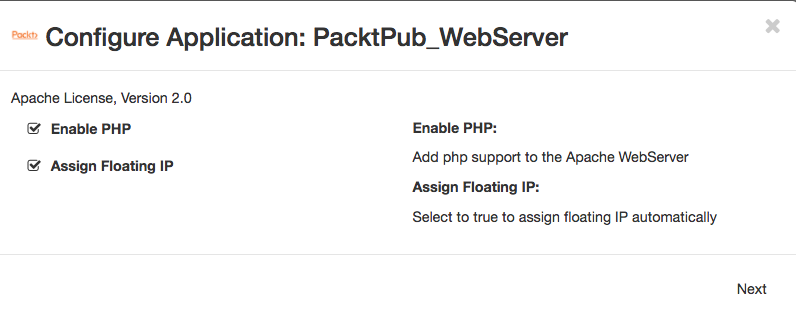
Quick Deploybutton, we will be faced with the first UI form to select, asking whether the user wishes to enable PHP and assign a floating IP address to the instance as configured in theappConfigurationsection in theui.yamlfile:
- The next UI will prompt you to fill in the instance parameters as described in the
instanceConfigurationsection in theui.yamlfile:
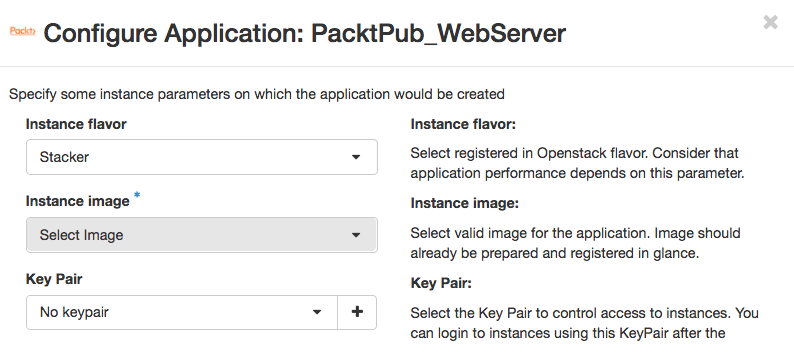
- The next form will ask you to fill the applications name. Note that the naming convention discussed in the
unitNamingPatternwill be visible for consumers when parameterizing...