


Adding a user to GitLab
The steps to add a user are as follows:
- Log in to GitLab with admin user (root).
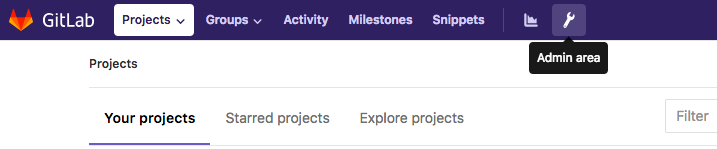
- Click the spanner icon (top right) to enter
Admin area:
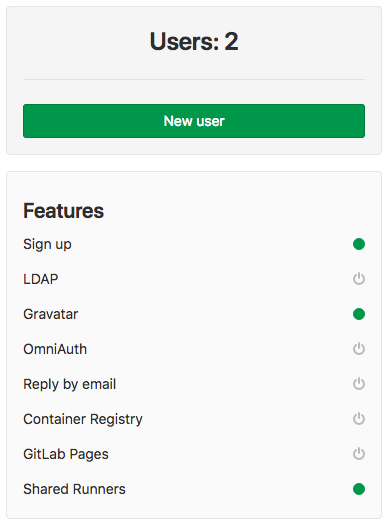
- You will see three buttons,
New project,New user, andNew group. Click onNew user:
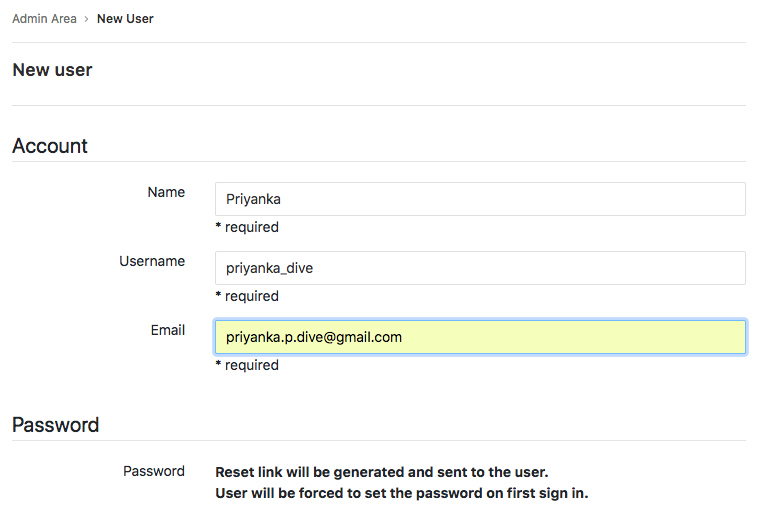
- Fill in the required information –
Name,Username, andEmail:
- Provide a project user limit as per your organization's rules. Also, if you want a user to be able to create a group, give them access to creating a group by checking
Can create group. If you want a user to have limited access, then select theAccess levelto beRegular,and if a user needs Admin privileges, then select theAccess levelto beAdminfor the user:
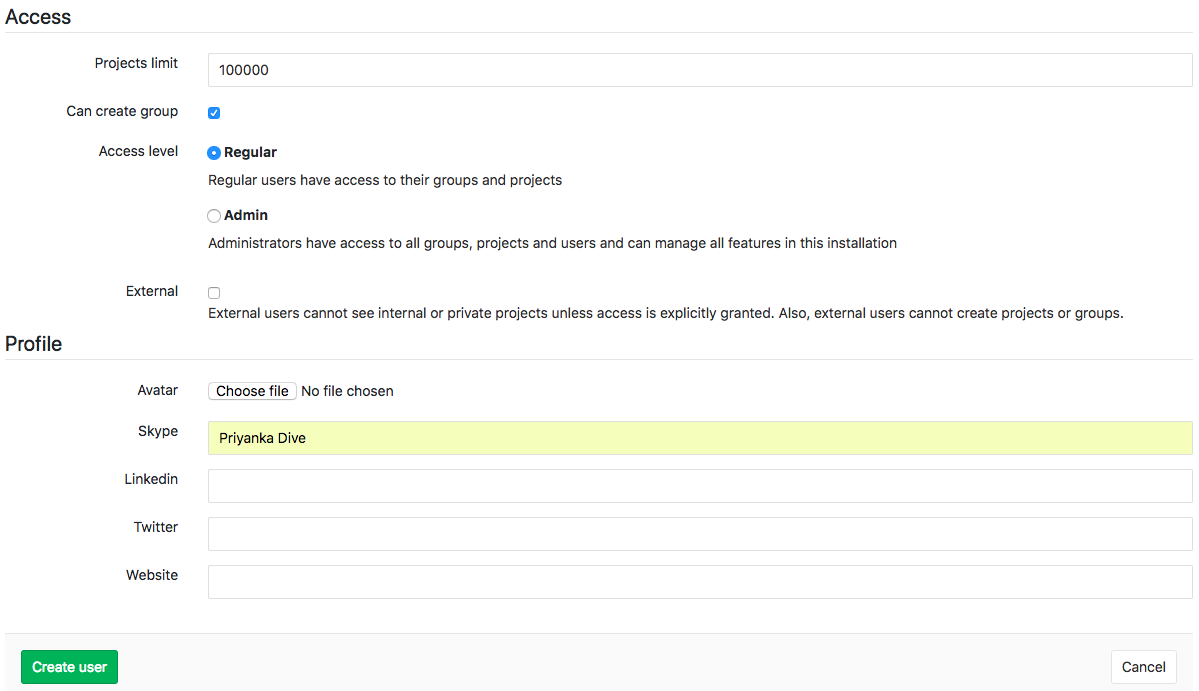
- After filling in all the required information, click on
Create user. This will create the user and send a password reset link to the user's Email ID.