Search icon CANCEL
Subscription
0
Cart icon
Your Cart (0 item)
Close icon
You have no products in your basket yet
Arrow left icon
Explore Products
Best Sellers
New Releases
Books
Videos
Audiobooks
Learning Hub
Newsletter Hub
Free Learning
Arrow right icon
timer SALE ENDS IN
0 Days
:
00 Hours
:
00 Minutes
:
00 Seconds
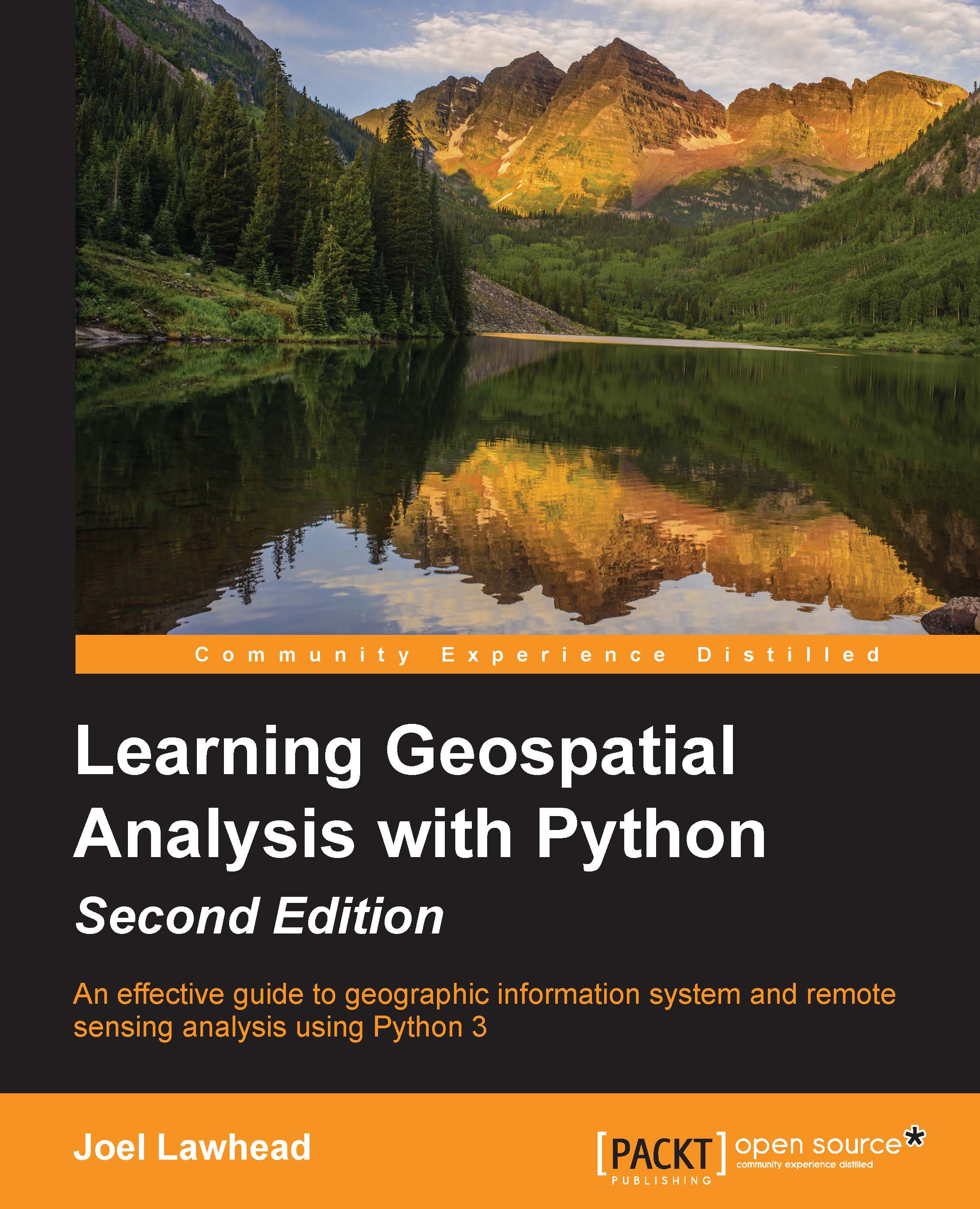
Learning Geospatial Analysis with Python-Second Edition

Learning Geospatial Analysis with Python-Second Edition

An effective guide to geographic information systems and remote sensing analysis using Python 3

Can$55.99
By Joel Lawhead
Full star icon Full star icon Full star icon Half star icon Empty star icon
3.8 (4 Ratings)
Pages 394
Published in Dec 2015
Product Type eBook
Edition 1st Edition
ISBN 9781785281419
Learning Geospatial Analysis with Python-Second Edition

Packt Subscriptions

See our plans and pricing
Modal Close icon
$12.99 billed monthly
Feature tick icon Unlimited access to Packt's library of 6,500+ practical books and videos
Feature tick icon Constantly refreshed with 50+ new titles a month
Feature tick icon Exclusive Early access to books as they're written
Feature tick icon Solve problems while you work with advanced search and reference features
Feature tick icon Offline reading on the mobile app
Feature tick icon Simple pricing, no contract
$129.99 billed annually
Feature tick icon Unlimited access to Packt's library of 6,500+ practical books and videos
Feature tick icon Constantly refreshed with 50+ new titles a month
Feature tick icon Exclusive Early access to books as they're written
Feature tick icon Solve problems while you work with advanced search and reference features
Feature tick icon Offline reading on the mobile app
Feature tick icon Choose a DRM-free eBook or Video every month to keep
Feature tick icon PLUS own as many other DRM-free eBooks or Videos as you like for just Can$6 each
Feature tick icon Exclusive print discounts
$179.99 billed in 18 months
Feature tick icon Unlimited access to Packt's library of 6,500+ practical books and videos
Feature tick icon Constantly refreshed with 50+ new titles a month
Feature tick icon Exclusive Early access to books as they're written
Feature tick icon Solve problems while you work with advanced search and reference features
Feature tick icon Offline reading on the mobile app
Feature tick icon Choose a DRM-free eBook or Video every month to keep
Feature tick icon PLUS own as many other DRM-free eBooks or Videos as you like for just Can$6 each
Feature tick icon Exclusive print discounts

What do you get with eBook?

Product feature icon Instant access to your Digital eBook purchase
Product feature icon Download this book in EPUB and PDF formats
Product feature icon Access this title in our online reader with advanced features
Product feature icon DRM FREE - Read whenever, wherever and however you want
Table of content icon View table of contents Preview book icon Preview Book

Learning Geospatial Analysis with Python-Second Edition

Chapter 2. Geospatial Data

One of the most challenging aspects of geospatial analysis is the data. Geospatial data already includes dozens of file formats and database structures and continues to evolve and grow to include new types of data and standards. Additionally, almost any file format can technically contain geospatial information simply by adding a location. In this chapter, we'll examine some common traits of geospatial data. Then we'll look at some of the most widely used vector data types followed by raster data types. We'll gain some insight into newer, more complex types including point cloud data and web services.

An overview of common data formats


As a geospatial analyst, you may frequently encounter the following general data types:

  • Spreadsheets and comma-separated files (CSV files) or tab-separated files (TSV files)

  • Geotagged photos

  • Lightweight binary points, lines, and polygons

  • Multi-gigabyte satellite or aerial images

  • Elevation data such as grids, point clouds, or integer-based images

  • XML files

  • JSON files

  • Databases (both servers and file databases)

  • Web services

Each format contains its own challenges for access and processing. When you perform analysis on data, usually you have to do some form of preprocessing first. You might clip or subset a satellite image of a large area down to just your area of interest, or you might reduce the number of points in a collection to just the ones meeting certain criteria in your data model. A good example of this type of preprocessing is the SimpleGIS example at the end of Chapter 1, Learning Geospatial Analysis with Python. The state dataset included just the state...

Data structures


Despite dozens of formats, geospatial data have common traits. Understanding these traits can help you approach and understand unfamiliar data formats by identifying the ingredients common to nearly all spatial data. The structure of a given data format is usually driven by its intended use. Some data is optimized for efficient storage or compression, some is optimized for efficient access, some is designed to be lightweight and readable (web formats), while other data formats seek to contain as many different data types as possible.

Interestingly, some of the most popular formats today are also some of the simplest and even lack features found in more capable and sophisticated formats. Ease of use is extremely important to geospatial analysts because so much time is spent integrating data into geographic information systems as well as exchanging data among analysts. Simple data formats facilitate these activities the best.

Common traits

Geospatial analysis is an approach applying...

Spatial indexing


Geospatial datasets are often very large files easily reaching hundreds of megabytes or even several gigabytes in size. Geospatial software can be quite slow in trying to repeatedly access large files when performing analysis. As discussed briefly in Chapter 1, Learning Geospatial Analysis with Python, spatial indexing creates a guide, which allows software to quickly locate query results without examining every single feature in the dataset. Spatial indexes allow software to eliminate possibilities and perform more detailed searches or comparisons on a much smaller subset of the data.

Indexing algorithms

Many spatial indexing algorithms are derivatives of well-established algorithms used for decades on nonspatial information. The two most common spatial indexing algorithms are Quadtree index and R-tree index.

Quadtree index

The Quadtree algorithm actually represents a series of different algorithms based on a common theme. Each node in a Quadtree index contains four children...

Overviews


Overview data is most commonly found in raster formats. Overviews are resampled, lower resolution versions of raster datasets that provide thumbnail views or simply faster loading image views at different map scales. They are also known as pyramids and the process of creating them is known as pyramiding an image. These overviews are usually preprocessed and stored with the full resolution data either embedded with the file or in a separate file. The compromise of this convenience is that the additional images add to the overall file size of the dataset; however, they speed up image viewers. Vector data also has a concept of overviews, usually to give a dataset geographic context in an overview map. However, because vector data is scalable, reduced size overviews are usually created on the fly by software using a generalization operation as mentioned in Chapter 1, Learning Geospatial Analysis with Python.

Occasionally, vector data is rasterized by converting it into a thumbnail image...

Metadata


As discussed in Chapter 1, Learning Geospatial Analysis with Python, metadata is any data that describes the associated dataset. Common examples of metadata include basic elements such as the footprint of the dataset on the Earth as well as more detailed information such as spatial projection and information describing how the dataset was created. Most data formats contain the footprint or bounding box of the data on the Earth. Detailed metadata is typically stored in a separate location in a standard format such as the U.S. Federal Geographic Data Committee (FGDC) Content Standard for Digital Geospatial Metadata (CSDGM), ISO, or the newer European Union initiative, which includes metadata requirements, called the Infrastructure for Spatial Information in the European Community (INSPIRE).

File structure


The preceding elements can be stored in a variety of ways in a single file, multiple files, or database depending on the format. Additionally, this geospatial information can be stored in a variety of formats, including embedded binary headers, XML, database tables, spreadsheets/CSV, separate text, or binary files.

Human readable formats such as XML files, spreadsheets, and structured text files require only a text editor to investigate. These files are also easily parsed and processed using Python's built-in modules, data types, and string manipulation functions. Binary-based formats are more complicated. It is thus typically easier to use a third-party library to deal with binary formats.

However, you don't have to use a third-party library, especially if you just want to investigate the data at a high level. Python's built-in struct module has everything that you need. The struct module lets you read and write binary data as strings. When using the struct module, you need...

Vector data


Vector data is, by far, the most common geospatial format because it is the most efficient way to store spatial information, and in general, requires less computer resources to store and process than raster data. The OGC has over 16 formats directly related to vector data. Vector data stores only geometric primitives including points, lines, and polygons. However, only the points are stored for each type of shape. For example, in the case of a simple straight vector line shape, only the end points would be necessarily stored and defined as a line. Software displaying this data would read the shape type and then connect the end points with a line dynamically.

Geospatial vector data is similar to the concept of vector computer graphics with some notable exceptions. Geospatial vector data contains positive and negative Earth-based coordinates, while vector graphics typically store computer screen coordinates. Geospatial vector data is also usually linked to other information about...

Raster data


Raster data consists of rows and columns of cells or pixels, with each cell representing a single value. The easiest way to think of raster data is as images, which is how they are typically represented by software. However, raster datasets are not necessarily stored as images. They can also be ASCII text files or Binary Large Objects (BLOBs) in databases.

Another difference between geospatial raster data and regular digital images is resolution. Digital images express resolution as dots-per-inch if printed in full size. Resolution can also be expressed as the total number of pixels in the image defined as megapixels. However, geospatial raster data uses the ground distance that each cell represents. For example, a raster dataset with a two-foot resolution means that a single cell represents two feet on the ground, which also means that only objects larger than two feet can be identified visually in the dataset.

Raster datasets may contain multiple bands, meaning that different...

Point cloud data


Point cloud data is any data collected as the (x, y, z) location of a surface point based on some sort of focused energy return. Point cloud data can be created using lasers, radar waves, acoustic soundings, or other waveform generation devices. The spacing between points is arbitrary and dependent on the type and position of the sensor collecting the data. In this book, we will primarily be concerned with LIDAR data and radar data. Radar point cloud data is typically collected on space missions while LIDAR is typically collected by terrestrial or airborne vehicles. Conceptually, both the types of data are similar.

LIDAR uses powerful laser range-finding systems to model the world with very high precision. The term LIDAR or LiDAR is a combination of the words light and radar. Some people claim it also stands for Light Detection and Ranging. LIDAR sensors can be mounted on aerial platforms including satellites, airplanes, or helicopters. They can also be mounted on vehicles...

Web services


Geospatial web services allow users to perform data discovery, data visualization, and data access across the web. Web services are usually accessed by applications based on user input such as zooming an online map or searching a data catalogue. The most common protocols are the Web Map Service (WMS) that returns a rendered map image and Web Feature Service (WFS) that typically returns GML, which was mentioned in this chapter's introduction. Many WFS services can also return KML, JSON, zipped shapefiles, and other formats. These services are called through HTTP GET requests. The following URL is an example of a WMS GET request, which returns a map image of the world that is 640 pixels wide and 400 pixels tall and an EPSG code of 900913:

http://osm.woc.noaa.gov/mapcache?SERVICE=wms&VERSION=1.1.1&REQUEST=GetMap&FORMAT=image/png&WIDTH=600&HEIGHT=400&LAYERS=osm&SRS=EPSG:900913&BBOX=-20037508,-20037508,20037508,20037508

Web services are rapidly evolving...

Summary


You now have the background needed to work with common types of geospatial data. You also know the common traits of geospatial datasets that will allow you to evaluate unfamiliar types of data and identify key elements that will drive you towards which tools to use when interacting with this data. In Chapter 3, The Geospatial Technology Landscape, we'll examine the modules and libraries available to work with these datasets. As with all the code in this book, whenever possible, we'll use only pure Python and Python standard libraries.

Left arrow icon Right arrow icon
Download code icon Download Code

Key Benefits

Construct applications for GIS development by exploiting Python
This focuses on built-in Python modules and libraries compatible with the Python Packaging Index distribution system—no compiling of C libraries necessary
This practical, hands-on tutorial teaches you all about Geospatial analysis in Python

What You Will Learn

Who Is This Book For?

If you are a Python developer, researcher, or analyst who wants to perform Geospatial, modeling, and GIS analysis with Python, then this book is for you. Familarity with digital mapping and analysis using Python or another scripting language for automation or crunching data manually is appreciated

Book Description

Geospatial Analysis is used in almost every field you can think of from medicine, to defense, to farming. This book will guide you gently into this exciting and complex field. It walks you through the building blocks of geospatial analysis and how to apply them to influence decision making using the latest Python software. Learning Geospatial Analysis with Python, 2nd Edition uses the expressive and powerful Python 3 programming language to guide you through geographic information systems, remote sensing, topography, and more, while providing a framework for you to approach geospatial analysis effectively, but on your own terms. We start by giving you a little background on the field, and a survey of the techniques and technology used. We then split the field into its component specialty areas: GIS, remote sensing, elevation data, advanced modeling, and real-time data. This book will teach you everything you need to know about, Geospatial Analysis from using a particular software package or API to using generic algorithms that can be applied. This book focuses on pure Python whenever possible to minimize compiling platform-dependent binaries, so that you don’t become bogged down in just getting ready to do analysis. This book will round out your technical library through handy recipes that will give you a good understanding of a field that supplements many a modern day human endeavors.

Category:
Languages:
Concepts:

Frequently bought together


Stars icon
Total Can$ 209.97
Learning Geospatial Analysis with Python-Second Edition
Can$69.99
Python Geospatial Analysis Cookbook
Can$69.99
Python Geospatial Development
Can$69.99
Total Can$ 209.97 Stars icon

Table of Contents

(10 Chapters)
Learning Geospatial Analysis with Python Chevron down icon Chevron up icon
Geospatial Data Chevron down icon Chevron up icon
The Geospatial Technology Landscape Chevron down icon Chevron up icon
Geospatial Python Toolbox Chevron down icon Chevron up icon
Python and Geographic Information Systems Chevron down icon Chevron up icon
Python and Remote Sensing Chevron down icon Chevron up icon
Python and Elevation Data Chevron down icon Chevron up icon
Advanced Geospatial Python Modeling Chevron down icon Chevron up icon
Real-Time Data Chevron down icon Chevron up icon
Putting It All Together Chevron down icon Chevron up icon

Customer reviews

Rating distribution
Full star icon Full star icon Full star icon Half star icon Empty star icon
3.8
(4 Ratings)
5 star 50%
4 star 25%
3 star 0%
2 star 0%
1 star 25%
Zack Jul 11, 2016
Full star icon Full star icon Full star icon Full star icon Full star icon
5
This excellent book starts with a deep history of geospatial science and then dives into practical applications of the technology for common mapping problems. What I really like about this book is that it doesn't stop at "here's how to put a Google maps widget into your web application". This book goes deeper and explains how to use real geospatial analysis. In my personal experience, knowing how to use those analytic techniques opened up new possibilities in applications that greatly increased their usefulness.A lot of material is covered in this book and it would serve as an excellent primer to anyone who's been handed a mapping project but doesn't know where to start. GIS can be a bit overwhelming at first because it's really its own little world. In order to build a working app you usually wind up using several different software libraries, special file formats like shapefile, and spatial databases. This book gives an excellent overview of each and shows how to practically apply these new skills to solve real problems.I also recommend this book if you're a GIS pro but you've spent most of your career looking at the world through an Esri lens. The open source software covered is worth knowing and you may find yourself turning to it where you would normally reach for Arc*. It's amazing how simple and lightweight some of the applications are.
Amazon Verified review Amazon
John A. Maurer IV Jan 22, 2016
Full star icon Full star icon Full star icon Full star icon Full star icon
5
DIY GIS via Python. Why spend gobs of money on ESRI ArcGIS or Matlab when you can do it yourself for free with Python? Power to the people (er, programmer)! Go Pythonistas! This book would make a fantastic undergraduate- and/or graduate-level textbook for an alternative Python-based GIS or scientific computing class.Not only does this book lay the groundwork to sufficiently educate the reader on geospatial analysis (its history, basic terminology, etc.), it has relevant, fun examples, plentiful screenshots throughout, and an enthusiastic and inspiring tone. It provides a crystal clear breakdown of key GIS concepts, giving equal weight to both vector and raster data sources. Motivates the reader to use programming for geospatial analysis as opposed to just traditional "point-and-click" GIS software. With programming, the possibilities are practically limitless: utilities can be coded to meet specific needs rather than being limited to whatever canned set of functions a particular software package provides.Already we get our hands dirty building a simple Python GIS example in chapter 1.Chapter 2 provides a useful survey of data formats, which can otherwise feel like a dizzying and overwhelming array of options for the novitiate. The chapter helps boil this down into the various types, categorized by vector or raster, human-readable or binary. Even in a book focused primarily on Python, it is important to lay this kind of groundwork so that the reader isn’t later bogged down or confused simply by the chosen data format of a given example, etc. The author also covers Open Geospatial Consortium (OGC) web services, web mapping, and GeoJSON.Chapter 3 highlights many of the big players in today’s geotech industry in an organized fashion that helps make sense out of the chaos: an invaluable overview for newbies to bring them up to speed on a diverse technology stack. While it is not Python per se, the chapter brings the focus back to Python at the end.Chapter 4 surveys many of the important Python geo-modules with good examples of how to use them.Chapter 5 delves more deeply into a few Python modules for greater enrichment. The reader learns a whole slew of handy tricks and tips and could already easily adapt the numerous examples provided to solve many real-world GIS problems. Highlights include Shapefile manipulation, data visualization, reading Excel spreadsheets, geocoding, and parsing GPS data.While chapter 5 focuses on aspects of vector data, chapter 6 spreads the love to raster data, accomplishing many of the more common (though complicated) remote sensing (i.e. satellite data) tasks.Chapter 7 illustrates the complexities and advantages of elevation (DEM) datasets and how Python can be leveraged to process and visualize them—-a useful follow-on to the previous vector and raster chapters since DEMs are part both (and more). With contours, shaded relief maps, and color-coded rasters, there are unique ways of analyzing elevation that differ from other datasets. Another highlight for me was the inclusion of LiDAR data.Chapter 8 showcases the kind of “heavy lifting” that can be achieved with all of the skills accrued earlier in the book, including terrain routing, street routing, flood inundation models, and vegetation analysis (via NDVI). It shows off the capabilities and flexibility inherent to a Python GIS approach.Chapter 9 goes beyond the more "static" GIS paradigm and addresses time. It puts near real-time information (tracking bus locations) onto maps, both static maps and interactive ones (via Leaflet). This chapter introduces readers to a typical Web GIS workflow using REST, Web Map Service (WMS), XML, and OpenStreetMaps.The closing chapter (chapter 10) does a good job of combining lots of the previous lessons into one “grand finale”, including vector, raster, hillshades, and real time data using state of the art examples, also incorporating Google Charts and producing PDF reports in the finished product.As the proverb goes: "Give a man a fish and you feed him for a day; teach a man to fish and you feed him for a lifetime". In a similar spirit, giving the "GIS" analyst a GUI-based software package solves a limited set of problems and leaves them hungry for the next upgrade and new buttons to press (often blindly); teach them to program, however, and they can solve any problem themselves. And they will also likely gain a better understanding of the processing that is involved along the way.


Amazon Verified review Amazon
J Parkinson Aug 12, 2016
Full star icon Full star icon Full star icon Full star icon Empty star icon
4
Great introduction to the topic. Lots of useful examples.
Amazon Verified review Amazon
John B. Nelson Nov 15, 2016
Full star icon Empty star icon Empty star icon Empty star icon Empty star icon
1
The easiest way to justify my one star review is with an example: The code listing starting on page 207 and extending to page 209 uses turtle graphics to draw a histogram.
Amazon Verified review Amazon
Get free access to Packt library with over 7500+ books and video courses for 7 days!
Start Free Trial

FAQs

How do I buy and download an eBook? Chevron down icon Chevron up icon

Where there is an eBook version of a title available, you can buy it from the book details for that title. Add either the standalone eBook or the eBook and print book bundle to your shopping cart. Your eBook will show in your cart as a product on its own. After completing checkout and payment in the normal way, you will receive your receipt on the screen containing a link to a personalised PDF download file. This link will remain active for 30 days. You can download backup copies of the file by logging in to your account at any time.

If you already have Adobe reader installed, then clicking on the link will download and open the PDF file directly. If you don't, then save the PDF file on your machine and download the Reader to view it.

Please Note: Packt eBooks are non-returnable and non-refundable.

Packt eBook and Licensing When you buy an eBook from Packt Publishing, completing your purchase means you accept the terms of our licence agreement. Please read the full text of the agreement. In it we have tried to balance the need for the ebook to be usable for you the reader with our needs to protect the rights of us as Publishers and of our authors. In summary, the agreement says:

  • You may make copies of your eBook for your own use onto any machine
  • You may not pass copies of the eBook on to anyone else
How can I make a purchase on your website? Chevron down icon Chevron up icon

If you want to purchase a video course, eBook or Bundle (Print+eBook) please follow below steps:

  1. Register on our website using your email address and the password.
  2. Search for the title by name or ISBN using the search option.
  3. Select the title you want to purchase.
  4. Choose the format you wish to purchase the title in; if you order the Print Book, you get a free eBook copy of the same title. 
  5. Proceed with the checkout process (payment to be made using Credit Card, Debit Cart, or PayPal)
Where can I access support around an eBook? Chevron down icon Chevron up icon
  • If you experience a problem with using or installing Adobe Reader, the contact Adobe directly.
  • To view the errata for the book, see www.packtpub.com/support and view the pages for the title you have.
  • To view your account details or to download a new copy of the book go to www.packtpub.com/account
  • To contact us directly if a problem is not resolved, use www.packtpub.com/contact-us
What eBook formats do Packt support? Chevron down icon Chevron up icon

Our eBooks are currently available in a variety of formats such as PDF and ePubs. In the future, this may well change with trends and development in technology, but please note that our PDFs are not Adobe eBook Reader format, which has greater restrictions on security.

You will need to use Adobe Reader v9 or later in order to read Packt's PDF eBooks.

What are the benefits of eBooks? Chevron down icon Chevron up icon
  • You can get the information you need immediately
  • You can easily take them with you on a laptop
  • You can download them an unlimited number of times
  • You can print them out
  • They are copy-paste enabled
  • They are searchable
  • There is no password protection
  • They are lower price than print
  • They save resources and space
What is an eBook? Chevron down icon Chevron up icon

Packt eBooks are a complete electronic version of the print edition, available in PDF and ePub formats. Every piece of content down to the page numbering is the same. Because we save the costs of printing and shipping the book to you, we are able to offer eBooks at a lower cost than print editions.

When you have purchased an eBook, simply login to your account and click on the link in Your Download Area. We recommend you saving the file to your hard drive before opening it.

For optimal viewing of our eBooks, we recommend you download and install the free Adobe Reader version 9.

Modal Close icon

Loading shipping options...

Unable to load shipping costs. Please try again later.

Estimated Shipping Cost

Deliver to -
Modal Close icon
Modal Close icon