Search icon CANCEL
Subscription
0
Cart icon
Your Cart (0 item)
Close icon
You have no products in your basket yet
Arrow left icon
Explore Products
Best Sellers
New Releases
Books
Videos
Audiobooks
Learning Hub
Newsletter Hub
Free Learning
Arrow right icon
timer SALE ENDS IN
0 Days
:
00 Hours
:
00 Minutes
:
00 Seconds
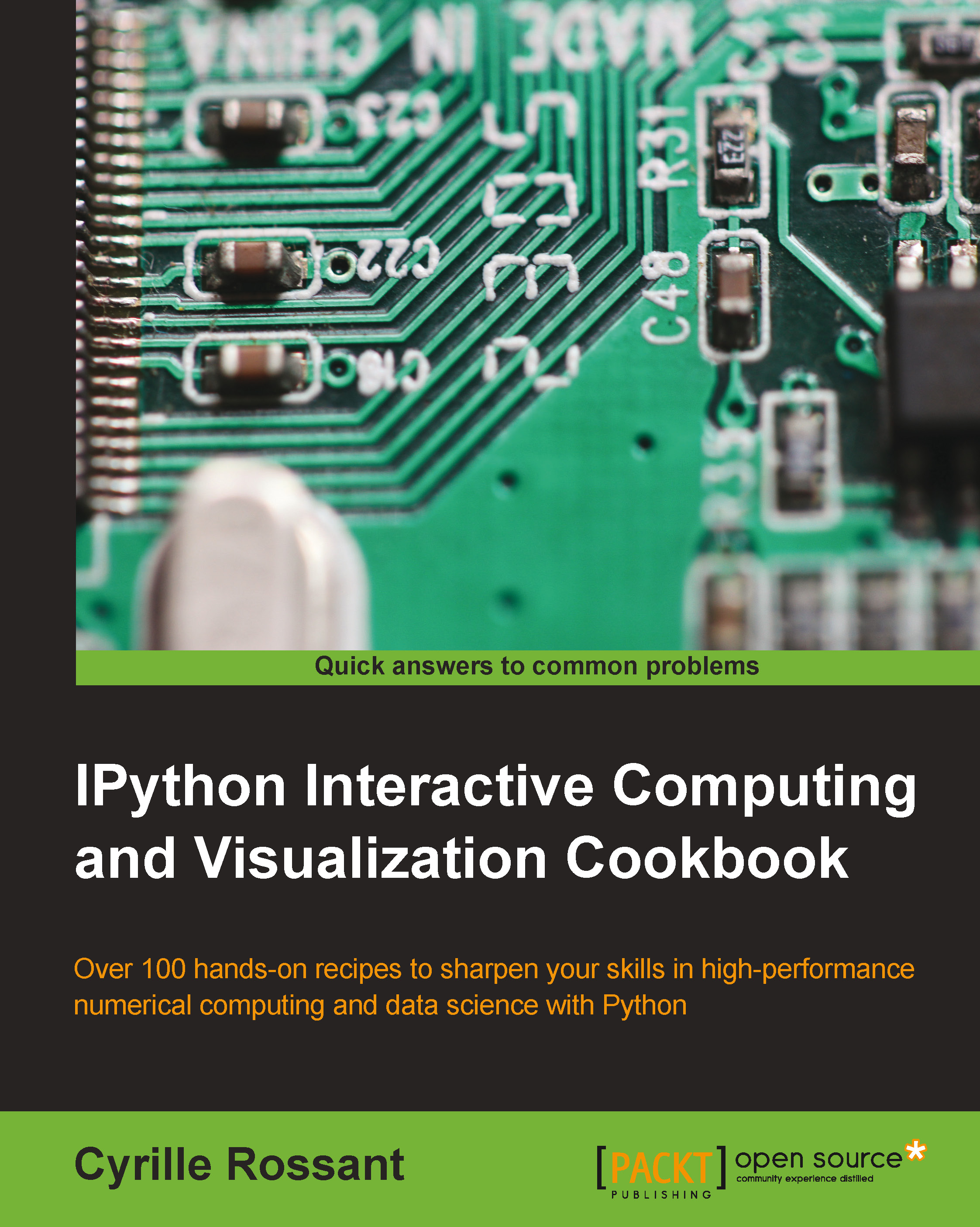
IPython Interactive Computing and Visualization Cookbook

IPython Interactive Computing and Visualization Cookbook

Harness IPython for powerful scientific computing and Python data visualization with this collection of more than 100 practical data science recipes

Can$55.99
By Cyrille Rossant
Full star icon Full star icon Full star icon Full star icon Half star icon
4.5 (13 Ratings)
Pages 512
Published in Sep 2014
Product Type eBook
Edition 1st Edition
ISBN 9781783284825
IPython Interactive Computing and Visualization Cookbook

Packt Subscriptions

See our plans and pricing
Modal Close icon
$12.99 billed monthly
Feature tick icon Unlimited access to Packt's library of 6,500+ practical books and videos
Feature tick icon Constantly refreshed with 50+ new titles a month
Feature tick icon Exclusive Early access to books as they're written
Feature tick icon Solve problems while you work with advanced search and reference features
Feature tick icon Offline reading on the mobile app
Feature tick icon Simple pricing, no contract
$129.99 billed annually
Feature tick icon Unlimited access to Packt's library of 6,500+ practical books and videos
Feature tick icon Constantly refreshed with 50+ new titles a month
Feature tick icon Exclusive Early access to books as they're written
Feature tick icon Solve problems while you work with advanced search and reference features
Feature tick icon Offline reading on the mobile app
Feature tick icon Choose a DRM-free eBook or Video every month to keep
Feature tick icon PLUS own as many other DRM-free eBooks or Videos as you like for just Can$6 each
Feature tick icon Exclusive print discounts
$179.99 billed in 18 months
Feature tick icon Unlimited access to Packt's library of 6,500+ practical books and videos
Feature tick icon Constantly refreshed with 50+ new titles a month
Feature tick icon Exclusive Early access to books as they're written
Feature tick icon Solve problems while you work with advanced search and reference features
Feature tick icon Offline reading on the mobile app
Feature tick icon Choose a DRM-free eBook or Video every month to keep
Feature tick icon PLUS own as many other DRM-free eBooks or Videos as you like for just Can$6 each
Feature tick icon Exclusive print discounts

What do you get with eBook?

Product feature icon Instant access to your Digital eBook purchase
Product feature icon Download this book in EPUB and PDF formats
Product feature icon Access this title in our online reader with advanced features
Product feature icon DRM FREE - Read whenever, wherever and however you want
Table of content icon View table of contents Preview book icon Preview Book

IPython Interactive Computing and Visualization Cookbook

Chapter 2. Best Practices in Interactive Computing

In this chapter, we will cover the following topics:

  • Choosing (or not) between Python 2 and Python 3

  • Efficient interactive computing workflows with IPython

  • Learning the basics of the distributed version control system Git

  • A typical workflow with Git branching

  • Ten tips for conducting reproducible interactive computing experiments

  • Writing high-quality Python code

  • Writing unit tests with nose

  • Debugging your code with IPython

Introduction


This is a special chapter about good practices in interactive computing. If the rest of the book is about the content, then this chapter is about the form. It describes how to work efficiently and properly with the tools this book is about. We will cover the essentials of the version control system Git before tackling reproducible computing experiments (notably with the IPython notebook).

We will also cover more general topics in software development, such as code quality, debugging, and testing. Attention to these subjects can greatly improve the quality of our end products (for example, software, research, and publications). We will only scratch the surface here, but you will find many references to learn more about these important topics.

Choosing (or not) between Python 2 and Python 3


In this first recipe, we will briefly cover a transverse and kind of a prosaic subject: Python 2 or Python 3?

Python 3 has been available since 2008, but many Python users are still stuck with Python 2. By improving many aspects of Python 2, Python 3 has broken compatibility with the previous branch. Migrating to Python 3 may therefore require a significant investment.

Even if there aren't that many compatibility-breaking changes, a program that works perfectly fine in Python 2 may not work at all in Python 3. For example, your very first Hello World Python 2 program doesn't work anymore in Python 3; print "Hello World!" raises a SyntaxError in Python 3. Indeed, print is now a function rather than a statement. You should write print("Hello World!"), which also works fine in Python 2.

Whether you start a new project or need to maintain an old Python library, the question of choosing between Python 2 and Python 3 arises. Here, we give some arguments...

Efficient interactive computing workflows with IPython


There are multiple ways of using IPython for interactive computing. Some of them are better in terms of flexibility, modularity, reusability, and reproducibility. We will review and discuss them in this recipe.

Any interactive computing workflow is based on the following cycle:

  • Write some code

  • Execute it

  • Interpret the results

  • Repeat

This fundamental loop (also known as Read-Eval-Print Loop or REPL) is particularly useful when doing exploratory research on data or model simulations, or when building a complex algorithm step by step. A more classical workflow (the edit-compile-run-debug loop) would consist of writing a full-blown program, and then performing a complete analysis. This is generally more tedious. It is more common to build an algorithmic solution iteratively, by doing small-scale experiments and tweaking the parameters, and this is precisely what interactive computing is about.

Integrated Development Environments (IDEs), providing...

Learning the basics of the distributed version control system Git


Using a distributed version control system is so natural nowadays that if you are reading this book, you are probably already using one. However, if you aren't, read this recipe carefully. You should always use a version control system for your code.

Getting ready

Notable distributed version control systems include Git, Mercurial, and Bazaar. In this chapter, we chose the popular Git system. You can download the Git program and Git GUI clients from http://git-scm.com. On Windows, you can also install msysGit (http://msysgit.github.io) and TortoiseGit (https://code.google.com/p/tortoisegit/).

Note

Distributed systems tend to be more popular than centralized systems such as SVN or CVS. Distributed systems allow local (offline) changes and offer more flexible collaboration systems.

Online providers supporting Git include GitHub (https://github.com), Bitbucket (https://bitbucket.org), Google code (https://code.google.com), Gitorious...

A typical workflow with Git branching


A distributed version control system such as Git is designed for complex and nonlinear workflows typical in interactive computing and exploratory research. A central concept is branching, which we will discuss in this recipe.

Getting ready

You need to work in a local Git repository for this recipe (see the previous recipe, Learning the basics of the distributed version control system Git).

How to do it…

  1. We create a new branch named newidea:

    $ git branch newidea
    
  2. We switch to this branch:

    $ git checkout newidea
    
  3. We make changes to the code, for instance, by creating a new file:

    $ touch newfile.py
    
  4. We add this file and commit our changes:

    $ git add newfile.py
    $ git commit -m "Testing new idea."
    
  5. If we are happy with the changes, we merge the branch to the master branch (the default):

    $ git checkout master
    $ git merge newidea
    

    Otherwise, we delete the branch:

    $ git checkout master
    $ git branch -d newidea
    

Other commands of interest include:

  • git status: Find the current...

Ten tips for conducting reproducible interactive computing experiments


In this recipe, we present ten tips that can help you conduct efficient and reproducible interactive computing experiments. These are more guidelines than absolute rules.

First, we will show how you can improve your productivity by minimizing the time spent doing repetitive tasks and maximizing the time spent thinking about your core work.

Second, we will demonstrate how you can achieve more reproducibility in your computing work. Notably, academic research requires experiments to be reproducible so that any result or conclusion can be verified independently by other researchers. It is not uncommon for errors or manipulations in methods to result in erroneous conclusions that can have damaging consequences. For example, in the 2010 research paper in economics Growth in a Time of Debt, by Carmen Reinhart and Kenneth Rogoff, computational errors were partly responsible for a flawed study with global ramifications for policy...

Writing high-quality Python code


Writing code is easy. Writing high-quality code is much harder. Quality is to be understood both in terms of actual code (variable names, comments, docstrings, and so on) and architecture (functions, modules, and classes). In general, coming up with a well-designed code architecture is much more challenging than the implementation itself.

In this recipe, we will give a few tips about how to write high-quality code. This is a particularly important topic in academia, as more and more scientists without prior experience in software development need to program.

The references given at the end of this recipe contain much more details than what we could mention here.

How to do it...

  1. Take the time to learn the Python language seriously. Review the list of all modules in the standard library—you may discover that functions you implemented already exist. Learn to write Pythonic code, and do not translate programming idioms from other languages such as Java or C++ to...

Writing unit tests with nose


Manual testing is essential to ensuring that our software works as expected and does not contain critical bugs. However, manual testing is severely limited because bugs may be introduced every time a change is made in the code. We can't possibly expect to manually test our entire program at every commit.

Nowadays, automated testing is a standard practice in software engineering. In this recipe, we will briefly cover important aspects of automated testing: unit tests, test-driven development, test coverage, and continuous integration. Following these practices is absolutely necessary in order to produce high-quality software.

Getting ready

Python has a native unit-testing module that you can readily use (unittest). Other third-party unit testing packages exist, such as py.test or nose, which we have chosen here. nose makes it a bit easier to write a test suite, and it has a library of external plugins. Your users don't need that extra dependency unless they want...

Debugging your code with IPython


Debugging is an integral part of software development and interactive computing. A widespread debugging technique consists of placing print statements in various places in the code. Who hasn't done this? It is probably the simplest solution, but it is certainly not the most efficient (it's the poor man's debugger).

IPython is perfectly adapted for debugging, and the integrated debugger is quite easy to use (actually, IPython merely offers a nice interface to the native Python debugger pdb). In particular, tab completion works in the IPython debugger. This recipe describes how to debug code with IPython.

Note

Earlier versions of the IPython notebook did not support the debugger, that is, the debugger could be used in the IPython terminal and Qt console, but not in the notebook. This issue was fixed in IPython 1.0.

How to do it...

There are two not-mutually exclusive ways of debugging code in Python. In the post-mortem mode, the debugger steps into the code as soon...

Left arrow icon Right arrow icon

What You Will Learn

Book Description

Intended to anyone interested in numerical computing and data science: students, researchers, teachers, engineers, analysts, hobbyists... Basic knowledge of Python/NumPy is recommended. Some skills in mathematics will help you understand the theory behind the computational methods.
Category:
Languages:
Concepts:
Tools:

Frequently bought together


Stars icon
Total Can$ 139.98
IPython Interactive Computing and Visualization Cookbook
Can$69.99
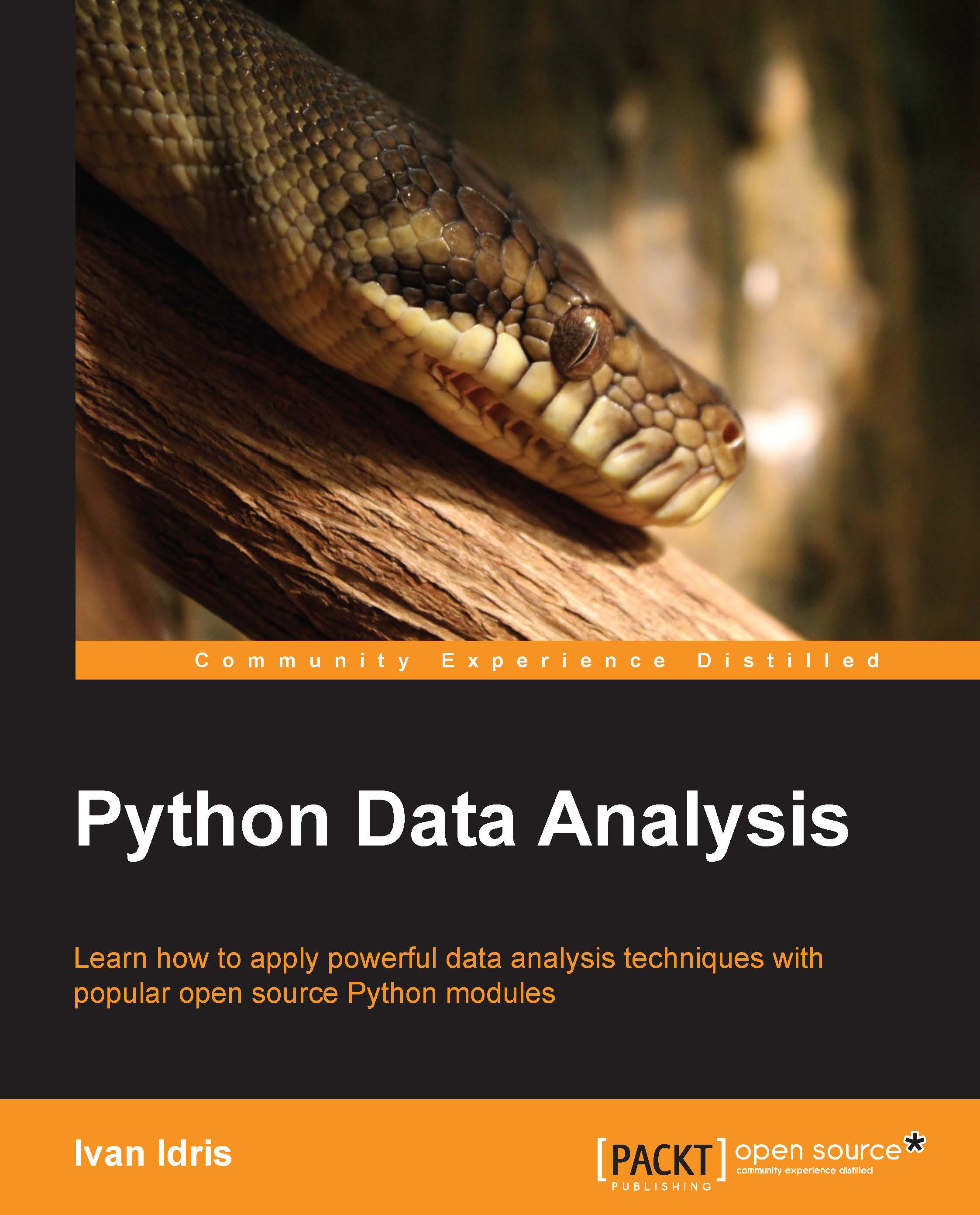
Python Data Analysis
Can$69.99
Total Can$ 139.98 Stars icon

Table of Contents

(15 Chapters)
A Tour of Interactive Computing with IPython Chevron down icon Chevron up icon
Best Practices in Interactive Computing Chevron down icon Chevron up icon
Mastering the Notebook Chevron down icon Chevron up icon
Profiling and Optimization Chevron down icon Chevron up icon
High-performance Computing Chevron down icon Chevron up icon
Advanced Visualization Chevron down icon Chevron up icon
Statistical Data Analysis Chevron down icon Chevron up icon
Machine Learning Chevron down icon Chevron up icon
Numerical Optimization Chevron down icon Chevron up icon
Signal Processing Chevron down icon Chevron up icon
Image and Audio Processing Chevron down icon Chevron up icon
Deterministic Dynamical Systems Chevron down icon Chevron up icon
Stochastic Dynamical Systems Chevron down icon Chevron up icon
Graphs, Geometry, and Geographic Information Systems Chevron down icon Chevron up icon
Symbolic and Numerical Mathematics Chevron down icon Chevron up icon

Customer reviews

Top Reviews
Rating distribution
Full star icon Full star icon Full star icon Full star icon Half star icon
4.5
(13 Ratings)
5 star 61.5%
4 star 30.8%
3 star 7.7%
2 star 0%
1 star 0%
Filter icon Filter
Top Reviews

Filter reviews by


C. Smith Mar 26, 2015
Full star icon Full star icon Full star icon Full star icon Full star icon
5
This book does a great job of providing both a useful overview and introduction to python as well as demonstrating the power and advanced functionality across a broad spectrum of topics in data science, mathematic and visualization. This book includes practical examples and code. Highly recommended.
Amazon Verified review Amazon
Michael Bright Feb 23, 2015
Full star icon Full star icon Full star icon Full star icon Full star icon
5
I read a review copy, all 509 pages as this was a great read.The book has a very broad coverage of interactive computing through the use of IPython.Each chapter and sub-section finishes with a “There’s more …” section providing a large number of useful links for further study on that sections content, allowing the reader to investigate further.The book steps us through all example source code, but the example source and example data are all provided in github repositories so all experiments can be reproduced by the reader. Sufficient information is provided to reproduce the experiments on Windows, Linux or OS X.The earlier chapters introduce us to IPython, in it’s current 2.x form but also present what’s coming in the 3.0 release. It was impressive to see how IPython is evolving into a more interactive platform through the integration of Javascript capabilities - it is shown how IPython can be extended in various ways, and how widgets can be used to interact with the visualization - e.g. having a slider widget to modify an analysis and the associated plot. One example involves the implementation of a piano keyboard within IPython.Impressive stuff showing how useful IPython is becoming for data analysis and visualization.Nevertheless for an introduction to IPython the authors’ earlier book on PacktPub “Learning IPython for Interactive Computing and Data Visualization” is a recommended read.The first part of the book covers high performance interactive computing, starting with IPython, its’ notebooks, profiling and optimization of code through various libraries including Numpy, Numba, Cython and even OpenCL or pyCUDA to harness GPUs. The final chapter of this section covers plotting libraries such as prettyplotlib, seaborn, Bokeh, NetworkX, D3.js, Vispy which go beyond the capabilities of the standard matplotlib.The second part of the book enumerates how these capabilities can be applied in many domains of data science whether it be statistical data analysis, machine learning, optimization, signal processing, image and audio, deterministic and stochastic dynamic systems, graphs and geographical systems and finally symbolic mathematics.There is a very impressive range of techniques covered in the book and the examples cover a wide range of ideas from pure statistics, to frequency domain (FFT), audio, image and graph and map plotting.Whilst such a book can not go into great depth for so many subjects, tools and methods the book provides many realistic reproducible examples, in souce code, along with many references to be able to investigate further.The last chapter deals with symbolic mathematics using sympy. I was quite amazed at what I was able to do by just installing one extra python module - sympy. Sympy is able to display mathematical formulas, via the Latex-capable MathJax library, to solve equations and the like.Overall this book is a very interesting read and is packed with information, examples and very useful references. I recommend it to anyone wanting an overview of Python/IPython capabilities for data visualization.An inspiring book?Well yes, I'm inspired to delve deeper into IPython and its use in various data analytic domains, I'm also inspired to use the examples for teaching workshops.
Amazon Verified review Amazon
P. Sebastien May 28, 2017
Full star icon Full star icon Full star icon Full star icon Full star icon
5
probably my preferred book in Python. Great case studies. Rashka, Rossant= fantastic books
Amazon Verified review Amazon
Jordi C Mar 25, 2015
Full star icon Full star icon Full star icon Full star icon Full star icon
5
I recommend this book as an introduction on how to efficiently use python (and the ipython notebook) for data analysis. The book explains python libraries for parallel computing, numerical optimization, visualization, statistics and machine learning, among others. It offers the reader a thorough overview of different aspects and problems that one should take into account when analyzing data.It is clearly written and easy to understand. It provides step-by-step examples (available on github), as well as useful tips and comments throughout the book. I must say that to benefit from the book you should read it while you practice in your laptop, is not that useful if you just read it.
Amazon Verified review Amazon
Aysylu Abdeeva Apr 04, 2015
Full star icon Full star icon Full star icon Full star icon Full star icon
5
Great work, very useful
Amazon Verified review Amazon
Get free access to Packt library with over 7500+ books and video courses for 7 days!
Start Free Trial

FAQs

How do I buy and download an eBook? Chevron down icon Chevron up icon

Where there is an eBook version of a title available, you can buy it from the book details for that title. Add either the standalone eBook or the eBook and print book bundle to your shopping cart. Your eBook will show in your cart as a product on its own. After completing checkout and payment in the normal way, you will receive your receipt on the screen containing a link to a personalised PDF download file. This link will remain active for 30 days. You can download backup copies of the file by logging in to your account at any time.

If you already have Adobe reader installed, then clicking on the link will download and open the PDF file directly. If you don't, then save the PDF file on your machine and download the Reader to view it.

Please Note: Packt eBooks are non-returnable and non-refundable.

Packt eBook and Licensing When you buy an eBook from Packt Publishing, completing your purchase means you accept the terms of our licence agreement. Please read the full text of the agreement. In it we have tried to balance the need for the ebook to be usable for you the reader with our needs to protect the rights of us as Publishers and of our authors. In summary, the agreement says:

  • You may make copies of your eBook for your own use onto any machine
  • You may not pass copies of the eBook on to anyone else
How can I make a purchase on your website? Chevron down icon Chevron up icon

If you want to purchase a video course, eBook or Bundle (Print+eBook) please follow below steps:

  1. Register on our website using your email address and the password.
  2. Search for the title by name or ISBN using the search option.
  3. Select the title you want to purchase.
  4. Choose the format you wish to purchase the title in; if you order the Print Book, you get a free eBook copy of the same title. 
  5. Proceed with the checkout process (payment to be made using Credit Card, Debit Cart, or PayPal)
Where can I access support around an eBook? Chevron down icon Chevron up icon
  • If you experience a problem with using or installing Adobe Reader, the contact Adobe directly.
  • To view the errata for the book, see www.packtpub.com/support and view the pages for the title you have.
  • To view your account details or to download a new copy of the book go to www.packtpub.com/account
  • To contact us directly if a problem is not resolved, use www.packtpub.com/contact-us
What eBook formats do Packt support? Chevron down icon Chevron up icon

Our eBooks are currently available in a variety of formats such as PDF and ePubs. In the future, this may well change with trends and development in technology, but please note that our PDFs are not Adobe eBook Reader format, which has greater restrictions on security.

You will need to use Adobe Reader v9 or later in order to read Packt's PDF eBooks.

What are the benefits of eBooks? Chevron down icon Chevron up icon
  • You can get the information you need immediately
  • You can easily take them with you on a laptop
  • You can download them an unlimited number of times
  • You can print them out
  • They are copy-paste enabled
  • They are searchable
  • There is no password protection
  • They are lower price than print
  • They save resources and space
What is an eBook? Chevron down icon Chevron up icon

Packt eBooks are a complete electronic version of the print edition, available in PDF and ePub formats. Every piece of content down to the page numbering is the same. Because we save the costs of printing and shipping the book to you, we are able to offer eBooks at a lower cost than print editions.

When you have purchased an eBook, simply login to your account and click on the link in Your Download Area. We recommend you saving the file to your hard drive before opening it.

For optimal viewing of our eBooks, we recommend you download and install the free Adobe Reader version 9.

Modal Close icon

Loading shipping options...

Unable to load shipping costs. Please try again later.

Estimated Shipping Cost

Deliver to -
Modal Close icon
Modal Close icon