





























































Using the Rotate() function to animate an object
In this recipe, we will use the Transform.Rotate() function to create an infinite looping animation of a windmill. We could make the same with the Animation View, but sometimes writing a simple script means much less effort than creating a key frame animation.
Getting ready
We need a few models we can rotate in this recipe. As an example, we will use a windmill. It is composed of three game objects: WindmillBase, which is the root of the whole windmill, Windmill which is parented to the WindmillBase, and WindmillWings which is parented to the Windmill. The Windmill game object itself can rotate in the Y axis. The WindmillWings game object can rotate in its local Z axis.
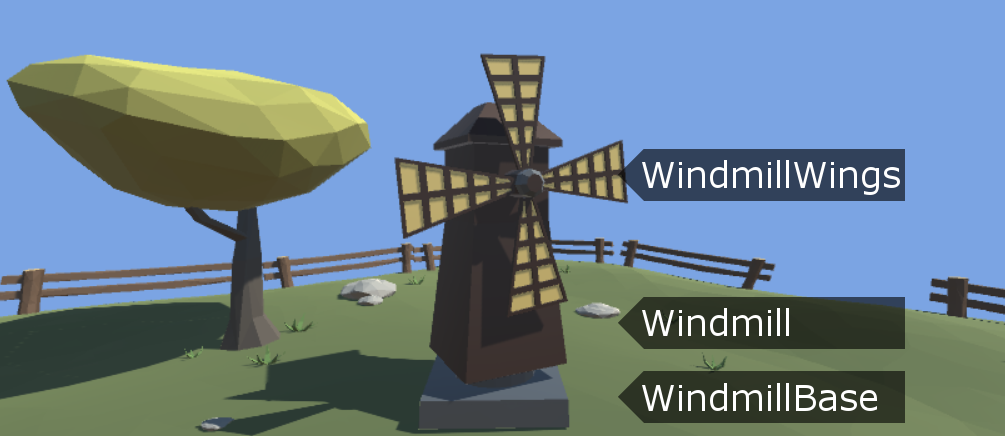
Windmill hierarchy
You can download the example project and go to the Chapter 10 Miscellaneous\Recipe 03 Using the Rotate function to animate an object directory. Open the Example.unity scene there and play the game. You will see the windmill rotating around the Y axis and its...


