

Simple deployment
Now that we have everything ready, let's look at how to build our application.
First, we will look at the application after the changes have been made:
- Open VS Code, click on
viewin the top menu bar, and clickIntegrated Terminal. - Type the following command in your Terminal:
npm start- Open your default browser and go to
http://localhost.com:4200/beers. - Congratulations; you should see the following screenshot:
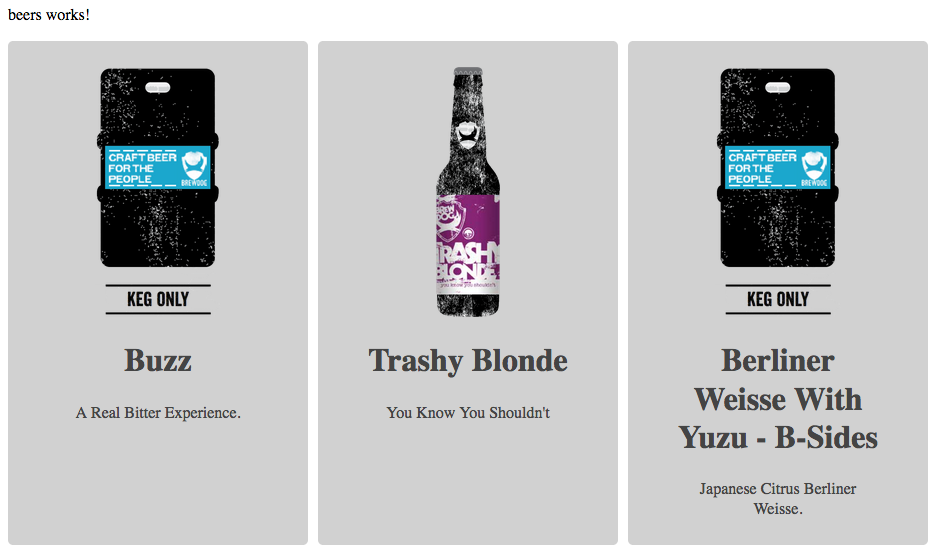
Note that we are running the command for development, using ng serve behind the npm start command.
Now, let's use the command to build the application, and check the results:
- Go back to VS Code and type Ctrl+C to stop the server.
- Type the following command:
npm run buildThe preceding command will prepare the application for production; the Angular CLI will do all of the hard work for us. Now, we have a folder at the root of chapter03, as shown in the following screenshot:
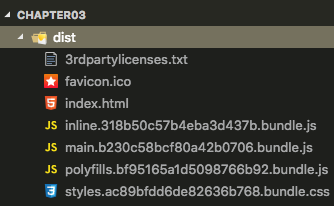
The dist folder
As you can see, all of our application is inside of this folder, as optimized as possible...